
A Step-by-Step Guide to Designing a 5-6 Day Unit on Native American History: A Collaborative Journey with AI
Introduction: As educators, we constantly strive to create units that not only align with educational standards but also address the specific needs and skills of our students—especially those with IEPs. Balancing these demands while keeping lessons engaging and accessible can be challenging. In this blog post, I’ll walk you through how I collaborated with AI (ChatGPT) to develop a comprehensive 5-6 day unit on Native American history, tailored specifically for my 8th-grade students. This unit focuses on student deficits, builds critical skills, aligns seamlessly with Ohio’s educational standards, and incorporates the rich local history of Clermont County.
Step 1: Identifying Student Needs and Establishing the Unit’s Foundation
To start, I needed to ensure that the unit would directly address the literacy and comprehension deficits my students face. Many of my 8th graders have IEPs and are working below grade level, so it was crucial that the lessons be both accessible and skill-focused.
- Prompt: “Analyze these literacy skills my 8th graders need to work on and pull out a DELTAS skill that correlates.”
- Context & Results: ChatGPT identified that my students needed to work on skills such as finding the main idea and understanding vocabulary in context. It then correlated these skills with the DELTAS framework, which helped me focus the unit on building essential literacy skills. This step provided a clear foundation for the unit, ensuring that each lesson would target these specific deficits.
Step 2: Aligning with Standards
With student needs in mind, the next step was to ensure that the unit was aligned with Ohio’s educational standards for 8th-grade social studies, specifically focusing on Native American history.
- Prompt: “Based on Ohio’s standards, what should 8th graders know about American Indians?”
- Context & Results: ChatGPT analyzed Ohio’s standards and highlighted key content areas, such as Native American history in the context of colonization, human systems, and geography/conflict. This alignment was crucial in making sure that the unit was not only skill-focused but also met the required academic benchmarks. By tying the lessons to these standards, I could ensure that my students were gaining the necessary knowledge while also working on their literacy skills.
Step 3: Structuring the Unit Around a Compelling Question
To drive inquiry and keep students engaged, I needed a compelling question that would guide the entire unit. This question would be broken down into daily supporting questions, each addressing a different aspect of the topic.
- Prompt: “Organize this over 4 days with an overall compelling question for 8th grade; each day needs a supporting question. I teach 8th graders mostly with special needs and IEPs. I also teach 65-minute classes.”
- Context & Results: ChatGPT suggested structuring the unit around the compelling question, “How did the Native American tribes of Clermont County, Ohio, adapt to their environment and interact with European settlers?” It then provided supporting questions for each day, which I adjusted to extend the unit to 5-6 days. These questions broke down the overarching theme into manageable daily lessons, each building on the last. This structured approach ensured that students could progressively deepen their understanding of the material.
Unit Overview:
- Day 1: What were the distinct ways of life of the Native American tribes in Clermont County, Ohio, before European colonization?
- Day 2: How did European exploration and colonization disrupt the lives of Native American tribes in Clermont County, Ohio?
- Day 3: How did cultural biases and U.S. policies contribute to the displacement of Native American tribes in Clermont County, Ohio?
- Day 4: How did the geography of North America contribute to conflicts between Native American tribes and European settlers?
- Day 5 (and possibly Day 6): How can we use what we’ve learned to understand the broader impact of colonization on Native American tribes? (This final day focuses on synthesis and assessment.)
Step 4: Combining Pre-Existing Readings with Textbook Style
I had several pre-existing readings about Native Americans in Clermont County that I wanted to use. However, I needed these readings to be consistent with the style and tone of the McGraw Hill textbook sections my students were familiar with. This consistency would make the materials more accessible and ensure a smoother learning experience.
- Prompt: “What do you notice about the style of writing for these textbook sections?” After receiving the analysis, I followed up with, “Take each one of these readings and match the style of the previous readings/lessons. Combine the information from both—I want students to understand how local American Indians adapted to their environment and interacted with Europeans.”
- Context & Results: ChatGPT analyzed the textbook style and identified key features such as clear language, bolded vocabulary, and structured headings. It then blended these features with the content from my pre-existing readings about local Native American history. The result was a set of readings that were both consistent with the textbook and tailored to the specific historical context of Clermont County. This approach ensured that students could easily transition between different texts without losing comprehension.
Step 5: Consistent Use of EduProtocols
To build confidence and ensure that students were prepared for the final assessment, I wanted to use EduProtocols consistently throughout the unit. This would allow students to become familiar with the formats and expectations of these protocols.
- Prompt: “How can we keep the EduProtocols consistent so that the final assessment can use that EduProtocol to show what they know?” Followed by, “Take Day 1 of the unit and add more details to it—vocab and activities.”
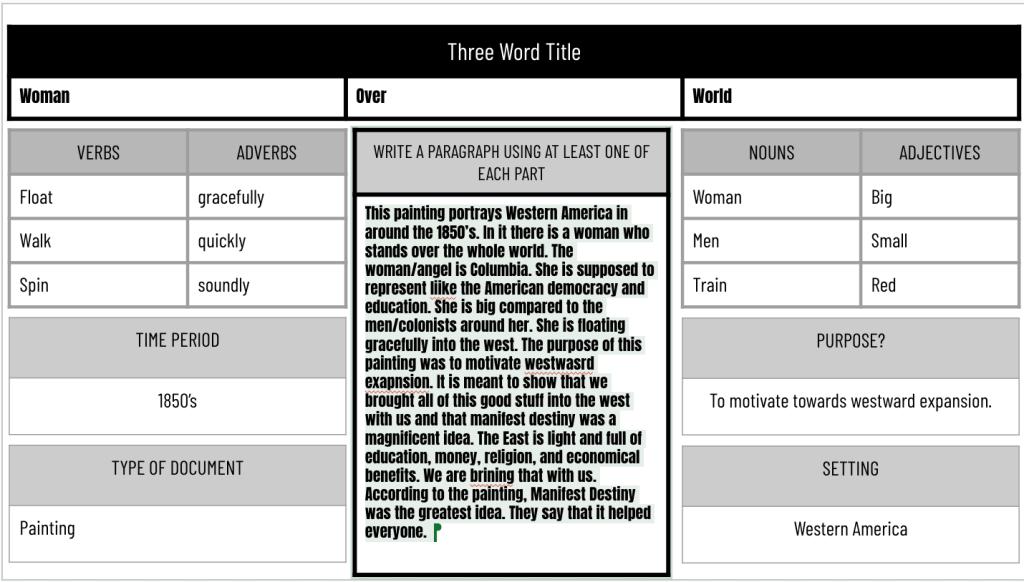
- Context & Results: ChatGPT suggested integrating EduProtocols like Thin Slides, Sketch and Tell, and Iron Chef into each day’s lesson. By using these protocols consistently, students had repeated opportunities to practice and master the formats. This consistency helped build their confidence, ensuring they were well-prepared for the final assessment.
Daily EduProtocol Integration:
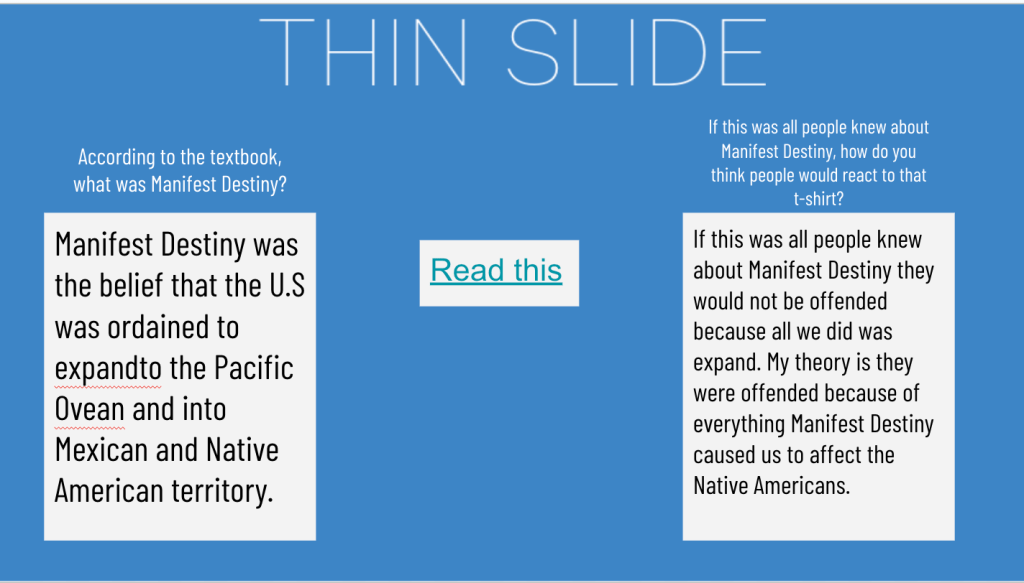
- Day 1: Thin Slides: Students create a slide focusing on how one tribe in Clermont County adapted to their environment. This introduces them to summarizing key ideas visually.
- Day 2: Jigsaw Reading and Mapping Activity: Instead of a full Iron Chef, students engage in a Jigsaw reading activity followed by an interactive map session to explore how European colonization impacted specific tribes.
- Day 3: Sketch and Tell: Students draw a picture and write a brief explanation about how cultural biases and U.S. policies affected Native American tribes, reinforcing the connection between visuals and text.
- Day 4: Thin Slides or Mapping Activity: Depending on student needs, they either revisit Thin Slides or continue with mapping activities to understand how geography influenced conflicts.
- Day 5 (and possibly Day 6): Final Assessment – Iron Chef or Sketch and Tell: Students choose between creating an Iron Chef presentation or a series of Sketch and Tell pages that synthesize what they’ve learned throughout the unit.
Step 6: Scaffolding and Success Criteria
Recognizing that many of my students require additional support, I needed clear, plain language success criteria to guide them through the EduProtocols. This would ensure that all students, including those with IEPs, understood what was expected of them and how they could succeed.
- Prompt: “Create a simple, plain language success criteria aligned with the compelling and supporting questions that can help students with IEPs understand the Sketch and Tell or Iron Chef.”
- Context & Results: ChatGPT provided clear, scaffolded success criteria that were easy for students to understand. This included expectations for each activity, such as ensuring that each Thin Slide had a clear image and word that connected directly to the day’s question, or that each Sketch and Tell page clearly depicted the impact of policies or cultural biases. These criteria helped students focus on the key objectives of each lesson and understand how to achieve success.
Step 7: Reflection and Continuous Improvement
Throughout the unit, I used reflective prompts to ensure that the plan remained focused on student deficits, skills, and standards alignment. I made adjustments based on AI’s suggestions, ensuring that each activity was purposeful and accessible.
- Prompt: “Analyze this entire conversation and create a well-written, clear, and concise blog post walking teachers through how to set up this unit.”
- Context & Results: ChatGPT provided a cohesive overview of the entire process, reflecting on how each step contributed to the overall success of the unit. This reflection allowed me to ensure that the unit was cohesive, effective, and aligned with both student needs and educational standards. It also emphasized the importance of adaptability and continuous improvement in lesson planning.
Conclusion: Collaborating with AI allowed me to design a 5-6 day unit on Native American history that is not only standards-aligned and skill-focused but also tailored to the specific needs of my students, including those with IEPs. Each step—from identifying student needs to structuring the unit around a compelling question, blending local history with textbook materials, and integrating consistent EduProtocols—was carefully planned to ensure a cohesive and effective learning experience. The clear success criteria and continuous reflection throughout the process further enhanced the unit’s accessibility and impact.
This experience highlights the potential of AI as a powerful collaborative tool in education, supporting teachers in creating units that are both engaging and academically rigorous, while also being responsive to the diverse needs of their students.







 Moler's Musings