
Chat GPT is the current, controversial topic in education. I understand the disdain of people with this new tool. However, having an immediate, negative reaction is way too easy. Throwing up your hands and questioning why we even have to teach is way too easy.
I see a tool like Cat GPT and think, “How can I use this to make my life easier? How can I use this to enhance my instruction? How can I use this to enhance my feedback?”
What is Chat GPT? Rather than me explain it, I visited the chatbot and asked it to describe itself. Here is a screenshot of that query:
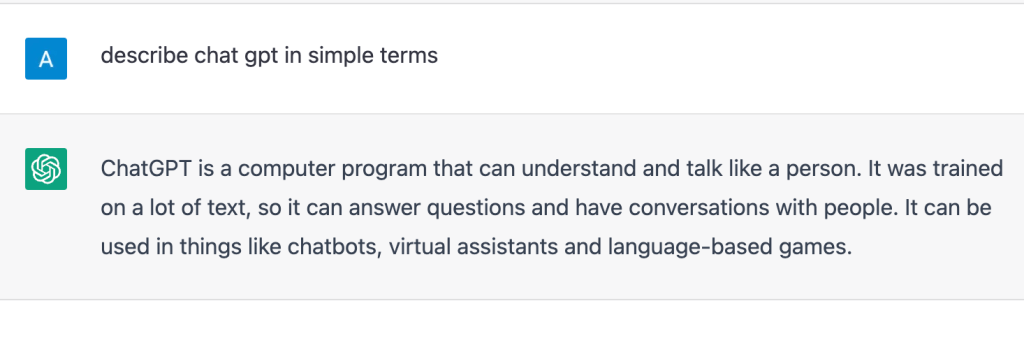
In other words, artificial intelligence to answer questions, have conversations, or write essays. However, what can it be used for to help teachers? Here are some ways I have used Chat GPT in my social studies class:
Differentiation – I wanted a quick way to differentiate for multiple levels of students within my social studies class. I took a textbook section we used for a CyberSandwich and I asked the chatbot to, “Rewrite this textbook article for a 3rd grade reading level.” I also asked it to, “Rewrite this textbook article for a 10th grade reading level.” Within seconds, I have differentiated for various reading levels in class.
Feedback – the more specific you are with your queries, the better. During our CyberSandwich about Federalists, I wanted students to write a summary about Federalists and their beliefs. I wanted students to focus on topic sentences, 3 key beliefs, and a concluding sentence. Later that night, I decided to see if Chat GPT could grade. At first, I was asking it, “Grade this paragraph about Federalists.” The feedback was okay. I changed the query to, “Give feedback on this summary about Federalists focusing on the topic sentence, 3 key beliefs, and a concluding sentence.” The feedback was AMAZING. I was able to give feedback to 90% of my students by copying and pasting it as private comments through Google Classroom. I also picked up on commonalities of feedback and gave class feedback on improving topic sentences and adding more details. Based on the feedback, the paragraphs with our second CyberSandwich with Democratic-Republicans was tons better.

New ways of thinking – I asked Chat GPT to, “Create a nonfiction, short text about the Alien and Sedition Acts with 3 factual errors.” In seconds, it created a short text that I copied and pasted to a Google Doc. It suggested errors that I manually put in myself. That day, I had students get into groups and gave them 8 minutes to read, identify, and correct all the factual errors.

Questions – I am the worst at creating questions. During one of my lessons, I needed some quick questions to add to a PearDeck. I got on Chat gPT and asked it, “Create multiple choice questions based on this passage…” I copied and pasted the passage from the PearDeck slide and I have multiple choice questions within seconds. I also copied and pasted a textbook section and asked it, “Create multiple levels of questions for this textbook section…” Within seconds, I had multiple DOK leveled questions I could copy and use.

UPDATE**
This new idea falls under questions.
- Create a video using Screencastify and upload the video to Youtube.
- Paste the Youtube URL into YouTubeTranscript. This will automatically create a transcript.
- Copy and paste the transscript into ChatGPT and ask it to make questions.
- Load your video into EdPuzzle and copy and paste the questions into the video.
As I hear, or think about, new ways to use Chat GPT, I will keep adding more information to this post. Is this system perfect? No. But, it can provide ideas to get us thinking. It can be used to save time. It can be used to enhance learning. It’s definitely a game changer…in the right hands.
UPDATED (2/28/23)***
- Use ChatGPT to create a historical Mad LIb. I first asked, “Do you understand mad libs?” It responded with a long explanation of Mad Libs. Then I asked it, “Create a Mad Lib about the Louisiana Purchase.” It created a nice, detailed Mad Lib with spots for nouns, adjectives, verbs, etc. I copied the creation to a Google Doc and highlighted the blank spaces.

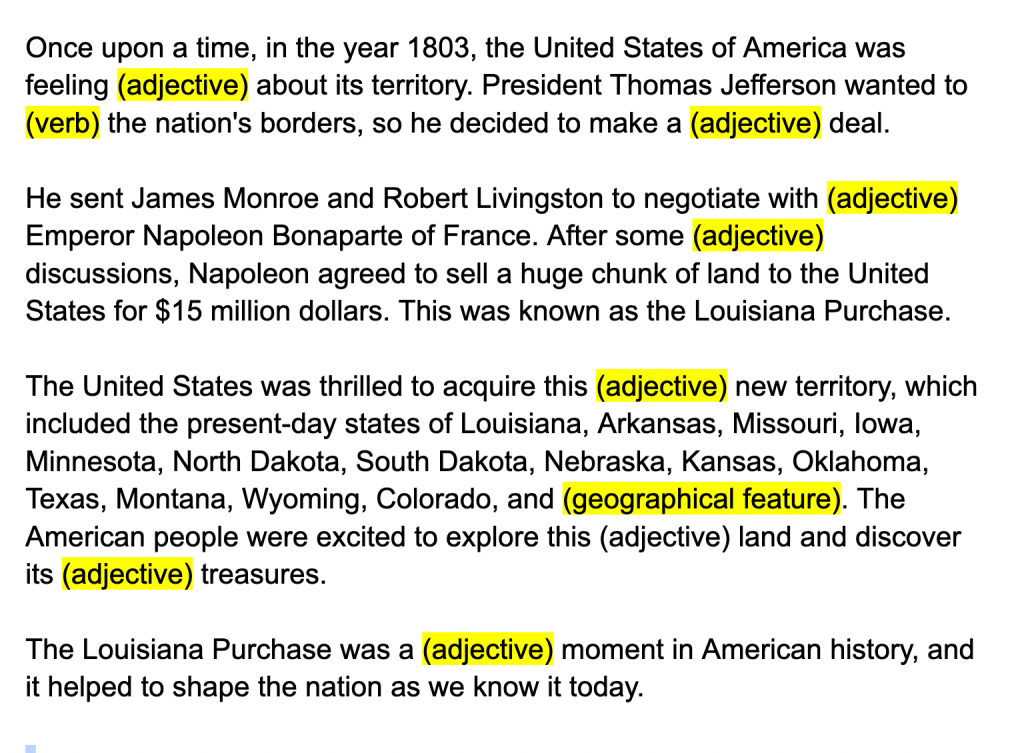
- I saw this on TikTok and it blew my mind – use ChatGPT to create questions for a Blooket game in seconds. I had to try it myself and made a video…

 Moler's Musings
Please keep updating this post with new ideas, uses and applications for ChatGPT.
LikeLike
This is a super helpful blog post, Adam. Thank you, specifically, for posting your prompts.
LikeLiked by 1 person