The Week That Was In 505

When I began teaching social studies, eight years ago, students seemed to have a good background and grasp of basic historical facts. Each year after that, the knowledge has been less and less. For example, I have some students who have never heard of George Washington, Ben Franklin, or John Adams. No joke.

I shared the above information because I feel like most of my lessons stay in the DOK 1, 2, and 3 range. The students are learning the background knowledge they lack, but sometimes I wish I could get to the DOK 4 level.

The units I have put together are structured, but I need to focus the essential questions more and tidy up the organization. I would like to get into more inquiry based lessons, PBL based lessons, but the lack of background knowledge trips me up. With that being said, it leads me to the end of the American Revolution Unit.

I needed an end to the American Revolution Unit, but it seemed like a conglomerate of lessons. As a result, I came up with a 2 part assessment that addressed all aspects of the unit. The next day we started a mini-unit on the Founding Fathers.

I created the mini-unit on the Founding Fathers because a student asked me if we could learn about them. Furthermore, it’s important for students to understand who some of these Founders were before diving into the Constitutional Convention. So, I put together some EduProtocols paired with some Emc2Learning materials. It ended up being a cool unit.

Monday – Resource Rumble for review

Tuesday – Final Assessment – American Revolution

Wednesday – Thin Slide, Fast and Curious Gimkit, Iron Chef/Archetype

Thursday – Frayer, NFL Draft Founding Fathers (emc2learning)

Friday – Fast and Curious, Finish up NFL Draft (Wasted day)

Quick Video Tip – Quickly change share settings for ALL students so they can see each other’s work.

Monday

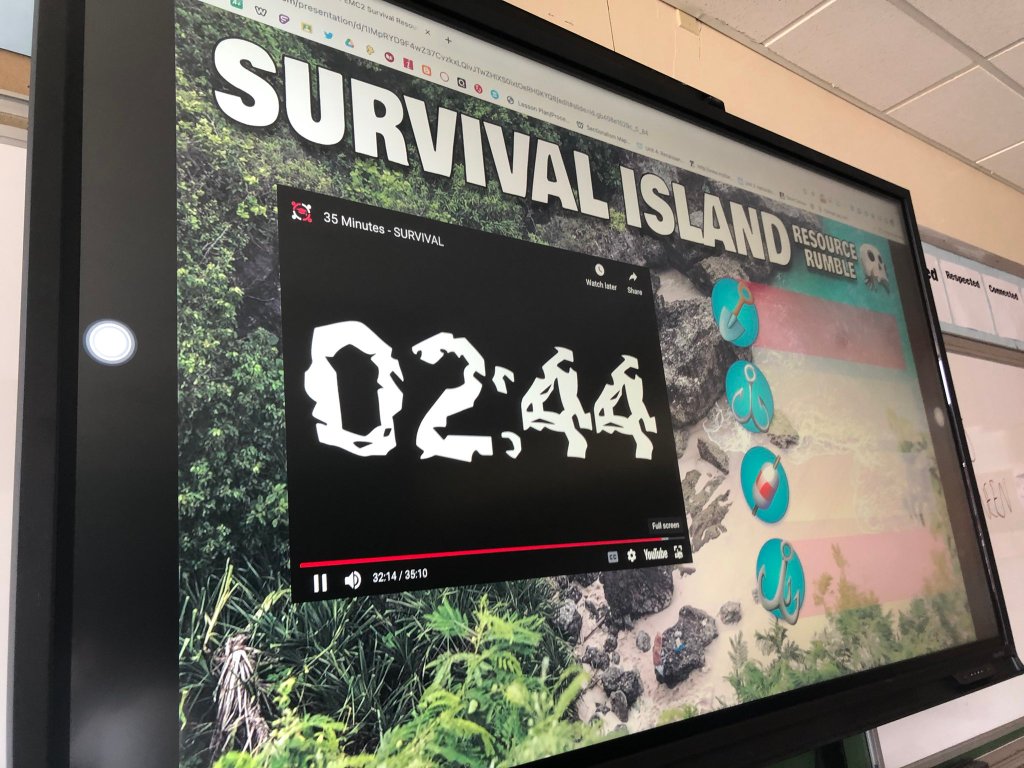
After returning from a long trip (I went to MassCUE at Gillette Stadium), I needed a review activity for the students. I took a chance and did a Resource Rumble with my classes. The Resource Rumble is an engaging review activity for students.

The students were placed into teams of 3 to 4. I posted 8 questions around the room related to the material they learned last – Declaration of Independence, American Revolutionary War battles, life of Continental Soldiers, Taxation without Representation, etc. I wanted students to use some recall and retrieval practice. Some examples of questions I posted:

  1. Write a Haiku about Taxation without Representation.
  2. Write 3 rhyming couplets about the Declaration of Independence.
  3. What are the natural rights listed in the Declaration?
  4. Identify the first and last battles fought in the Revolutionary War. Who won the last battle?

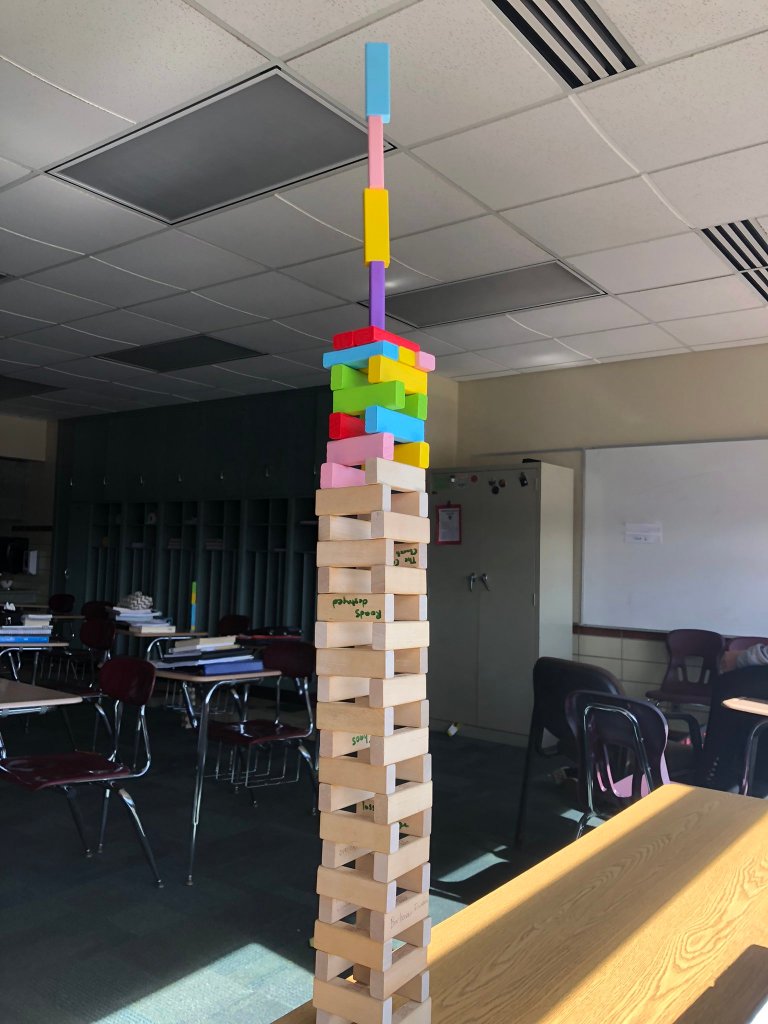
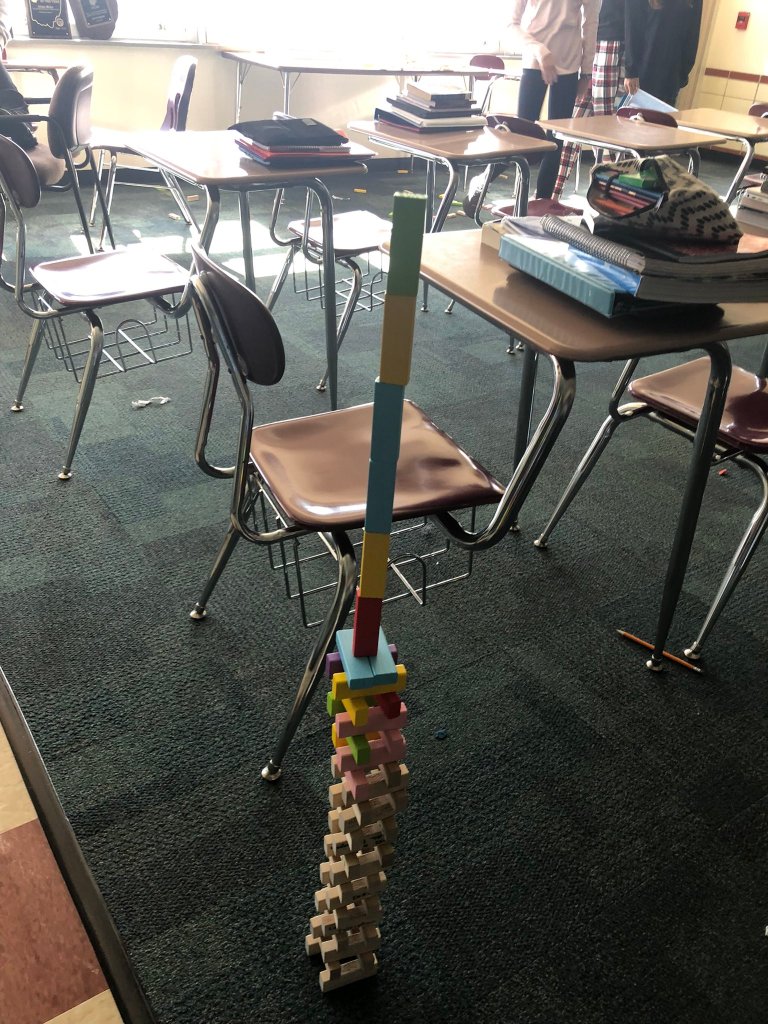
Students did well with the Resource Rumble. They loved getting up and moving around. After the groups answered the questions, they brought their responses to me to check. I added in a new twist this year – okay responses received a 6 sided dice. Great responses received the 8-sided dice. One student rolls the dice for the group, and collect that many blocks. In the end the groups compete to build the tallest, freestanding tower. The tallest tower of the day was 38″ tall. Here are some pics:

Tuesday

For Tuesday I needed an assessment to wrap up the American Revolution Unit. I often have a million ideas constantly running through my head. I can never make up my mind. I knew what the students needed to know and be able to do, I just couldn’t make up my mind on how they could do it.

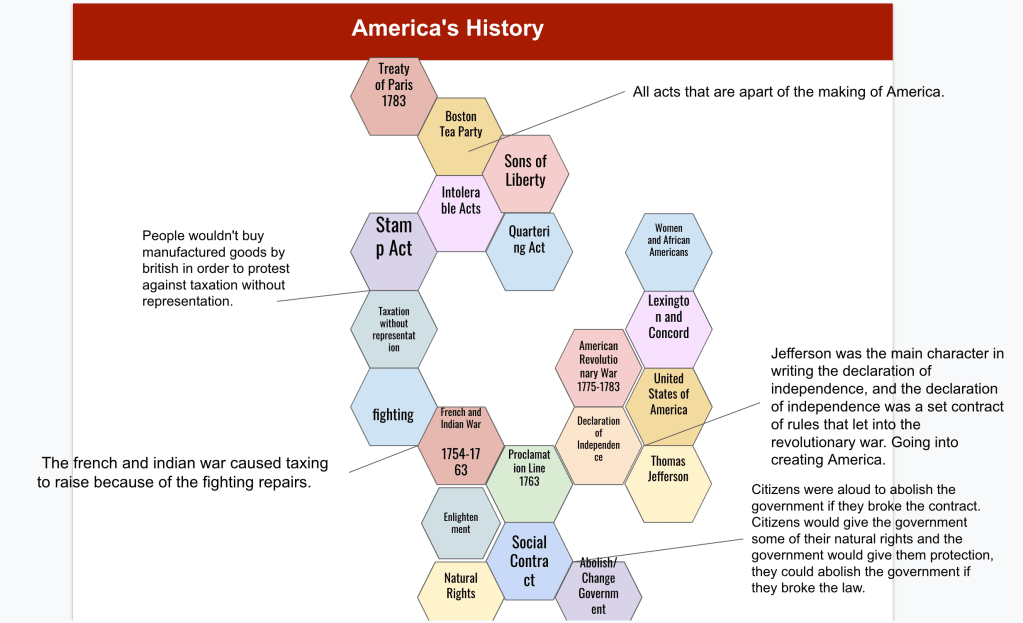
As I was driving to school, the idea came to me – a 2 part assessment. The first part of the assessment was a Gimkit. The second part of the assessment was a choice of familiar activities – Hexagonal Learning or Story Cubes. I told the students they had to finish every part of the assessment in class. Here was my deal with them:

  1. 5 minute Gimkit. If everyone answered 25 or more questions, and the class average was 80% or higher, then everyone would a get a 10 out of 10 on that portion of the assessment.
  2. The 2nd part of the assessment was a choice – Hexagonal Learning or Story Cubes. Hexagonal Learning could be with a partner or Story Cubes had to be individual.

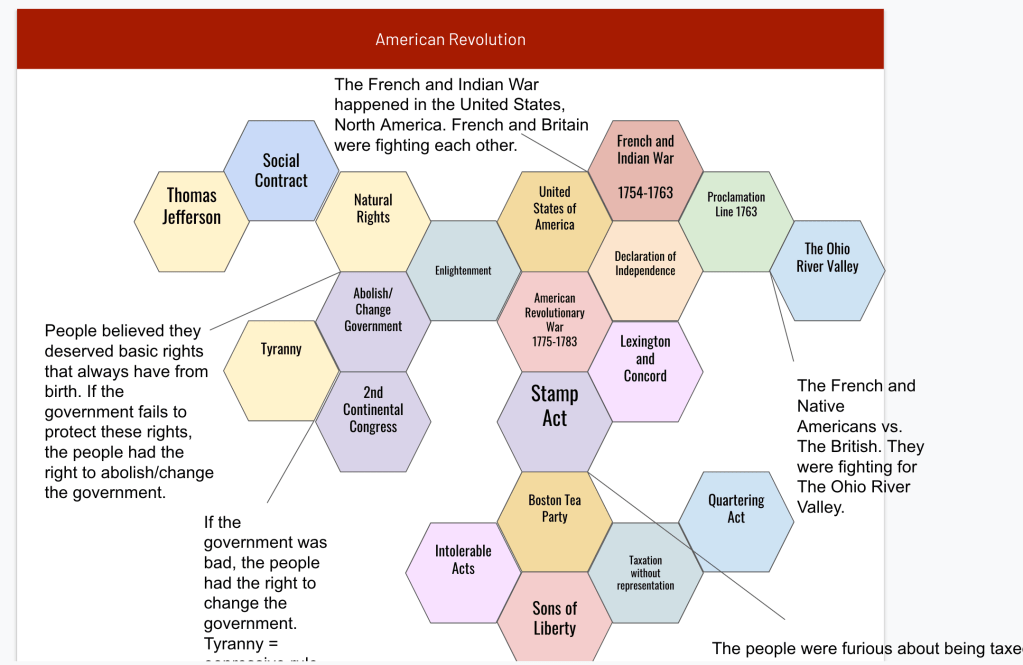
On the Gimkit, the students rose to the challenge. Four of my classes received these class averages: 80%, 82%, 85%, 90% and one class received a 70%. For the choice assessment, most students chose Hexagonal Learning. Here are some of the I Can statements I listed out:

  1. I can identify and describe 2 examples of taxation without representation that led to the Revolution.
  2. I can explain how the Enlightenment influenced the Declaration of Independence and the American Revolution (natural rights, social contract).
  3. I can explain why Thomas Jefferson wrote the Declaration of Independence.
  4. I can identify principles of government within the Declaration (consent of the people).
  5. I can identify, and explain, a group that contributed to the American Revolutionary War.

I shared my I can statements because I noticed some students were putting the Enlightenment, or natural rights with other ideas…….which is okay in some ways, I guess. However, I pointed out to the students the I Can statements. For example, I can statement number 2 literally has Enlightenment with the Declaration, natural rights, and social contract all in the same sentence. I asked, “Wouldn’t that clue you in to where those hexagons go?” I bring this up because I wonder how often I can statements are used and if students are taught to use them for guidance.

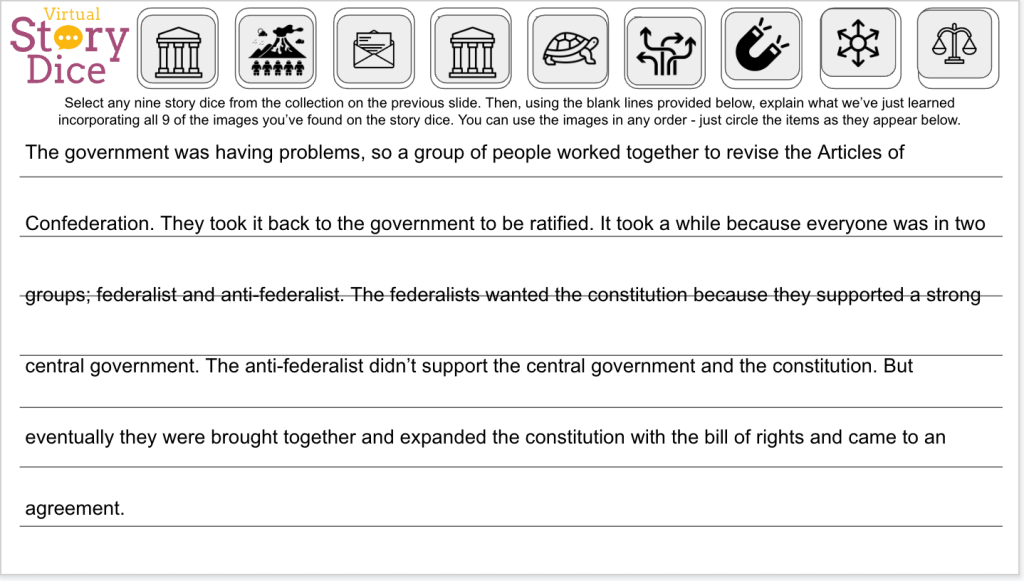
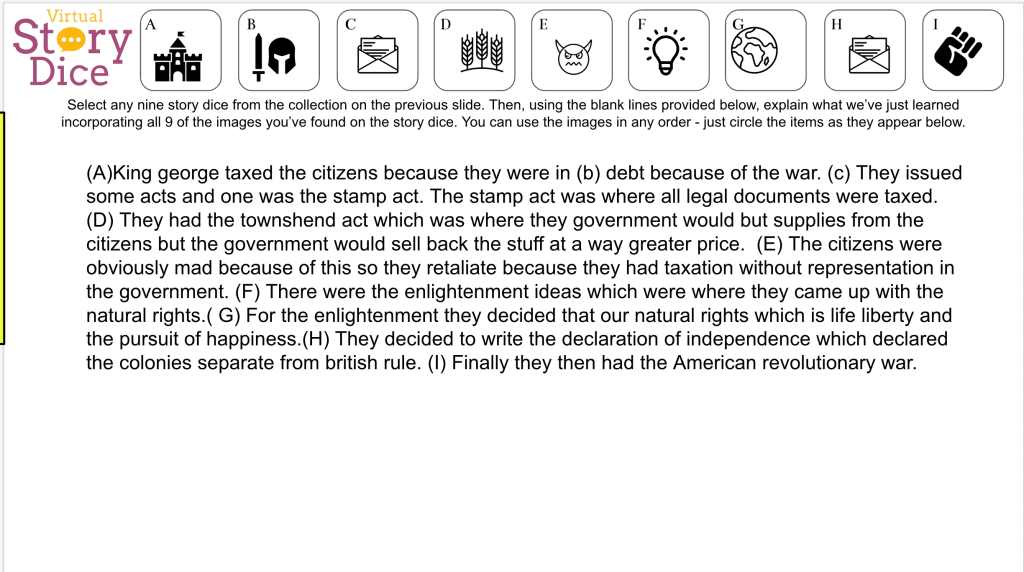
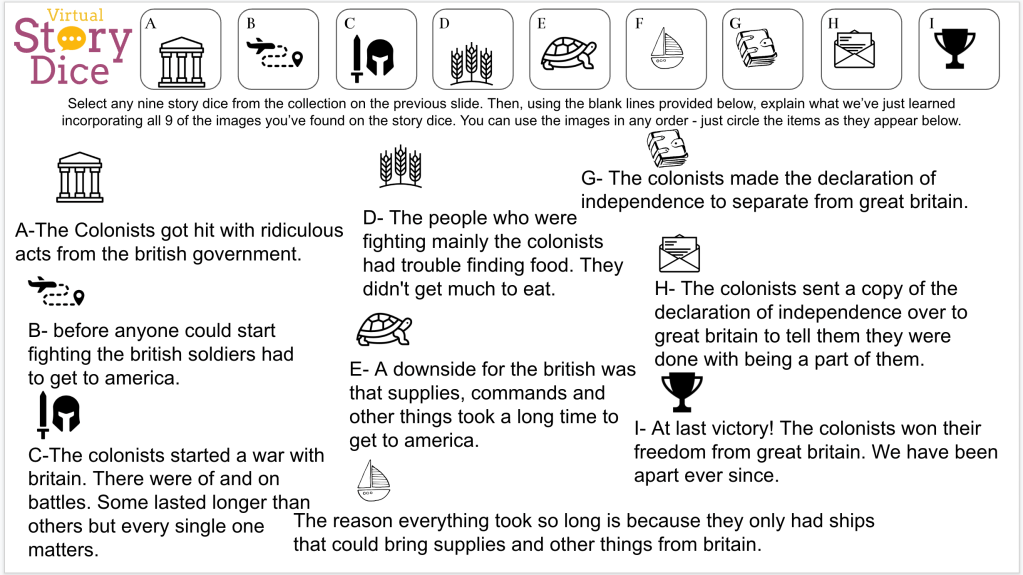
Along the lines of my assessment choices, I like these options for students because they are familiar with them. The Hexagonal Learning has the major concepts listed out for students to read. Whereas, the StoryCubes has students relating abstract images to concepts which leads to more recall and retrieval practice. Here are some examples:

Wednesday

Before beginning a new unit on the Constitutional Convention, I was inspired by a couple of students to create a mini-unit on the Founding Fathers. One student asked me if we could learn about the Founding Fathers. The other student that inspired me, way back in September, made a list of presidents that would make a great basketball team. He strategically placed them in different positions – point guard, shooting guard, etc. and began laughing. What he thought was a joke actually inspired my idea for this Founding Fathers unit.

To begin this unit (With EduProtocols, I planned this out, and created everything, in 10 minutes) I started with a Thin Slide. I simply asked the students look up a Founding Father, add their picture, add their name, add an accomplishment. They had 3 minutes to create their slide. When the timer went off, I shut down the editing rights and students presented their slide right from their desks. They included the usual suspects for Founding Fathers – Alexander Hamilton, George Washington, John Adams, Thomas Jefferson. Some students like to branch out and be different – those students shared John Jay (who apparently looks like me I guess).

The next step of the lesson was a Fast and Curious Gimkit. The Gimkit had fifteen questions about founding fathers. I added pictures to the questions with the lesser known Founding Fathers. The point of this Gimkit was to introduce more names to the students. The class averages were super low – 40% to 50% range. Students were confused by all the John’s, James’s, and George’s.

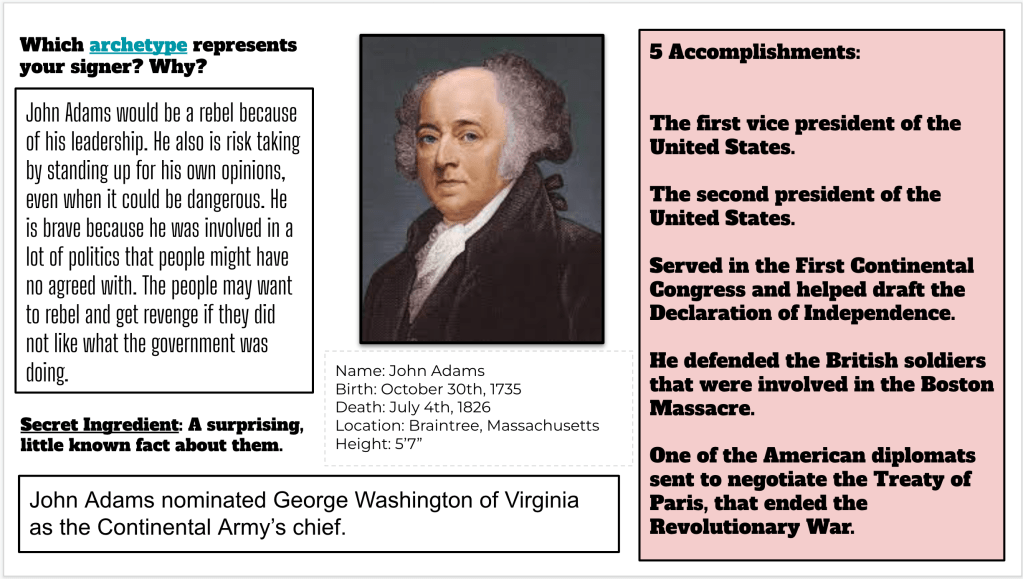
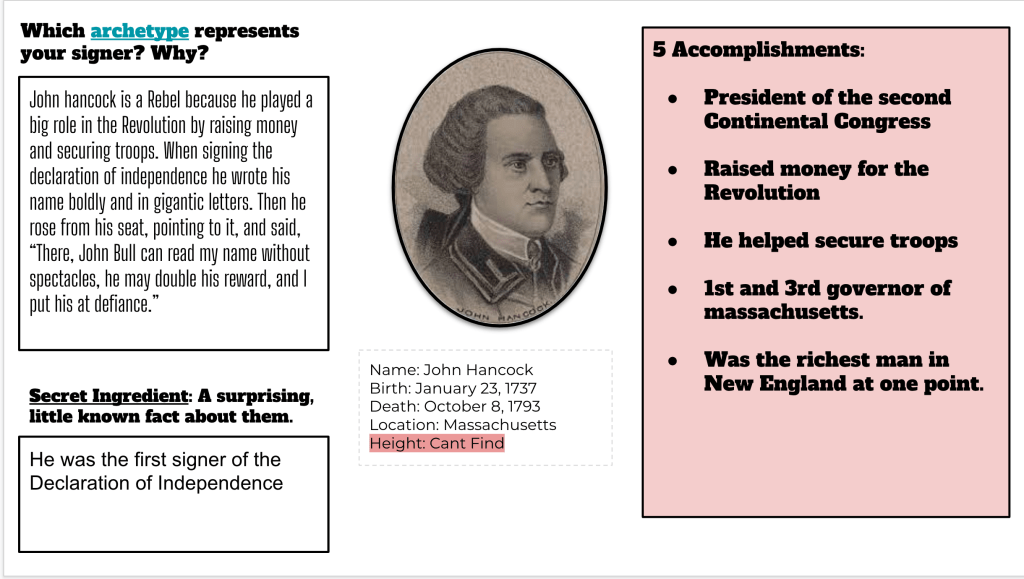
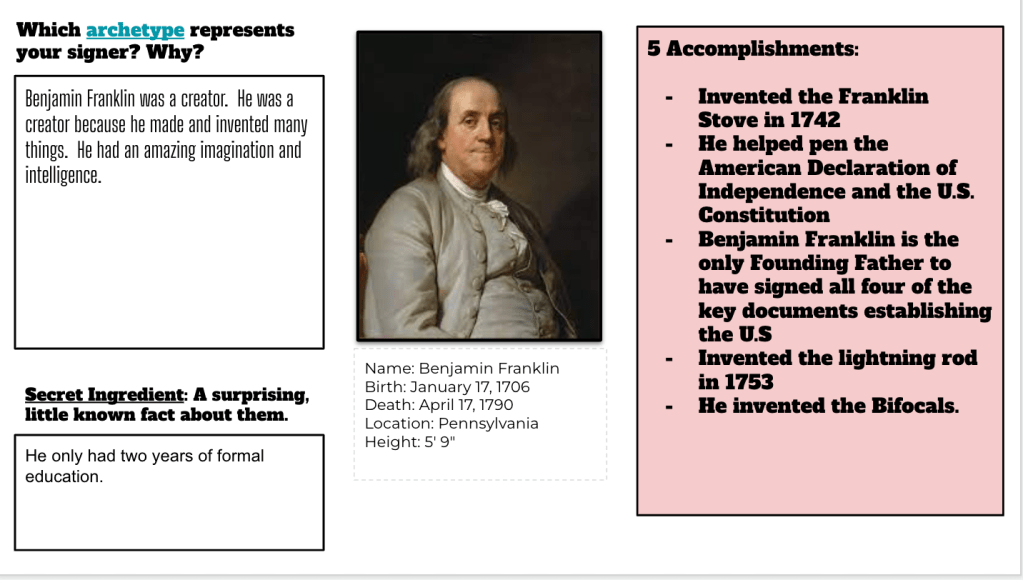
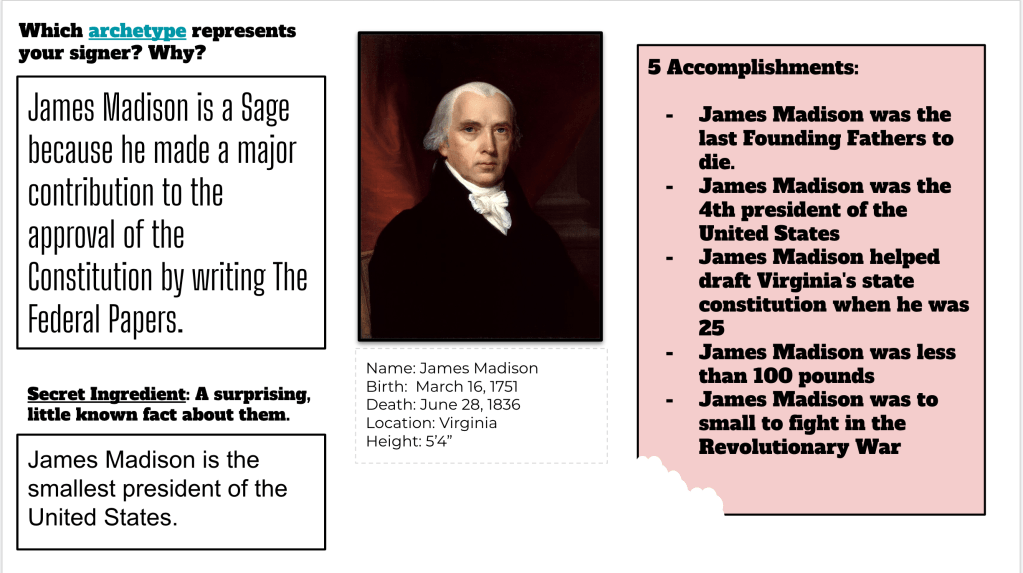
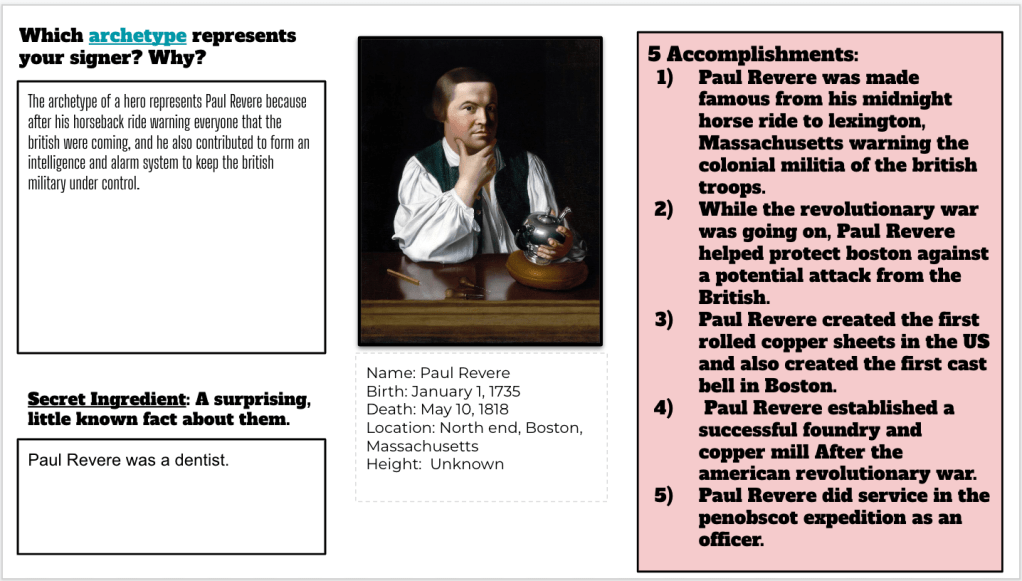
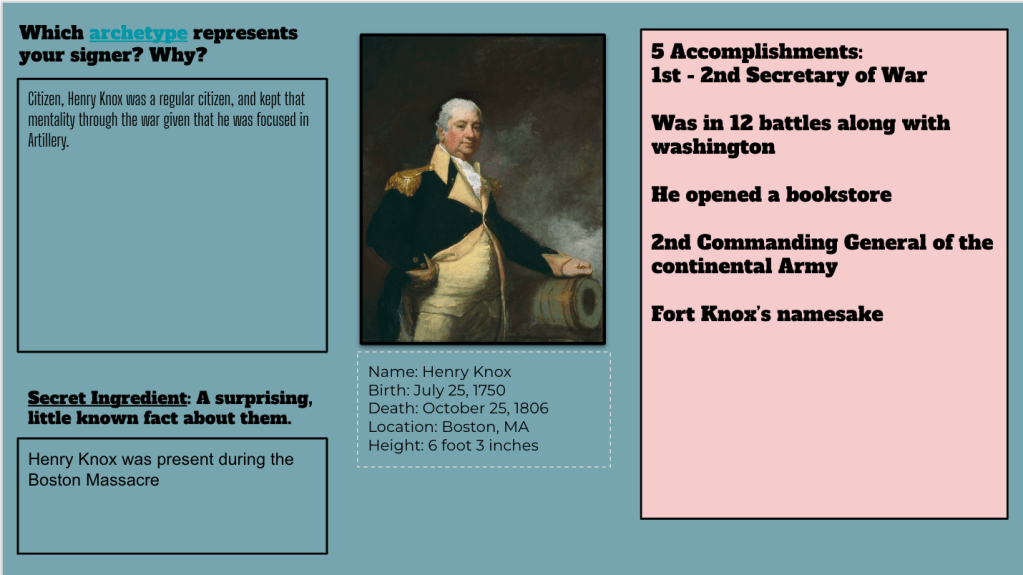
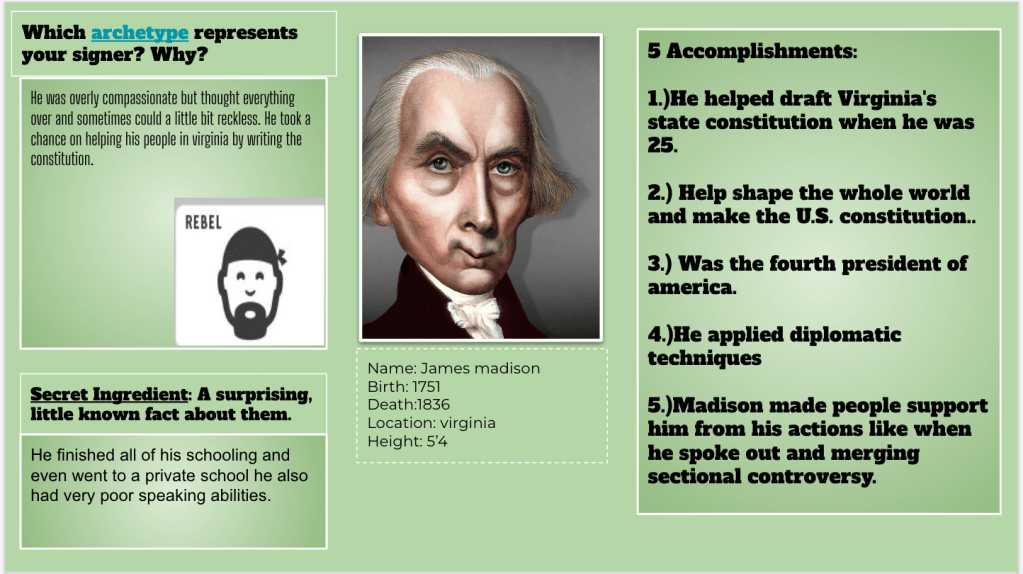
The last step involved the students choosing a Founding Father from a list of links I provided. I wanted them to design a slide about sa Founding Father with the following:

  1. Five acomplishments
  2. A picture
  3. Basic information – year born, year died, etc.
  4. One surprising fact
  5. Apply an archetype to that Founding Father – explain why with evidence.

The students had 22 minutes to finish their slide. I ran a timer for 15 minutes, paused, and went over the archetypes because this was a first for the students. I resumed the timer for another 7-8 minutes as they chose an archetype for their chosen Founding Father. Here are some examples:

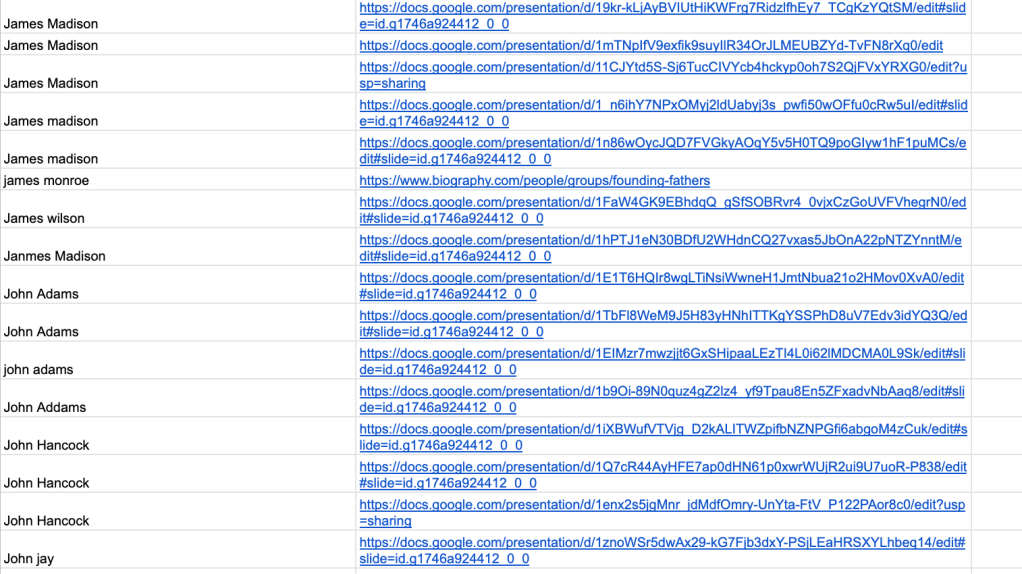
With the last 3 minutes of class, I had students share their slide through a Google Form. I converted the Google Form data and links into a spreadsheet. Then I added that spreadsheet to the assignment. See how to quickly change share settings so students can see each other’s work.

Thursday and Friday

Thursday rolled around and I worried that the students didn’t have enough background information for the final part of the Founding Fathers mini-unit. As it turned out, I was worried about nothing. The students made great slides and had good information. To begin class, I ran the same Gimkit again. This time class averages rose up to the 60% to 70% range.

While the Gimkit was running, I passed out paper Frayer models. When we share learning artifacts through Google Forms, I like it when students use paper and pencil to write notes from peer work. I think the students secretly like the paper and pencil too. Students had 15 minutes to write down 2 accomplishments, basic facts, a surprising fact, and the archetype for four different Founding fathers.

I gave them all a quick speech about writing down things they KNOW and UNDERSTAND. For example, I would have students write down, “He was foreign minister.” I will ask them, “What is that?” They always respond, “I don’t know??” I have really been striving to coach them to write down basic things they understand, Write down things in your own words.

Once students had their information, it was time to reflect on their learning. This is where I was inspired by the student who put together the presidential basketball team. On EMC2Learning, they have an NFL Draft template. I asked the students to think about who would be drafted in the first round based on their accomplishments. Who would be drafted in the second round and so on?

I cannot share the template, but here are some student samples:

Friday ended up being a wasted day because we had some special events going on. Some students finished up the NFL Draft templates. Some did not.

The Week That Was In 505

This week was a shortened week with no school on Monday. I was in class for one day on Tuesday. Then I flew to Boston for MassCUE Wednesday through Friday.

We continued this week with a focus on the American Revolutionary War. Last week, one thing became clear – the students did not understand the Declaration of Independence (DOI). I simply could not do the same thing I did last year.

Last year, we did an in-depth exploration of the DOI where we ended with a blackout poetry lesson. With me being, gone, doing a blackout poetry lesson was out of the question. Plus, the fumes from our blackout poetry last year filled the school. It was an interesting day.

With my one day back, on Tuesday, I did a quick lesson on the DOI. I created a nearpod lesson, and we did Parafly with some excerpts. We also made some connections between grievances and past events we learned about. By the end of the lesson, students had a better understanding of the Declaration.

When I ended the class, I left it as the Declaration was the point of no return. The American Revolution was in full swing and the students would be learning more about the war.

Monday – No school

Tuesday – Nearpod Parafly

Wednesday and Thursday – American Revolution (Mr. Meehan History)

Friday – American Revolutionary War Soldiers (Mr. Meehan History) with a Sketch and Tell.

Tuesday

When I arrived today, I realized the students were confused about the Declaration of Independence. The message is fairly simple, but the configuration of words can be complex. As a result, I began class by showing a series of breakup clips from Seinfeld, Friends, and the Office. This provided an instant connection. Following the clips, I asked the students, “Why do you think I showed breakup clips?” Students began to think………..”Ummm because the colonies didn’t want to belong to Britain anymore. They were tired of the King. The colonists were tired of Parliament and taxation without representation.” The students figured it out. I framed the DOI as a breakup letter. This seemed to help them better understand the message written by Thomas Jefferson.

After our breakup videos, we used Parafly to help translate important sections of the DOI. With two of my classes, this strategy worked well. With three of my classes, I wish I would have Frayered some words such as: political bands, unalienable, endowed, self-evident, consent. This would have helped students develop better synonyms for these words when paraphrasing.

At the conclusion of the paraphrased sections, I had students identify which Enlightenment idea inspired those words: natural rights or social contract. I also had students make connections to previous content we learned. For example, with the grievances listed out against King George, we made connections back to the Boston Massacre, Intolerable Acts, and the Quartering Act.

The last slide in the nearpod had 4 statements on it with blanks. Here are these statements:

  1. All __________ are created equal.
  2. All people have basic __________________ that cannot be taken away.
  3. The government gets its power to make decisions and protect rights
    from the _____________________ .
  4. When the government does not protect the _____________ of the people, the _______________ have the right to _______________ or __________________ the government.

If students could fill in the blanks, then they understood the DOI. In the end, 95% of students could identify the enlightenment influence on the DOI and could fill in these four statements.

Wednesday and Thursday

For Wednesday and Thursday, I used a lesson I got from Mr. Meehan on Twitter. This lesson is similar to a hyperdoc, hyperslide, with several assignments about the American Revolutionary War. I made a few changes to the slides:

  1. Drag and drop arrows to the sentences that answers questions about Lexington and Concord.
  2. Weaknesses and Strengths of the British and Colonial Armies.
  3. True False statements paired with an infographic.
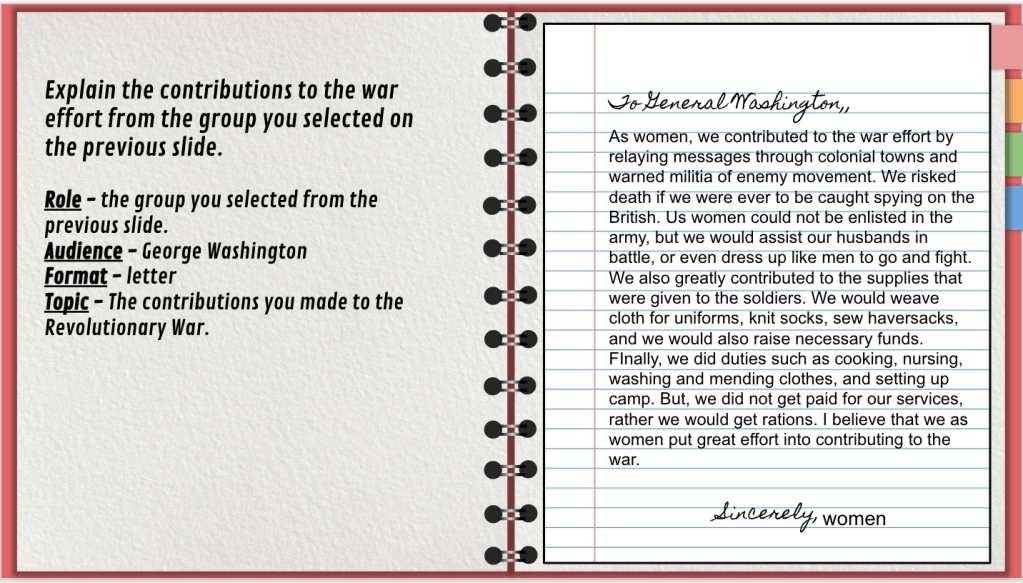
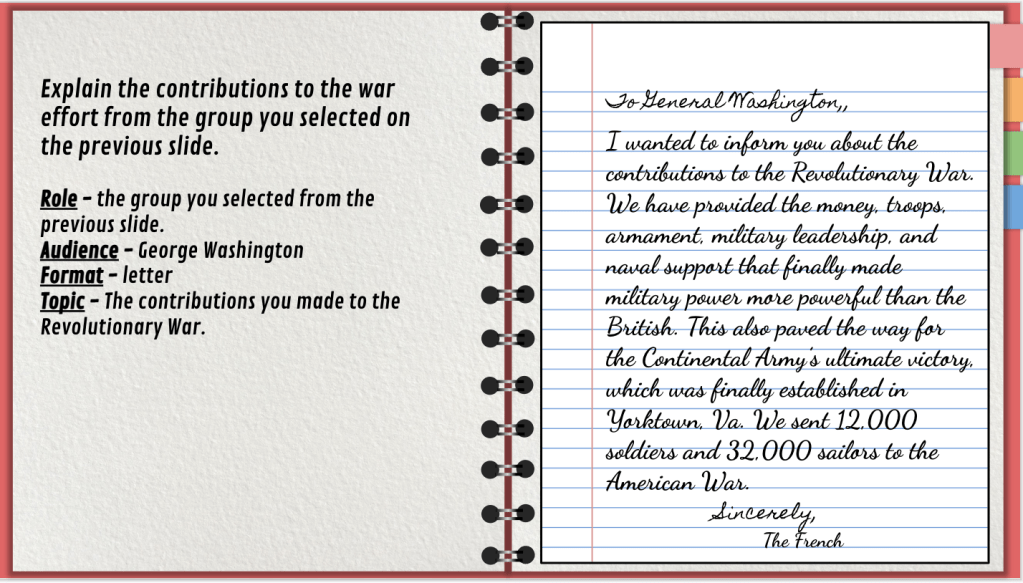
  4. Reading about different groups of people and how they contributed to the war. Then writing a letter from that group’s perspective. (Last year the slide was write a letter from General Washington’s perspective. Someone brought up a good point – why write from Washington’s perspective? Give other people a voice. So, I changed it and it worked out much better.
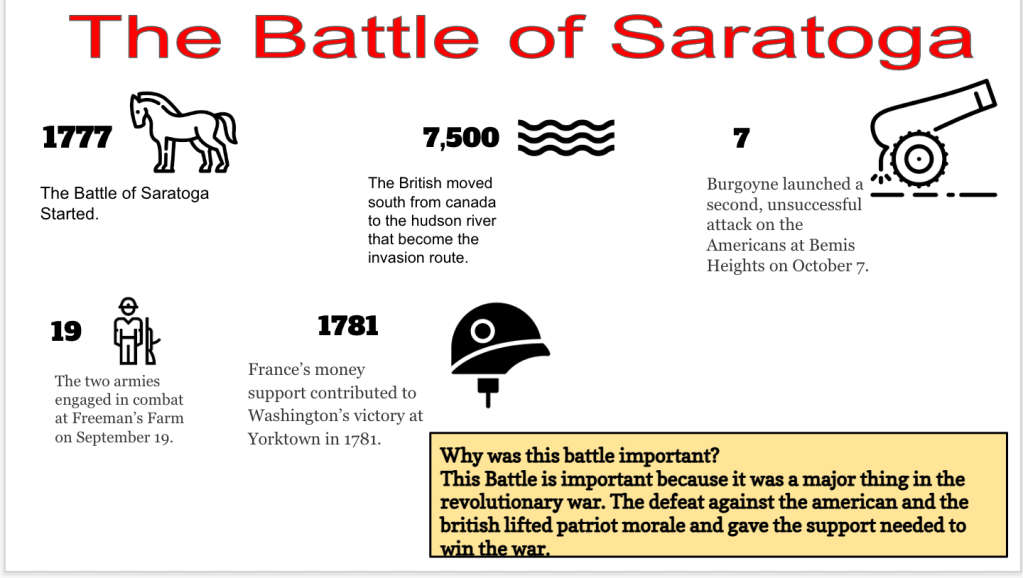
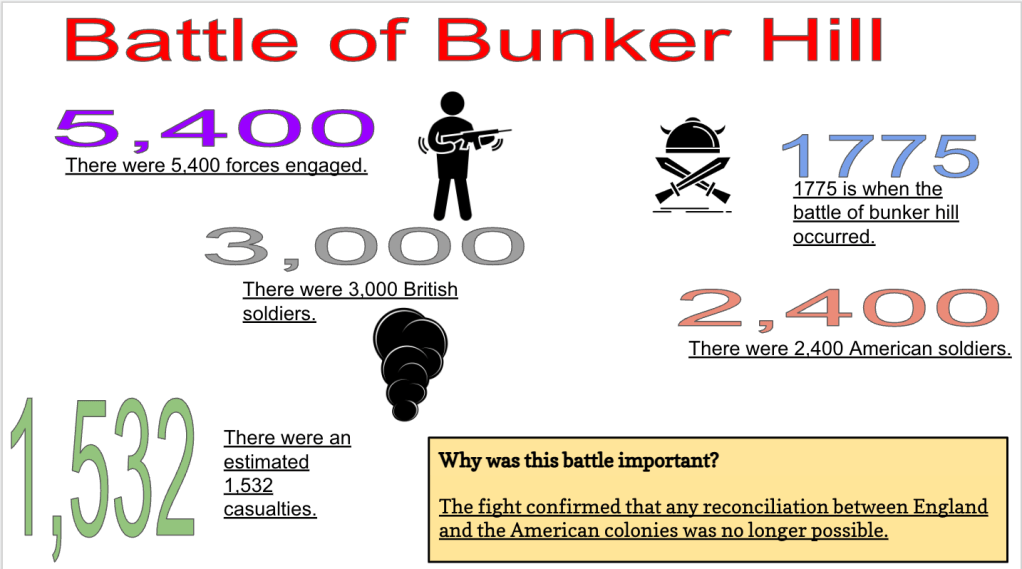
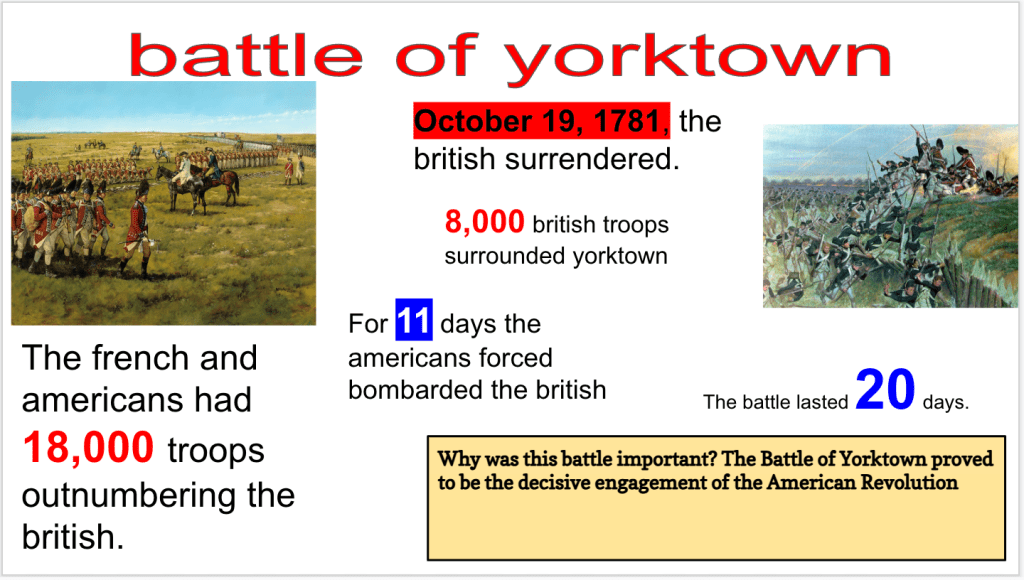
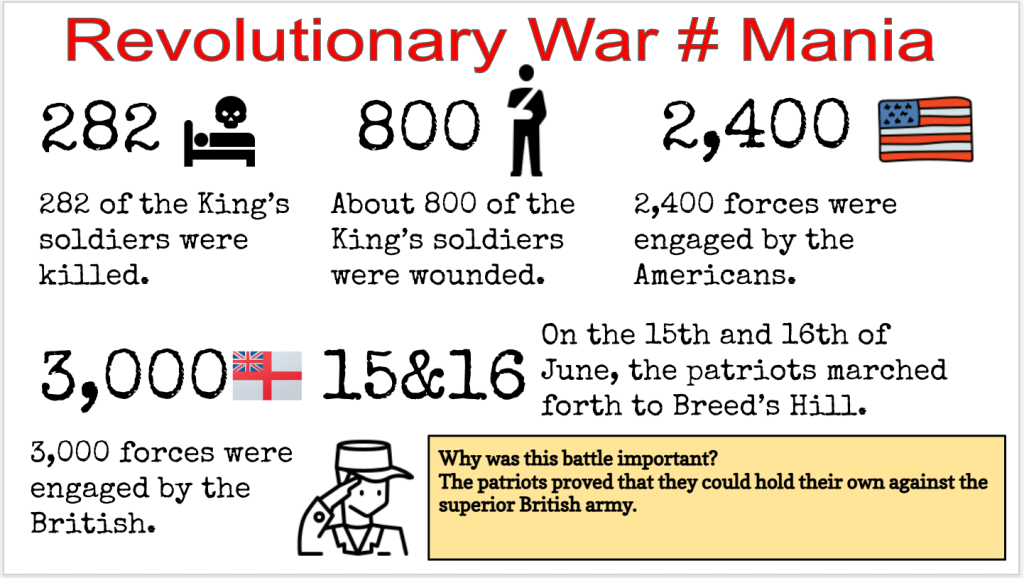
  5. Choose a battle and make a Number Mania.
  6. A slide with a song from Hamilton and some questions.
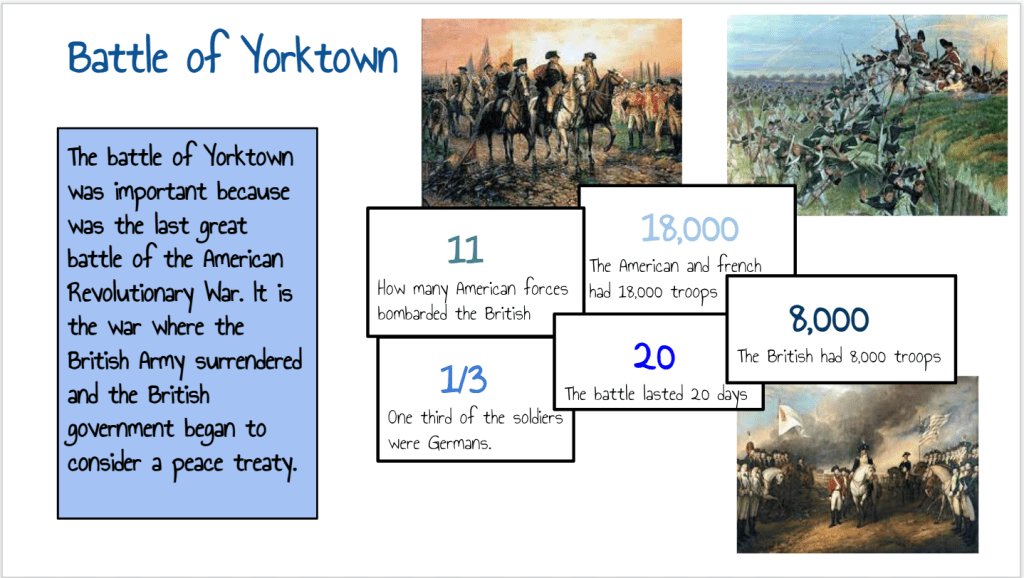
  7. A drag and drop slide that shows students how General Washington led the Americans to victory in the Battle of Yorktown.

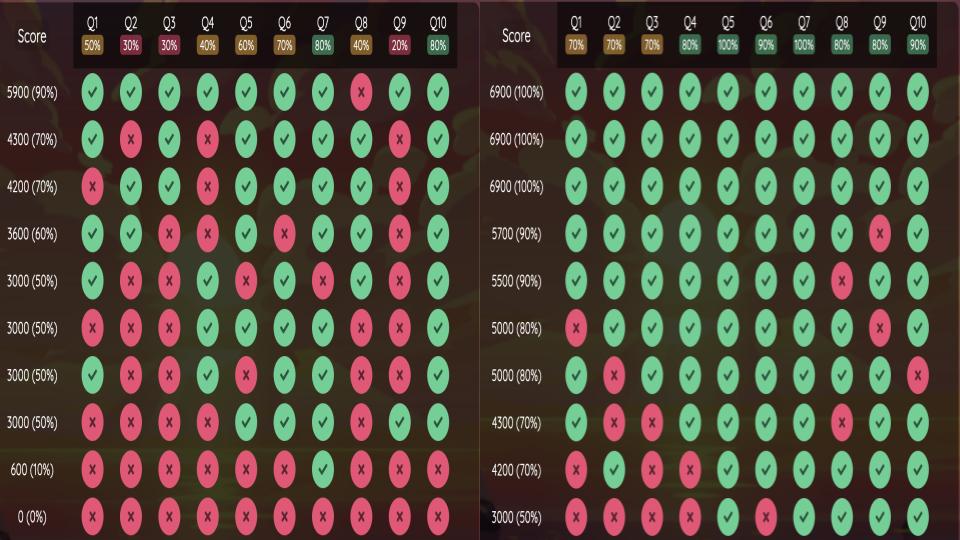
For Wednesday, my expectation was to finish the first four options listed above. For Thursday, my expectation was to finish options five through seven listed above. I also set up a Quizizz to be taken twice. The students were shown the answer during the quiz and shown only the questions after the quiz. From these two days, I had 60% students engagement and 40% not engaged. It was interesting to see that 60% of students who were engaged scored a 70% or higher on the Quizizz and the other 40% scored a 69% or lower. I sent many, many emails of blank work screenshots to parents.

Here are some Number Mania’s and Letters:

Friday

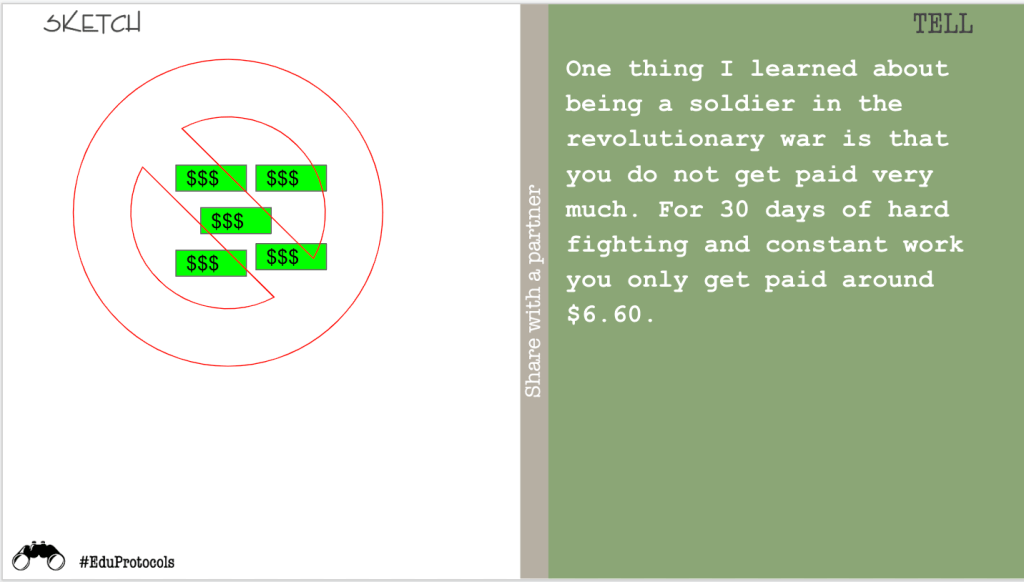
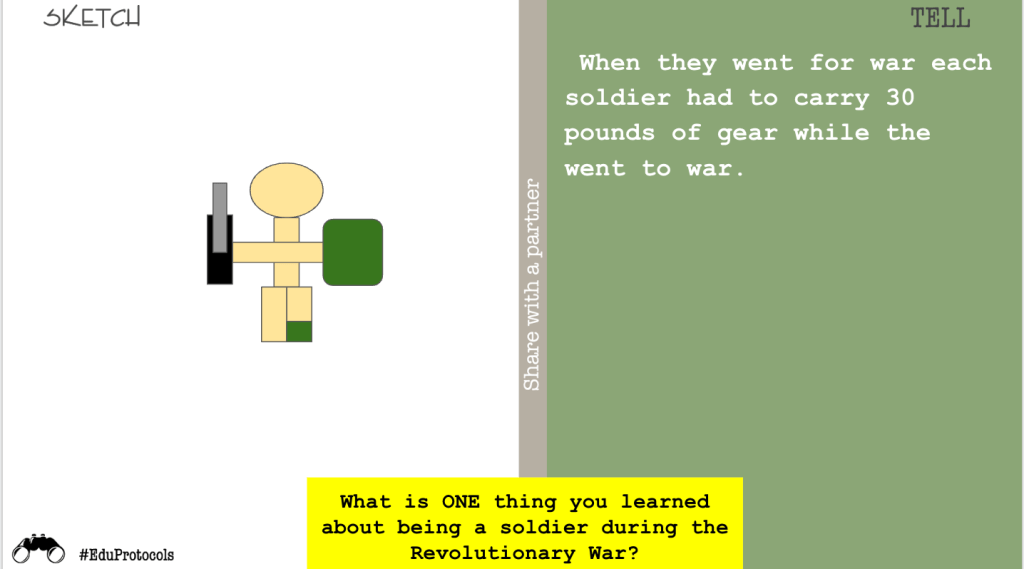
Friday was a day to finish any missing assignments or learn about the experience of a soldier in the Revolutionary War. This lesson was another activity I got from Mr. Meehan on Twitter. It’s similar to a choose your own adventure as students click different options as they learn about colonial soldiers or minutemen. For example, they can choose to be a minuteman or colonial soldier. They pick a tool necessary for survival. Students learn about how much they were paid and what they ate.

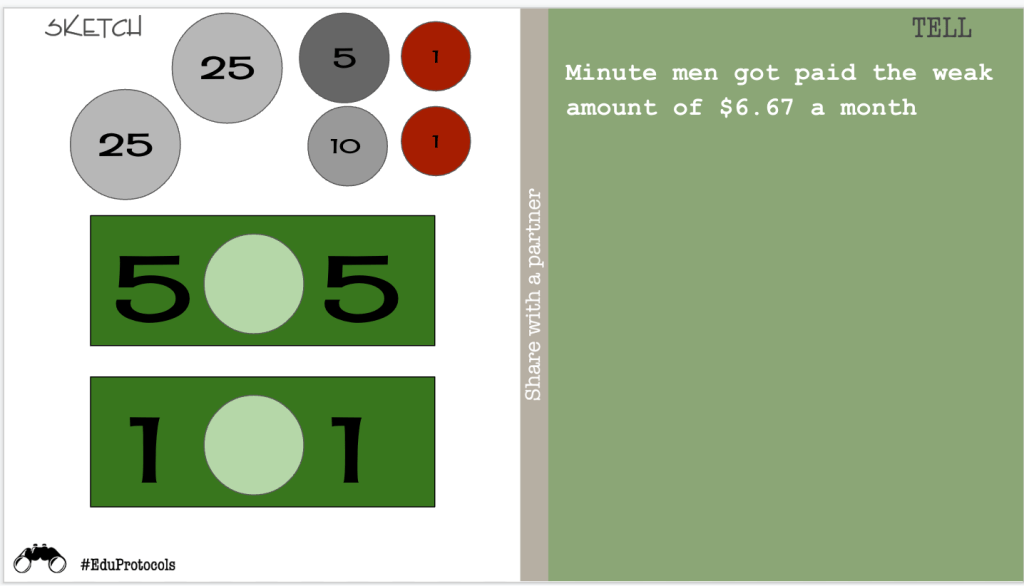
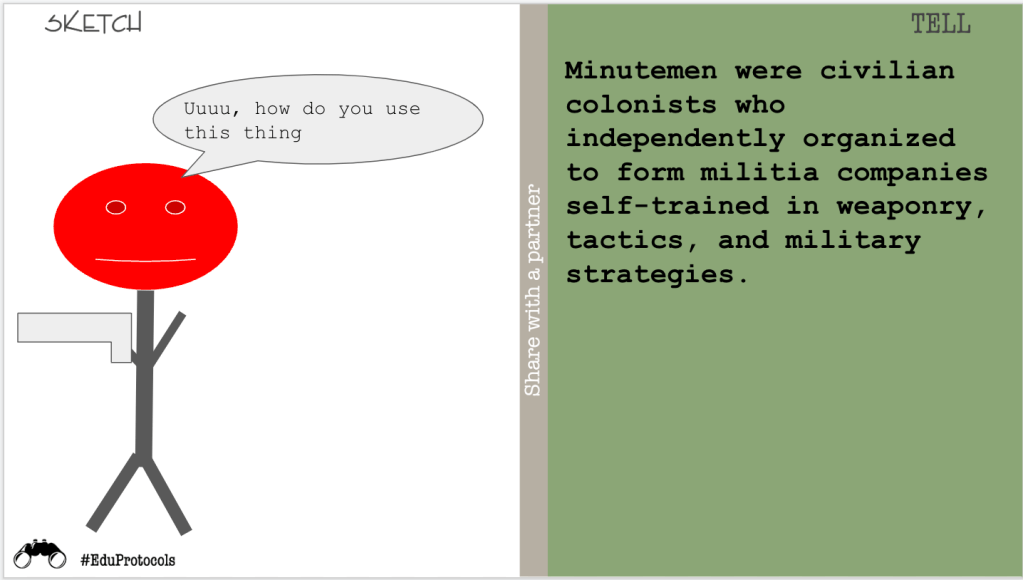
Last year, I left nan empathy map for students to complete after this activity. This year, I wanted to keep stuff simple and left a Sketch and Tell. I simply asked, “What is one thing you learned?” Here are some examples:

The Week That Was In 505

What a whirlwind of a week! I’m currently sitting in Columbus, OH working on this blog post. I was at school for Monday and Tuesday, and I’ve been in Columbus since Wednesday morning.

On Wednesday, I received the Ohio District 5 Teacher of the Year award. I had a professional development meeting on Thursday with OH-NNSTOY and met some amazing educators. I’m also in town to attend the Ohio Council for Social Studies Conference to promote EduProtocols Field: Social Studies Edition.

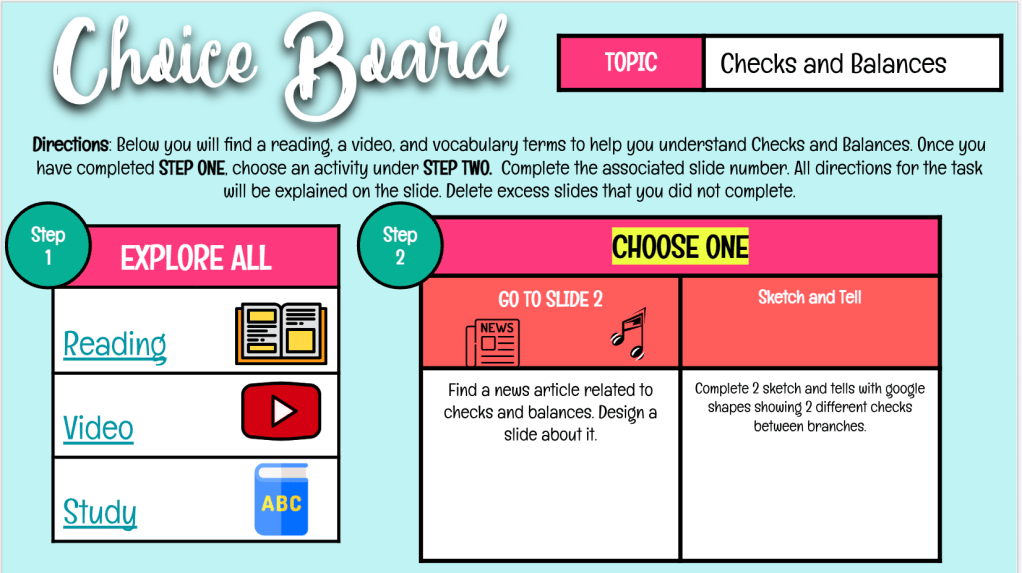
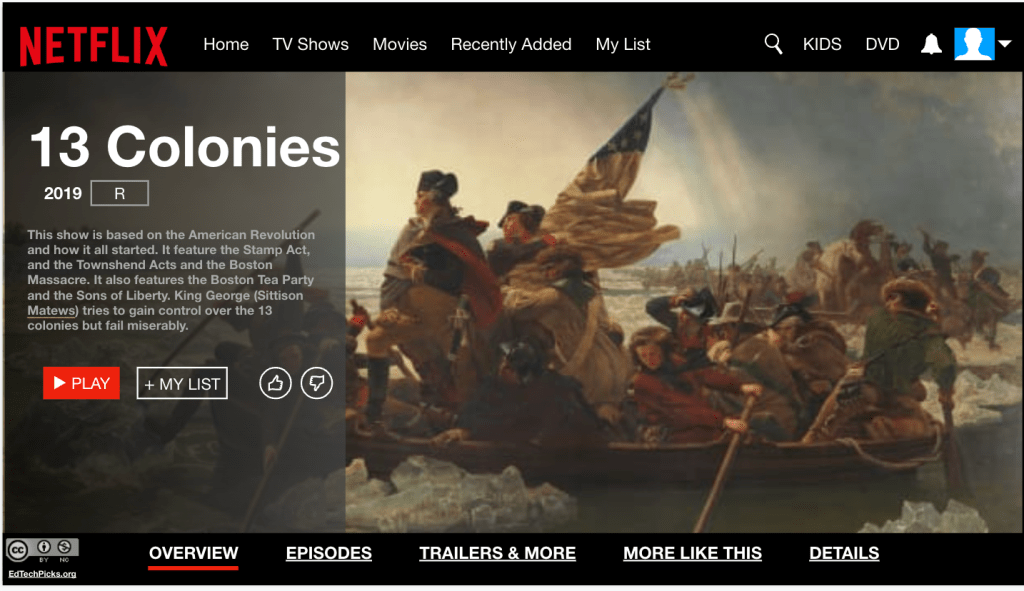
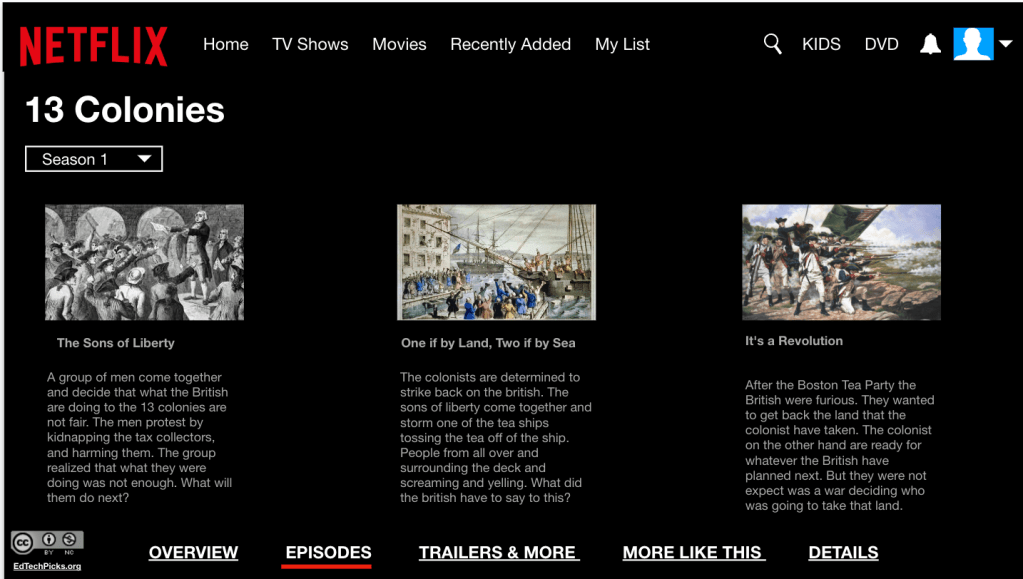
Back in 505 – we used Monday as a way to end the American Revolution mini-unit. I gave students a choice board and established success criteria. Students could choose between Virtual Story Cubes, Hexagonal Learning, or a creating a Netflix series with the Revolution.

This week we also focused on the Enlightenment thinkers and ideas and the influence those ideas had on the Declaration of Independence. Knowing that I would be out, I want to frontload some vocabulary to help set up the students for success. I also wanted to use some familiar lessons in class.

Monday – Choice Board

Tuesday – Fast and Curious, Parafly, Sketch and Tell

Wednesday – Nearpod over the Enlightenment

Thursday – Frayer, Thick Slide

Friday – Declaration of Independence Analysis

Monday

I wanted to start off the week by ending the American revolution mini-unit and move onto something else. I put together a choice board for students that included three choices for them to show me what they know:

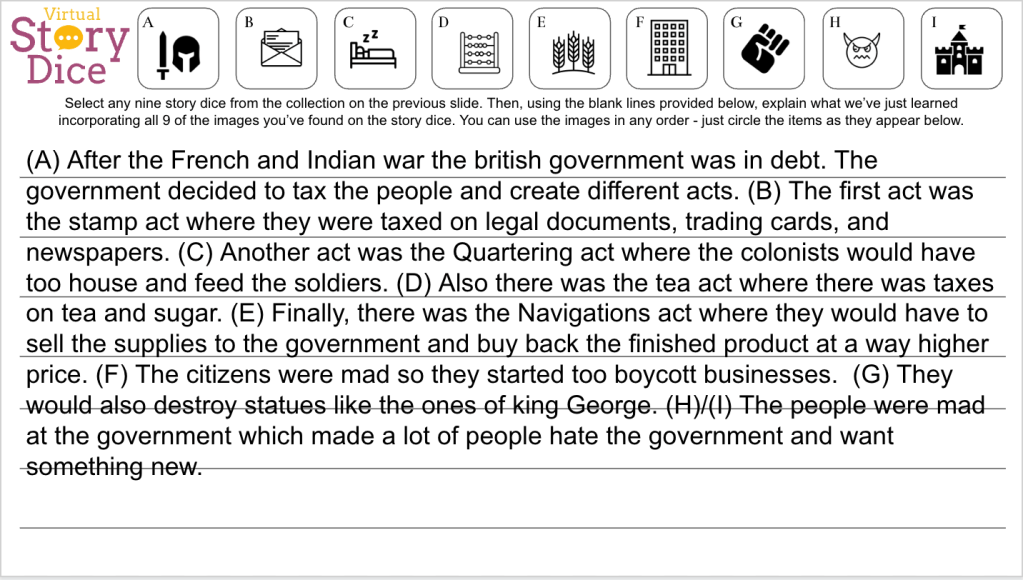
  1. Virtual Story Cubes from EMC2Learning
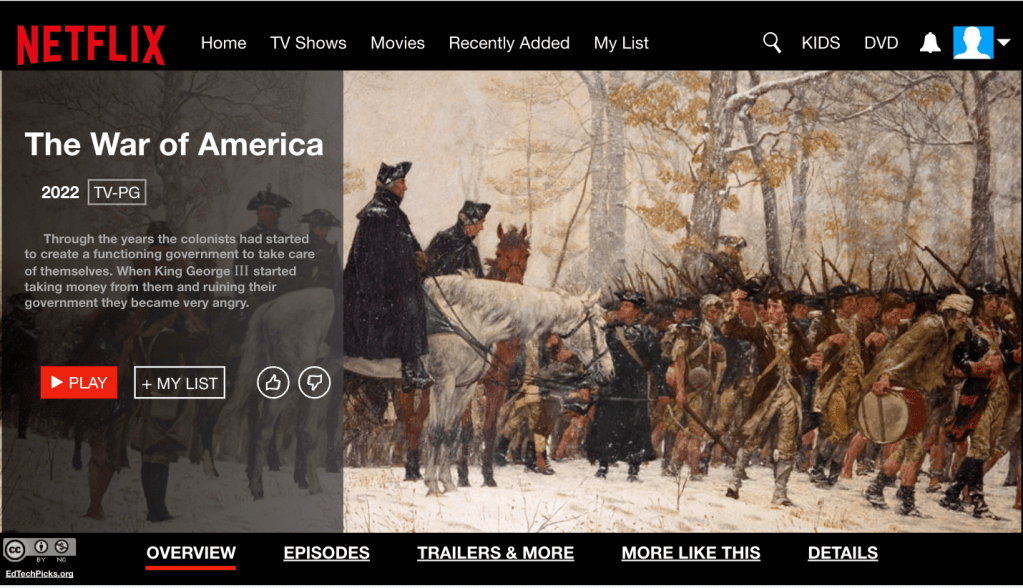
  2. Netflix Template (I honestly have no clue where I found this).
  3. Hexagonal Learning (Stephanie Howell template)

Throughout the year I introduced different creative templates and lessons to students so I can offer the items as choices throughout the school year. The students were familiar with the Netflix template and Hexagonal learning. The Story Dice template was brand new. I thought most students chose the Netflix template, but I was wrong. Most students chose the Hexagonal Learning.

The Hexagonal Learning already had the concepts on the hexagons so it was a bit easier for students to show what they learned. Whereas, the Netflix and Story Cubes required a different set of creative thinking skills since the information wasn’t explicitly in front of them.

With any assignment, I always try to have clear expectations and success criteria to help guide the students through their creativity and learning. Here was my success criteria:

  1. You correctly identified and described 3 examples of taxes or acts that angered the people of Boston.
  2. You correctly described 2 examples of protest.
  3. You correctly described how and why the relationship changed between Britain and its citizens in the 13 colonies.

Here are some student samples:

Tuesday

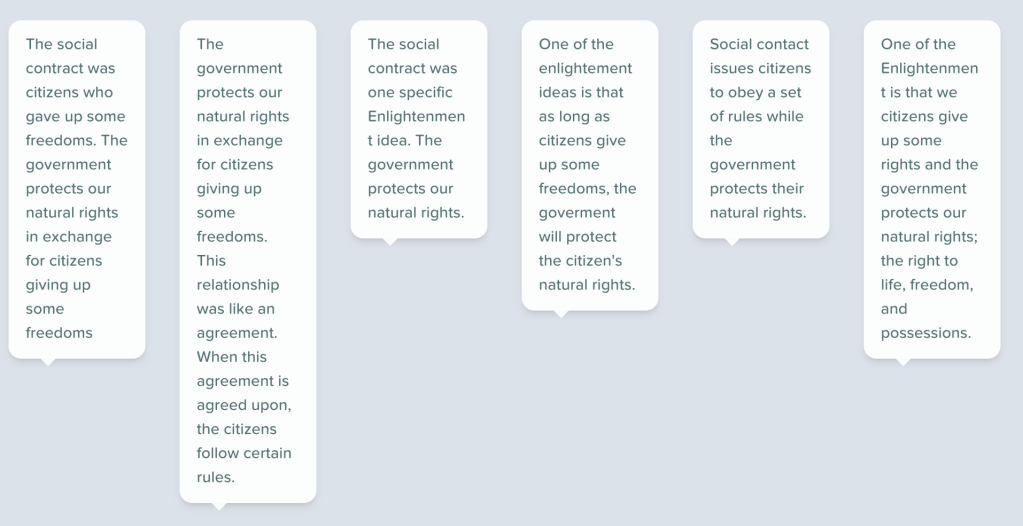
Lately, I have been noticing a lot of copy and pasting and I wanted to address that issue. The perfect was to address this is through a Parafly EduProtocol. Introducing Enlightenment terms such a Republicanism, Social Contract, and Natural Rights was a perfect fit with Parafly.

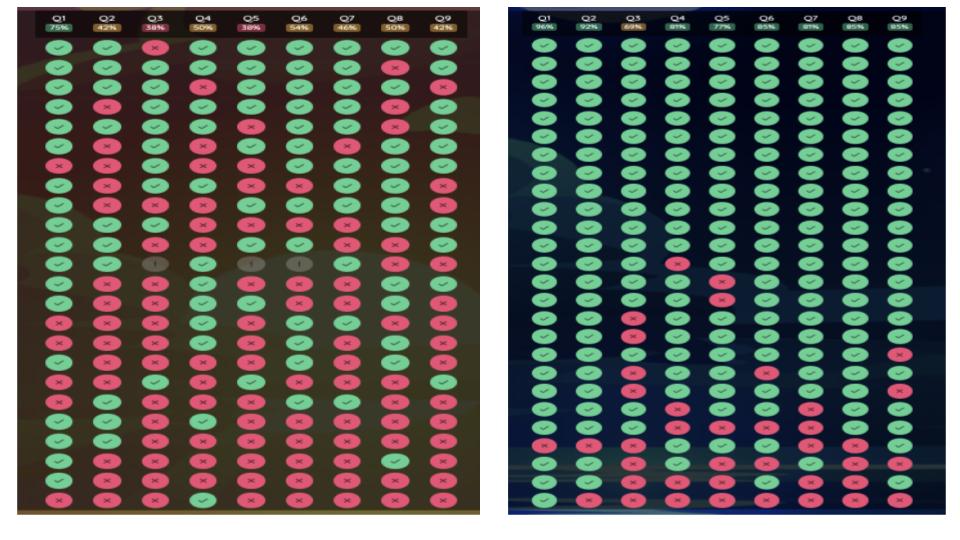
When students came into 505 on Tuesday, I had my Quizizz up on the board. I have been using Gimkit and Blooket ALOT, and wanted to switch it up back to a Quizizz. The Quizizz contained vocabulary questions and questions directly related to a reading from ICivics. The first round of class averages with the Quizizz were: 54%, 52%, 54%, 36%, and 60%.

Following this Quizizz, I had students log into PearDeck. This was the first time I used PearDeck all year. I like to use Peardeck with Parafly because I can watch the kids typing in real time. I could also tap responses, make them glow, no name were shown, and give honest feedback.

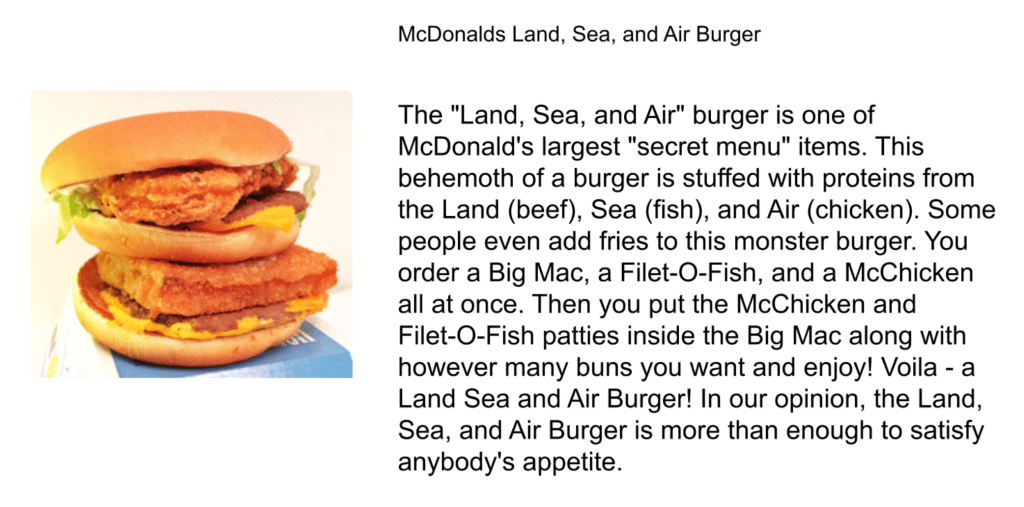
After students logged into PearDeck, I had to explain what paraphrasing means, and how it compared to summarizing. Then, I introduced paraphrasing with a small paragraph on the Land, Sea, and Air Burger which a secret menu item from McDonalds. I used McDonalds because it’s a happening place in our small little town of New Richmond. After some honest feedback and practice, I used short paragraphs directly from the ICivics reading related to Natural Rights, Social Contract, and Republicanism. I introduced the terms in that order because they built off of each other and made sense.

Students weren’t thrilled about the Parafly. I heard some groans, I’m bored comments, and one kid said, “Oh my God, this isn’t ELA.” I replied, “I’m a secret ELA teacher.” After students paraphrased definitions for the Enlightenment terms, I had them copy and paste their paraphrases onto a Sketch and Tell. Then students created images for each term and paraphrased definitions.

With 10 minutes to go in class, we circled back the same Quizizz as before. This time around, class averages were as follows: 86%, 82%, 92%, 75%, 96%. Despite the moans and groans, the students realized that Parafly worked and they learned something. They saw meaning in what we were doing. They built some confidence within themselves. It was awesome.

Wednesday

Wednesday, I was using a student paced Nearpod to help students learn about the Enlightenment and its influence on government and the Declaration of Independence. The Nearpod was created as a collaboration with ICivics.

I chose this lesson because it went along with our Parafly lesson from Tuesday, and it was simple for students to advance through the slides. This was meant to build some background knowledge and help the students understand how natural rights and social contract influenced the writing of the Declaration of Independence. When I checked in on students work, students engagement was at 90%.

Thursday

Thursday I needed another familiar EduProtocol for students to introduce them to the Declaration of Independence. Last year I used a Number Mania with an article I typed up that included a lot of numbers related to the Declaration. After reading the article, I retyped some of the paragraphs to make it better. However, I decided not to do a Number mania. Instead, students created a Thick Slide.

On the Thick Slide, I had students collect 5 important facts about the creation of the Declaration of Independence. They also included an interesting number with a fact (mini-Number Mania), 2 images with captions, and a place to include examples of social contract and natural rights.

Through the years, I have noticed that students have a lack of background knowledge about basic social studies stuff. For example, some of my students have never heard of Thomas Jefferson. This shows that we shouldn’t assume that students know basic information. As a result, I had students Frayer a Historical Person – that person being Thomas Jefferson. Here are some student samples:

Friday

I wanted to keep things simple and light for today. I used a lesson I got from Peacefield History on the Declaration of Independence. I don’t normally give digital worksheets, but it had to happen.

On the slides I shared, I included videos I made where I read sections of the Declaration of Independence as I explained some of the sentences and vocabulary. The slides also contained grievances where students used icons or GIFs to represent each grievance. Finally, I included a small section for students to copy and paste examples of natural rights and social contract.

The Week That Was In 505

This week we continued the American Revolution. We focused on some of the taxes and acts that made the colonists mad. Then we shifted our focus to how the patriots, colonists, and others protested to show their anger.

Every year I evaluate the lessons from the previous year. New school years bring new students, and I simply can’t teach the same way. I teach the same content, but I change how I teach. For example, last year I used a powerpoint from Mr. Roughton’s website that related the taxes and acts to a parent fighting with their child. This year, I decided to switch the content up to a CyberSandwich with Nearpod. The nature of my classes, and trying to rock and roll with more EduProtocols, influenced my decision.

I also through in some review games this week. One of my new favorite review games is the Rolling Recap which is from the EMC2Learning site. I used the 12 topic stitch up also from the EMC2Learning site. The 12 topic stitch up is fun, and competitive, so I only used it with two of my classes (one class of mine has 29 students and competition would lead to chaos).

All in all, this was a big week. We smashed and rack and stacked lots of protocols with the American Revolution. This is what I love about EduProtocols – the options and creativity are endless. I’m excited to share these new ideas with you…………

Monday – Nearpod CyberSandwich, Gimkit

Tuesday – Rolling Recap, Gimkit

Wednesday – Graffiti Wall, Frayer, CyberSandwich, Retell In Rhyme

Thursday – Rolling Recap, Retell in Rhyme, Gimkit

Friday – Number Mania, 8Parts, Gimkit

Monday

Today we used Nearpod to complete a CyberSandwich. I like this option because it provides me with some control over the teaching and situation. When I put together the Nearpod CyberSandwich, this was my setup:

  1. Collaboration Board – what do you know about the taxes and acts that made the colonists mad?
  2. Open ended question – I linked the reading with the CyberSandwich and added a 10 minute timer. Students read for 10 minutes and took notes.
  3. Collaboration Board – students shared 1 or 2 facts from their notes.
  4. Open ended question – I set a timer for 10 minutes and students wrote a summary from their notes. I also added some scaffolding with sentence starters.
  5. Draw It Slide – I used this for a Sketch and Tell to have students reflect on what they learned for the day.

I love using Nearpod for the CyberSandwich because it provides a structure for the students. A lot of my students need structure. A LOT. I love this set up too because it’s easy to grade – all of the reports and data are in one spot. Here are some examples of student work:

At the end of class, we finished with a Gimkit. This was the same Gimkit from the previous week. The averaged score from all classes was 72%.

Tuesday

Tuesday I needed a mix up. Something simple, but fun. I was exploring through the EMC2Learning site and stumbled across the Rolling Recap. I feel like I shouldn’t share the Rolling Recap because it’s from a paid site. To keep it simple though – I used 4 dice, students got into groups of 2 or 3, and we had to review content. In short, students loved it, they were engaged, and we had tons of fun. The Rolling recap took about 30 minutes of class time and we finished the day with the same Gimkit from the previous day. All classes raised the class average to 80% or higher.

Wednesday

Since we discussed the anger the colonists were feeling due to taxation without representation, I shifted the focus to the types of protest used during the American Revolution.

Graffiti Board

To begin the lesson, I used a graffiti board which used this question, “How do people protest, or express themselves, today?” We took 2 minutes and students went to the board to write things such as: destruction, rioting, boycott, signs, marching, voting, writing, etc. The point of this was to help students understand that forms of protest today are no different than protests in the 1770’s.

Frayer

Next I had students complete a Frayer with the groups: Sons of Liberty and the First Continental Congress. These two groups were mentioned in the reading. I set a timer for 8 minutes and students finished both Frayers in that amount of time. One thing I need to do is to use Parafly to help students paraphrase. This is a priority on my list. I chose these two groups because they were mentioned in the protest article the students read. The focus was to have students write their own simple definition, add more information/characteristics about the group, add examples of people in the groupo, and include a picture. I encouraged the students to use words and people they knew. Here are some Frayer examples:

CyberSandwich

Following the Frayer, I had students do a version of a CyberSandwich where they read an article on colonial protests categorized their notes into Peaceful, Violent, and Destructive forms of protests. This CyberSandwich was completed on paper. Students read for 10 minutes and took notes. Then they discussed their notes with a partner.

Retell In Rhyme

Instead of a CyberSandwich summary, I had students work on a Retell in Rhyme with a partner. I have found that a Retell in Rhyme works best, at the middle school level, with two or more partners. Students had 10-15 minutes to write as many couplets as possible. Here are a few things I did to help simplify the process:

  1. I explained couplets. I mentioned that “couple” makes up the word couplet so it means 2 sentences that rhyme.
  2. I also created a Google Doc with a simple table to help students collect their information.
  3. I shared the website www.rhymezone.com with the students.

I found out quickly that students became frustrated. Creating rhymes is a challenging process, but it’s a good challenge. Every class ended with me knowing that I couldn’t just stop the lesson – I had to keep it going.

Thursday

Reflecting on student frustrations from the previous day, I wanted to offer more time for the students to work on their Retell in Rhyme. However, simply beginning class with that would be a disaster. I needed something to activate their memories with recall and get them in the right frame of mind. The Rolling Recap came out again. I had students get together with their partners and we took 15 minutes for a Rolling recap to describe peaceful, violent, and destructive forms of protests. At the conclusion of the Rolling recap, we revisited the Retell in Rhyme.

Here is what I did differently (and it helped out wonderfully)…….

  1. The Rolling Recap to activate and recall knowledge.
  2. I used: I do, We do, You do – I created a rhyming couplet, I asked the students to help me create a rhyming couplet, then I gave them 10 minutes to do it on their own.
  3. I used the I do, We do, You do to explain the use of details from the article and using words that have many rhymes.

Here are the results:

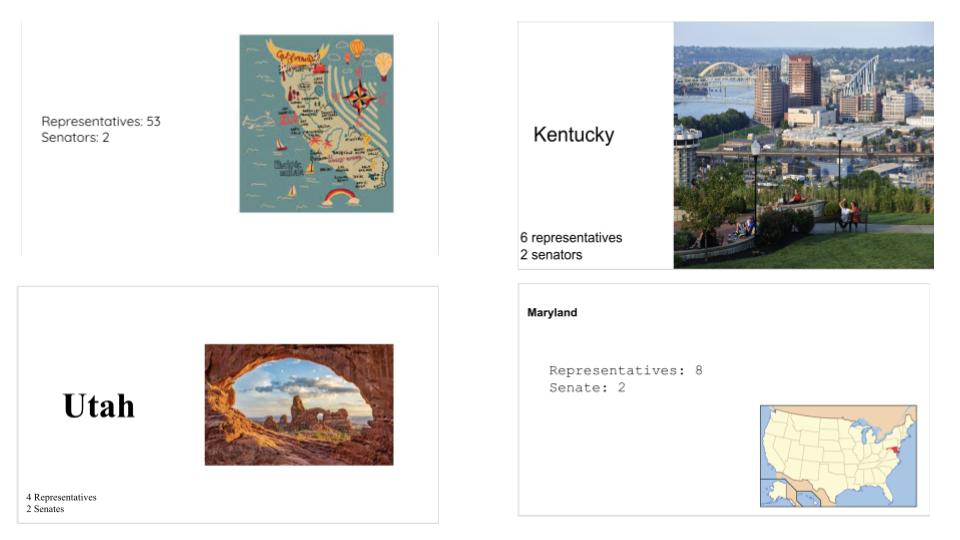
At the conclusion of the retell in Rhyme, I knew the students couldn’t anything more so I set up a surprise Gimkit. The surprise Gimkit: Know your States. I decided that students need to know states, countries, and basic things. However, I don’t have all the time in the world and I will use downtime in class to address this.

Friday

I wanted Friday to be an extension of the protest lesson with the Boston Tea Party. I thought about a Thick Slide, but no. I thought about a CyberSandwich, but no. As I read through the article from last year’s lesson, I realized the Boston Tea Party has some interesting numbers. As a result, we did a Number Mania.

When students came into 505, I gave them an article about the Boston Tea Party. This article was intentional as it had references to things we learned about during the week – Stamp Act, Townshend Act, Sons of Liberty, and so on. I decided to read the article this time. I think it’s good to read to students and offer some insight to the information. As I read, I had the students highlight five numbers with facts about the Boston Tea Party.

When I finished reading, I gave the students fifteen minutes to create a Number Mania slide. They had to include a title, 5 numbers with facts, and pictures. The Number Mania slide should tell the story of the Boston Tea Party. When the fifteen minute timer ended, it was time for an 8Parts.

The reading I handed out for the Number Mania was simple and to the point. No pictures. No pictures on purpose. After we read for numbers, facts, and details we used the 8Parts. The 8Parts was used a visual, a way to use the details we just ead, and a way to work on some ELA skills. As students analyzed the picture, I encouraged them to use nouns such as Sons of Liberty, chests of tea, ships, Boston, etc. Students also sourced the painting of the Boston Tea Party. Finally, they created a summary and pasted their summary onto their Number Mani slide. The two EduProtocols were a perfect compliment to each other. Here are some students examples:

The reading and Number Mania took 20 minutes, and the 8Parts took 10 minutes. In total, the slides you are looking at took 30 minutes total. One of these Number Mania slides was completed by a student with an IEP. This is my new favorite combination of EduProtocols – a plain reading, Number Mania, and an 8Parts to bring in a visual and summary.

At the conclusion of this lesson, we concluded with a Gimkit over 4th grade trivia. I have nothing more to say after seeing the class averages……..

The Week That Was In 505

“We do a lot of stuff in this class. We make a lot of things” This is what a student said to me yesterday. To which I replied, “Yes. we get after it.” I strive to make my class an experience – an experience where students are creating, collaborating, communicating and critically thinking.

This week we started with the American Revolution. I just had to move onto a new unit. Between tennis and everyday craziness, this year has started off rough. My lessons have felt disjointed and unorganized. It was time to end the Age of Exploration unit. Sometimes I worry that I need to do some formal test, sometimes the students always finish stuff. Then I think….it’s okay. They will move onto 9th grade and be fine. They will move onto 10th grade and be fine, and so on.

Much like the Age of Exploration unit, I began with a Number Mania timeline and a definition of the American Revolutionary time period. We also used an 8parts to analyze the toppling of the King George statue. I threw in a Nearpod, a History Haiku, and that was the week.

Monday – No School

Tuesday – Graffiti Board, Number Mania, Fast and Curious

Wednesday – Fast and Curious, 8parts

Thursday – Nearpod (sketch and tell, thin slides), Fast and Curious

Friday – Nearpod, Fast and Curious, History Haiku

Tuesday

On Tuesday, we started the American Revolution unit with a Number Mania Timeline. I’m continuing my goal of introducing the different time periods before starting new units. Before beginning the Number Mania timeline, I wanted to try a graffiti board.

For the graffiti board, I had students look for important keywords, events, and people in the American Revolution chapter. Here were the rules for this game I read about in Michael Matera’s book, Explore Like a Pirate:

  1. I gave them six minutes.
  2. They had to raise their hand to be able to go to the board.
  3. Once something was written, it could not be written again.
  4. I always have a “magic word” that if anyone write they can earn extra points for their team (In this case, however, I brought in a donut 🍩 for the student).

When 6 minutes was up, students now had a wordbank of words related to the chapter. I asked them two questions:

  1. Do any of these words or terms look familiar? (The Boston Massacre, Boston Tea Party, Declaration of Independence are always familiar).
  2. Do you notice any trends or does this list give you insight as to why the Revolution happened?

The Graffiti board wordbank created by the students would serve as a guide for our next activity – a Number Mania. For the Number Mania I gave students 10 minutes to look up events related to the American Revolution. They could use the word bank as a guide for their searches. Students submitted multiple facts, years, and events through a Google Form. I converted the Form data into a Spreadsheet and shared through a Google Classroom assignment. Finally, students had 20 minutes to select 5 events and place them on a timeline. They also added three pictures and a title. The last part of the Number Mania was for the students to define the American Revolution time period. Looking back on the Number Mania, I need to have students work on paraphrasing information. It’s time for some ParaFly to come out next week.

We finished out class with a Fast and Curious on Blooket. Blooket was having some connectivity issues – some students could join while other students could not. I had to have several conversations with classes because students were annoyed and upset they couldn’t join. Some students were so seriously distraught they couldn’t join because they felt they would get a “bad grade” – trying to change this mindset in 505 is still a work in progress. Eventually we got it working, and all the class averages were low 50%.

Wednesday

Today we began with a Fast and Curious on Blooket. It was nice to change up from a Gimkit or Quizizz, but Blooket was having connectivity issues again. We managed to still do it. This time class averages went up over 60%, and I focused on 3 questions about King George, Patriots, and Loyalists. I focused on these questions and words because the 8Parts we were doing on this day involved Patriots taking down a statue of King George. Here is the classic picture:

I paired up this picture with an 8Parts to get students analyzing the King George statue image with some historical thinking skills. I made some slight changes to the template to focus on some grammar skills, and historical thinking skills. Here is the template:

I used this 8Parts template knowing it would look familiar to the students. I tried some other 8Parts remixes with primary sources and documents from the Stanford History Education Group – Primary Source Parts. To me, this is a scaled down version of the Primary Source Parts.

Before beginning the 8Parts with the King George statue, I share my experience in New York City (Bowling Green Park) when I realized I was standing in the very spot where the statue came down. I share my photos with the students and share some cool stories about Bowling Green Park.

Since the students were familiar with the template, I quickly walked them through the process. We began with the three word title and moved onto nouns. I asked them, “What is a vocabulary word we could use for a noun?” Most put down Patriots. I’m trying to help them make connections to between the content and the activities that we do.

After nouns, I had students describe their noun. Then we moved onto verbs and adverbs. I give the students a quick tip with adverbs – I mention how most them end with “ly”. Then I quickly walked the students through historical thinking skills. The last step in 8Parts is to use the parts and write a summary about the King George statue image. Here are some examples:

Thursday and Friday

Thursday and Friday were reserved for a Nearpod. I’ve been incorporating some Nearpod this year because it allows me to gaina. bit of control in my classroom. Some of the original, creative stuff I would normally do I feel like I can’t do it with some of the classes. I found a Nearpod on the French and Indian War and I edited it to fit in some EduProtocols such as Thin Slide and Sketch and Tell. Another thing that occurred to me was the French and Indian War is referred to as the Seven Years’ War in the textbook. I tried to make that adjustment as well.

Before beginning the Nearpod, I had the students think back to the Number Mania timeline and the year 1754. I said to the students, “This is where our story begins. This is the foundation for why the patriots were pulling down the statue.”

The Nearpod was great as it had these elements:

  1. Thin Slides with Collaboration Boards
  2. Sketch and Tell with Draw It Slides
  3. Some self checking quiz questions
  4. Primary Source Analysis
  5. Scaffolding

For the most part it was engaging. On Thursday, I stopped at the Proclamation Line because I could tell the students were tired. So, we switched gears to a Gimkit (I transferred all my questions from Blooket to Gimkit). This injected some life into the class.

On Friday, we finished the Nearpod with the Proclamation of 1763 and a quick three question assessment. After the Nearpod was finished, I showed the students how to create a Google Drawing slide on the assignment and I had them write a History haiku.

The History Haiku is an idea I learned from Michael Matera at the 2019 Summer Spark in Milwaukee. Students write a Haiku as a formative Assessment. I put up success criteria, and students had ten minutes to write a Haiku about the Seven Years’ War:

  1. 3 lines (5 syllables, 7 syllables, 5 syllables)
  2. Add a picture
  3. Add a title

Here are the results:

The Week That Was In 505

This week we continued with the Exploration and Colonies unit. We dove into Colonial Regions this week. I don’t focus on the individual 13 colonies because, to me, it’s not necessary. The idea in designing this lesson was having students understand how geography impacts the economy and various industries in the colonial regions.

When I set up my lesson, I created a fast and curious on Quizizz with 14 questions and paired it with a CyberSandwich. This is one of my favorite pairing of EduProtocols. I also used the unit as an opportunity to try out the Research Protocol created by my co-author Scott Petri. The Research Protocol led to the evaluation and creation of a summary slide. Finally, the students used their summary slide to create an airEMC advertisement to attract people to their Colonial Region.

Monday – Fast and Curious, Sketch and Tell

Tuesday – Fast and Curious, CyberSandwich

Wednesday – Research Protocol Sheet, Fast and Curious

Thursday – Research Protocol Summary Slide

Friday – Summary Slide, AirEMC (This is on www.emc2learning.com)

Monday

I used Monday as a way to introduce the Fast and Curious about colonial regions. The beginning class averages ranged from 42% to 53%. At the conclusion, I gave some feedback. This Fast and Curious included some vocabulary and content related questions. After giving some feedback, students started on a Sketch and Tell with some vocabulary.

The vocabulary within the Sketch and Tell related to the CyberSandwich reading for Tuesday’s class. The 4 words on the Sketch and Tell were:

  1. Mercantilism
  2. Democratic
  3. Economy
  4. Charter

Students had 20 minutes to create a sketch and write a definition in their own words. I set a timer for 5 minutes and reset the timer for each new slide. This was the 6th rep of Sketch and Tell this year, and the students keep improving.

At the conclusion of the Sketch and Tell, I ran the fast and Curious one more time. This time, class averages ranged from 68% to 75%.

Tuesday

Tuesday was the first rep of a CyberSandwich this year. My 1st and 8th periods I ran a traditional CyberSandwich using Google Slides. For my 3rd, 5th, and 7th period classes I ran the CyberSandwich using Nearpod. Why the difference? My middle three classes need a bit more control and Nearpod helps me provide that control.

On the CyberSandwich with Google Slides, I linked in a one page, TCI textbook section on the colonial regions. I also provide a paper copy as well. Here is my process for the Google Slide lesson:

  1. Students read and take notes for 10 minutes.
  2. Then students share their slide with a partner. (I have students share their slide with a partner after the reading because the sharing and moving is a distraction).
  3. Students discuss for 5 minutes.
  4. Then students spend 10 minutes writing a summary.

For my Nearpod lesson, I broke the reading into smaller sections because the students in my 3rd, 5th, and 7th periods need that. I linked each section to a collaboration board in Nearpod. I also added in some interactive, virtual reality slides showing geography of these regions. Here was my process for the Nearpod lesson:

  1. Students read about the New England region and shared two facts on a collaboration board. (Students wrote down notes on a piece of paper.)
  2. Then students looked at a virtual reality slide showing a coastline in Maine. We noticed the rocky coast, trees, and hills discussed from the reading.
  3. Students read about the Middle region and shared two facts on a collaboration board.
  4. Then students looked at a virtual reality slide showing a small farm in Pennsylvania. We noticed the forest, hills, and fields.
  5. Students read about the Southern region and shared two facts on a collaboration board.
  6. Then students looked at a virtual reality slide showing a small tobacco farm.
  7. The last step was writing a summary for the impact of geography on the economy of each region. I used a Nearpod open question slide with a 10 minute timer. As soon as the timer ends, the question shuts down.

At the conclusion of both CyberSandwiches, everything was graded. Then we transitioned to a Fast and Curious. The class average range was 75% to 84%.

Wednesday

I went into school Wednesday morning wanting to do something different with my colonial regions lesson. Usually I tie in an annotated map, but I wanted something different. After some thought, I decided to use Scott Petri’s Research protocol from our book EduProtocols Social Studies Edition. I wanted this lesson to be an extension of the CyberSandwich from Tuesday. I also wanted the end goal (end creation) to be an advertisement to convince people to move to their colonial region.

The first thing I created was a Google Sheet for students to collect their facts and information on colonial regions. I created a drop-down-menu column in the sheet so students could categorize their facts with geography, economy, people, religion, education, government.

My next step was creating my own customized Google search engine. Yes, you can create your own Google search engine. Visit this site: programmablesearchengine.google.com, give your search engine a title, and add your own links. It’s incredible. I linked my search engine into the Google Sheet.

When students arrived, I had them choose one of the colonial regions. I gave them 30 minutes to find 15 or more facts from 3 different sources. This , of course, was scaled down from Scott’s AP version. For 30 minutes, students copied and pasted facts. I liked that I added in the category column because it had the students reading their facts and pondering how they should categorize them.

This protocol was incredible. The students were engaged. I also loved that they were engaged with a Google Sheet. More students need to be using spreadsheets in multiple ways.

Thursday

On Thursday, around 60% of students had all 15 facts ready to go. The next step in the process was having students rank their facts. I explained to them that copying and pasting was okay the first time around of fact collecting. However, in order to evaluate and rank facts, they need to read them, consider them, and rank them. The students ranked their facts from most interesting to most boring. Then I explained that basic knowledge such as people we ALL know, dates we ALL know would be considered boring in my book.

Students began to evaluate their information and copied their top 10 facts to the Research Protocol summary slide. Some students got creative and organized their facts, some just pasted facts, and other did what they could. This entire idea of this protocol seemed weird to them, but then again, most of how I run my class is weird to them. It’s taking a while for the kids to get used to me, but I’m making small breakthroughs.

After students ranked their facts, I had them create a summary slide. On the summary slide, students wrote a summary, or overview of their region focusing on 4 categories (geography, economy, religion, education, government, or people). They added two picture with captions and a title. Here are some samples:

Friday

For the end product, I wanted to see what the students would create with the airEMC template (This is a template made to look like an airBnB site). The purpose was to convince people to move to your colonial region. However, as students began working, I feel like the message got lost and I threw too much at them at once. I established success criteria, but many students seemed lost. It may have been the original language on the slides of choosing a “home” or it could have been that they were not familiar with airBnB. Here are some examples:

The Week That Was In 505

This week we broke away from the French and Spanish colonization and we focused on British colonization with Jamestown and Plymouth. This week I wanted the students to complete another Thick Slide. The interesting aspect of this year is the fact that I have never had these students in past years. Every student is new to me and new to EduProtocols. As a result, when I introduce a new protocol, I follow it up with a second rep.

In this example, the students did a Thick Slide on the Middle Passage last week. This week, we followed that up with a Thick Slide on Jamestown or Plymouth. I also wanted the students to share their slides and contribute to each other’s learning.

We finished the week with a creative Netflix template. The students love this template and it’s super engaging for most content.

Monday – Thick Slide, Fast and Curious (Gimkit)

Tuesday – Fast and Curious, Frayer

Wednesday – Netflix template, Fast and Curious

Thursday – Netflix, 3xCER

Friday – Gimkit, Add to Portfolios

Monday

This week we began to learn about Jamestown and Plymouth. Last year I didn’t focus on either colony. Instead, we did an investigation on the disappearance of the Roanoke colony. The Roanoke investigation is engaging, however, the students I have this year would struggle with the content. Plus, this lesson requires a lot of planning and printing stuff, and my head is barely above water now. I decided to keep it simple and went back to Jamestown and Plymouth.

I knew I wanted a lesson to get the students to contribute to each other’s learning. The best, and most, familiar way to achieve this in my room is through a Thick Slide. I created a quick Thick Slide, found a quick reading, and shared the stuff with the students.

Before students began creating their Thick Slide, I ran a Gimkit for 5 minutes. Most class averages were between 52-58%. After some feedback, I gave students 20 minutes to complete a Thick Slide on either Jamestown or Plymouth. I had them focus on these items:

  1. Why was the colony founded?
  2. What hardships did the colony face?
  3. What made the colony successful?
  4. What kinds of people went to these colonies?

With this being the 2nd rep of Thick Slides, here are some student examples:

We finished class with another Gimkit and all classes raised their averages between 75%-80%.

Tuesday

Tuesday I began by showing the students how to change the share settings on their Thick Slide. I do this so the students can access each other’s slides after we share. I’ve been asked many times, “How do you have students share slides for contributing learning?” Here’s how I do it:

  1. I share a Google Form.
  2. Students fill out the Google Form – which colony did you do? Paste a link to your slides.
  1. I turn the Form data into a SpreadSheet.
  2. I share the SpreadSheet on the Google Classroom assignment.

After students shared their slides, I gave each student a Frayer model. I print out the Frayer models for this because it’s easier write down the information. On the Frayer I filled in the 4 boxes with the same 4 questions mentioned above:

When students were finished, I had them create new Gimkit questions with the Gimkit Kitcollab. I shared a link through Gimkit and students began creating and submitting questions. I establish 1 rule: The same question cannot be repeated twice.

As students start submitting questions, I can accept or reject the question. At the end of time, we had a 20+ question Gimkit entirely made by the students.

Wednesday

Now that students had their thick slide completed, as well as the Frayer completed, it was time to create. I thought about giving students a choice, but I reminded myself that I have never had these students before. As a result, I dropped that idea. I needed something engaging and effective which meant the Netflix template came out.

I love the Netflix template and the students love it as well. When I put the template up on the Newline TV thing I have, one student said, “Are we watching a movie?” When I showed the students it was an editable tem[plate, they were instantly enthralled.

With the Netflix assignment, I listed out success criteria on the board:

  1. A Creative Title.
  2. The pictures relate to Jamestown and/or Plymouth.
  3. You included in your description and episodes 3 or more of the following:
    – Year(s) founded and location.
    – Why it was founded.
    – Hardships they faced.
    – Why did the settlements become successful.

Here are some of the students examples:

Thursday

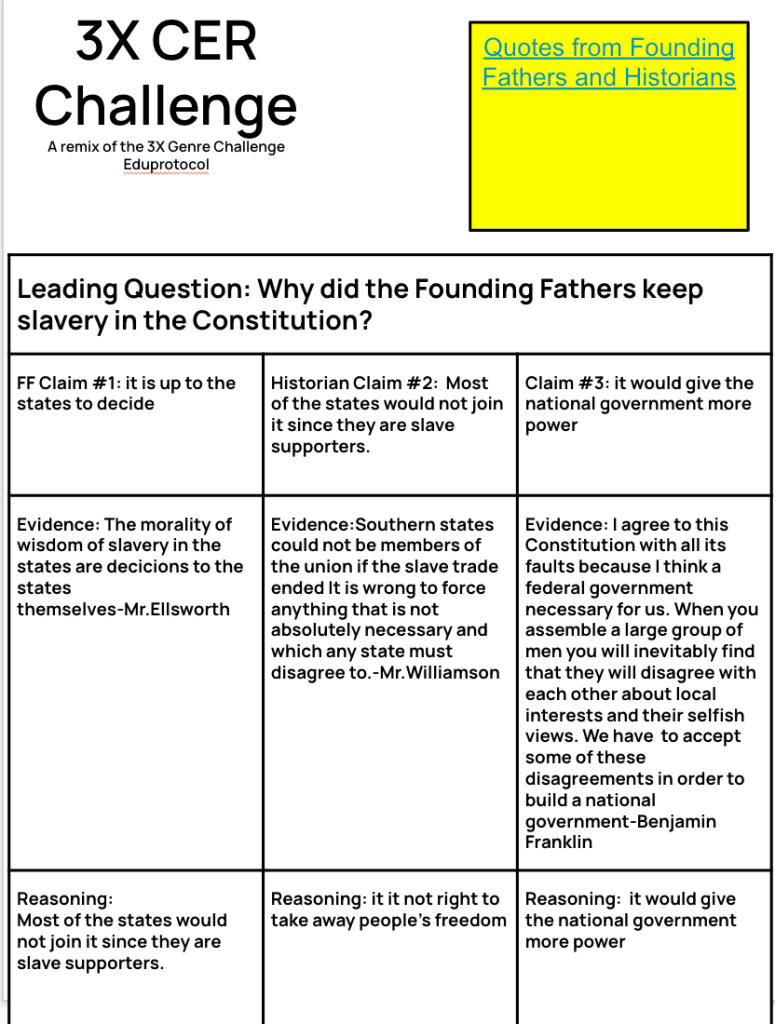
Thursday was used for taking 10 minutes to finish up the Netflix assignment from Wednesday. After the 10 minute timer went off, I introduced a new EduProtocol – 3xCER. I learned this from Ariana Hernandez and adjusted it to fit with social studies.

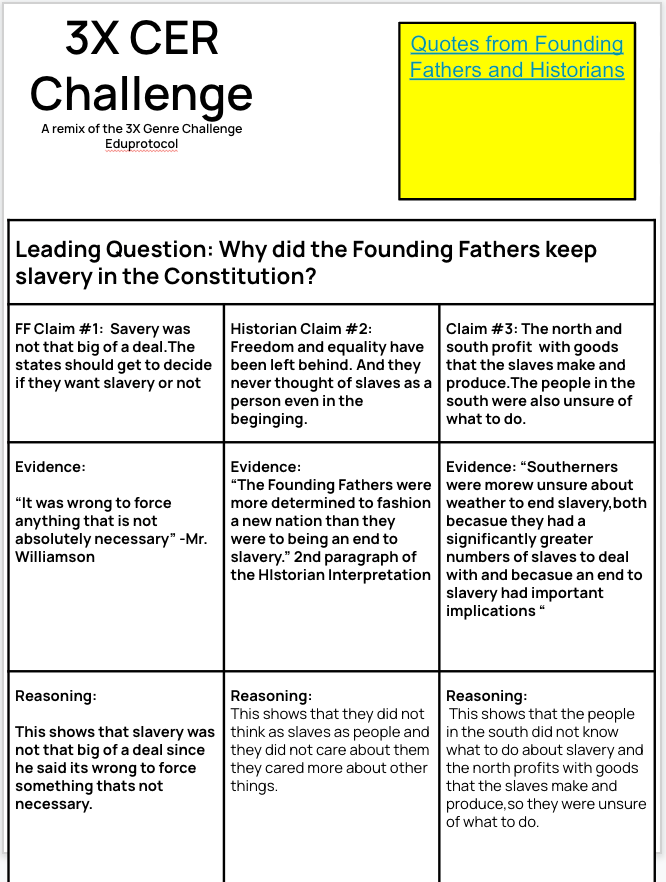
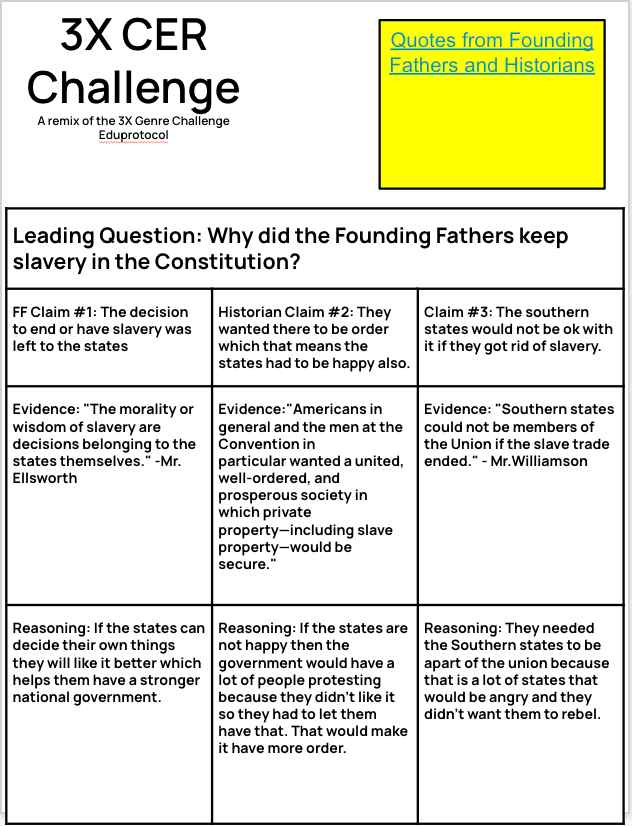
The 3xCER is a remix of the 3xGenre found in Kim Voge’s Deploying EduProtocols book. In the original 3xGenre students have a picture, small reading, video, or some topic they learned and they write a quick poem, an persuasive piece, and an informational piece in one class. With the 3xCER, students work on writing claims, using, evidence, and reasoning three different ways.

In my case of using 3xCER, we used the John Smith and Pocahontas lesson from SHEG. This is a perfect lesson to fit with Jamestown. Before we even began, I ask students a question, “What is a claim?” To my surprise, not many students knew. Here is your weekly reminder: don’t assume your students know basic things.

On our first rep, we read the timeline to place people and events in context. Many students were surprised that Pocahontas was a real person. We also discussed that her real name was Amonute, sometimes known as Matoaka. Then students typed the question – Did Pocahontas save John Smith’s life?After reading the timeline and typing our main question, students read document A which implied that Pocahontas did not save John Smith’s life. From this, I asked a ton of questions to help students write a claim, find evidence, and use reasoning.

The students were on their own for document B which implied Pocahontas did save John Smith’s life. However, with this document, John Smith completely changed his story 16 years after the fact. After they finished document B, students had to write their own claim. I stated, “Document A implied a claim, Document B implied a claim, now what is your claim? What do you think happened?” I encouraged the students to go back to the timeline to help them develop reasoning to add more to their evidence and prove their claim. Here are those results:

Anyclass time leftover was spent playing the student developed Gimkits from the previous day.

Friday

For Friday I developed a brand new lesson on 3 colonial regions. I thought about starting it, but I thought – why? Instead, a new thing I’m doing this year is a student portfolio. I’m teaching students how to use Google Sites to keep all of their work readily available. I can use this portfolio for parent-teacher conferences, they can use it to see their growth, or students could use it to reflect. Part of the class period was spent adding documents to the site.The other part of class was spent playing gimkit or finishing missing work.

The Week That Was In 505

This week was a shortened week with Labor Day on Monday. I also missed Tuesday to give myself one more day of recovery from Covid. I’m still not right and still trying to recover. Last week I was out as the students learned about the motivations and effects of European exploration. I wanted to review and build upon the theme of last week.

Last Thursday, while learning about the effects of European exploration, students completed a Frayer on the Columbian Exchange. Many students asked more questions about the Columbian Exchange on the Check-In form I share every Friday. I used that opportunity to find a Nearpod Lesson about the Columbian Exchange.

The Nearpod lesson was excellent as it had some ELL scaffolding built in, and it introduced the Transatlantic Slave Trade which is another topic I wanted to cover this week.

Monday – No School

Tuesday – Nearpod Lesson, finish Hexagonal Learning

Wednesday – Nearpod Lesson and questions

Thursday – Thick Slide, Gimkit

Friday – Gimkit, Monument Sketch and Tell, Primary Source Parts

Tuesday

As I mentioned above, many students asked questions about the Columbian Exchange. I try to respond to all the questions they ask. Sometimes, I just create (or find) a lesson to respond with. In this case, I found a great lesson on Nearpod about the Columbian Exchange. This lesson had ELL scaffolding built in, as well as some SEL-related questions. The lesson also introduced the Transatlantic Slave Trade.

I discovered the ELL version of the Columbian exchange lesson is for Nearpod premium users only. If you don’t have a premium account, then you will only see the regular version of the lesson here. This lesson doesn’t have the scaffolding such as sentence starters available for students.

With this lesson, since I wasn’t at school, I set it to student-paced mode. Students clicked the Nearpod link I shared on my Google Classroom, typed their name, and they were good to go. If they didn’t finish, it wasn’t a problem as their progress was saved. I also like Nearpod because all the data is saved in one spot.

Wednesday

I finally made my return to school. Whenever I’m out for a couple days, or more, I like to have a review and question day to get everyone on the same page. For the most part, the students did a nice job when I was out. It helped that they were familiar with Sketch and Tell and the Fast and Curious with Quizizz. I took a chance with with Hexagonal Learning last week. This was unfamiliar to the students, however, I provided an example slide and a Screencastify video of directions. Ironically, the students who struggled with the Hexagonal Learning were the students who never finished the Sketch and Tells and had low scores on the Fast and Curious.

With my return, some students were working on the Nearpod lesson with the Columbian Exchange. Some were finishing the Hexagonal Learning. In all classes, I had small groups working with students on Hexagonal Learning. I used a variety of question and recall strategies to help them make connections with the hexagons.

At the end of the day my goal was to ensure students finished the Sketch and Tells and the Hexagonal Learning. In regards to the Nearpod, it was okay if students did not finish the assignment. I had a plan for the next day.

Thursday

The end of the Nearpod lesson was an introduction to the Transatlantic Slave Trade. Most students didn’t get to that half of the Nearpod, so I reserved Thursday for a Gimkit and an introduction to a Thick Slide. I broke EduProtocols rules and introduced a Thick Slide with content. But, I like to take these chances because I have some awesome students.

When class began, I ran a Gimkit about the Transatlantic slave trade for five minutes. The class averages were 52%, 57%, 60%, 55%, and 68%. Please coach your students to understand that Gimkit, Blooket, or Quizizz is a learning tool and NOT JUST A REVIEW TOOL. Also coach the students that it’s not a race to answer thousands of questions in 5 minutes. The goal is too slow down, read, and learn.

After the Gimkit, I introduced the Thick Slide to students. I had a reading on the Transatlantic Slave Trade and the Middle Passage. Here was my procedure as I gave the students 15-20 minutes to create their slide:

  1. Read and highlight four important facts.
  2. Add the 4 paraphrased facts to the slide.
  3. Change the Title.
  4. Add a relevant picture and caption.
  5. Compare slavery between the North and South.
  6. Add a quote that surprised you.

The students did really well with creating their Thick Slide. As students created, I walked around the room asking questions, offering suggestions, and offering technology tips. When time was up, every students was finished, and I had all the slides graded. In an effort to create a contribution learning atmosphere, I created a Nearpod collaborative slide and I had all the students share one fact from their slide. This helped students add more information to their slides and finish their slides. At the conclusion of the lesson, I ran the Gimkit again for 8 minutes and students raised their scores across all classes – 80%, 75%, 80%, 73%, and 88%.

Friday

For this day, I had a plan to run the Gimkit again. This time I added 6 new questions about Jamestown. I added these questions because we are getting into Jamestown and Plymouth next week. However, with the Gimkit, I did different stuff with all my classes…

1st and 8th Periods – Sketch and Tell Monuments

In these classes, the students can have a little more choice and less structure. The students all work super well together. So, I created a Team Gimkit and I said, “Whatever your team is will be your team the entire class.” Then I stated, “The first place team gets their own bin of Legos, 2nd place gets four handfuls of legos, 3rd place gets three handfuls of Legos, and so on.” At the conclusion of the Gimkit, students grabbed their Legos and I had them create a monument or some creation related to anything we learned about in the last 2 weeks. Students had 15 minutes to create. When the timer sounded, one student made a copy of the Sketch and Tell. I showed them all how to add a picture using their Chromebook camera. Then they discussed their creation as a group and wrote about their creation. Here are two examples:

3rd and 5th Periods – Primary Source Parts

These classes need structure – one class has 29 students while the other class is right after lunch. I ran the same Gimkit as yesterday, but I ran Fishtopia mode. Fishtopia mode works best when it can run for 15-20 minutes. Students love this mode. After Fishtopia, we ran 2 primary sources through Primary Source Parts using SHEG’s historical thinking skills of sourcing, close reading, corroborating and contextualizing. In this instance, we corroborated a Slave Ship Diagram and Olaudah Equiano’s autobiography excerpt. It led to a nice discussion, we worked on historical thinking skills, and summarizing skills. Here are some examples:

These still some need some work. Plus, I’m still trying to figure out what to do with this Primary Source Parts. For example – what do I want to read or have the students do with the summary part? Is there anything I need to add? It’s not perfect, but it’s a start in the right direction to helping the students make better sense of primary sources and practice their writing skills.

7th Period – Gimkit and Outside

I’m pretty good at getting a read on most situations and reading my classes. This class was done and wanted nothing to do with social studies. So, we played Gimkit Fishtopia mode for 20 minutes. Then we went outside to the cemetery behind the school. I discussed the difference between a cemetery and a graveyard, we talked about the gravestone of one of the founders of New Richmond, and we talked about the gravestones of Civil War Veterans. It was a nice mix-up and the students enjoyed it.

The Week That Was In 505

If anyone knows how I go about writing my blog, I usually write it after school on Friday while sitting at a local brewery. However, this time, I’m writing it from the bedroom while quarantined. I came down with Covid on Tuesday, and it’s terrible. Once one thing seems to get better, something else gets worse or something else comes back. It’s a neverending battle.

This week we finished our mini-unit on historical thinking and began our unit on European exploration of North America. Due to covid, I had to switch up some lessons and cancel some ideas I had in mind.

To begin with European Exploration, I wanted to introduce the time period known as the Age of Exploration. Often times we jump from unit to unit skipping over characteristics and facts related to the time period, or era, the students are studying. Then we focused on the motivations and effects of European exploration of North America. Finally, we closed out the week making connections with our learning. I didn’t want to begin anything new since I hadn’t been at school since Tuesday.

If this blog doesn’t make sense, I blame Covid brain fog……

Monday – Finish historical thinking infographics.

Tuesday – Fast and Curious, Number Mania Timeline, Nearpod (countries)

Wednesday – Fast and Curious, Frayer, Sketch and Tell (motivations)

Thursday – Fast and Curious, Frayer, Sketch and Tell (effects)

Friday – Fast and Curious, WordWall Sort, Hexagonal Learning

Monday

When Monday began, I realized several students needed to finish work from Friday. On Friday, we began creating historical thinking posters as a teaching tool for primary and secondary sources as well as analyzing sources. I created two sets of infographics. Some were blank and students had to visualize where they wanted their information. On the other hand, some were premade templates where students could plug in their information and change colors as needed. Students took about 15-20 minutes to finish.

After students finished, I wanted to get back to having students make portfolios. I asked students, “Who has used Google Sites?” I discovered that not many students have used Google Sites before. The goal of using Google sites is to have students upload their work throughout the school year to see their growth with creating and writing throughout the school year. Despite the steep learning curve, students uploaded their historical thinking posters to their site. These sites can be used to share with parents for positive emails home or shared during conferences.

Tuesday

Tuesday brought about a new unit – European Exploration of North America. Instead of jumping into the unit, I wanted to place it in context with a Number Mania timeline. Placing it in context also allowed me to refer back to the historical thinking posters and the term contextualization. Furthermore, I wanted students to understand the countries and continents that were mentioned in the unit. So, I created a Nearpod with the drag and drop feature so students could locate and label countries.

In the Number Mania timeline, I shared a premade slide and a Google Form. I asked students to share 2-3 events that shaped America. However, the events had to happen between 1492 and 1700. As students shared information through the form, I created a spreadsheet with the data.

The stuff shared by students was interesting and led to great discussions. For example, some students shared 1666 – The Great London fire. I asked, “Does this seem like something that would shape America?” They also shared, 1732 – George Washington born. I asked, “Was 1732 before or after 1700?” Yes, I had to ask that question. Don’t assume your students know basic stuff. After 10 minutes, we had a list of events to choose from to create timelines.

For 15-20 minutes, students created timelines with events they felt shaped America. Keep in mind, this is the third Number Mania/infographic that students have created this year. I have shown them how to duplicate shapes, change colors, add textboxes, change fonts, add pictures, and use word art. They will be pros by the end of the year. Here are some of their Number Mani timelines about the Age of Exploration:

The last thing we did in class was identifying countries and continents. The students need an understanding of where places are in the world. I created a Nearpod where students had to identify North America, Europe, Spain, France, Britain. At first they laughed, but they quickly realized why I chose to do this activity.

Wednesday

Wednesday I began my quarantine at home. My original plan was to teach a CyberSandwich before using it with exploration. This wasn’t possible. So I went back to a classic – Sketch and Tell. The students are familiar with a Sketch and Tell and it made sense as a simple reading comprehension activity. The goal for today: sketch and tell about what motivated Spain, France, and Britain to explore and colonize the Americas.

When students arrived in class, I had a Quizizz homework assignment set up. I was feeling bad, and lazy, so I just shared one Quizizz link across all classes. I do not recommend this because you will be searching for student names for days. The class average across all classes for the day was a 53%. When setting up a Quizizz homework, I do recommend:

  1. Turning off “show answers” after the quiz because students will keep the answers up and cheat.
  2. Allow students to take the quiz once or twice – this forces them to use their Google account and not use goofy names.
  3. Use a redemption question.
  4. Turn off powerups – it affects original scores. Use powerups on the 3rd or 4th rep of Fast and Curious.

Next, I had students complete a Frayer with the word Colonization. Typically I would have students skim the reading, submit words, and then we would choose 3 and Frayer them. The word Colonization was in the article and important for understanding this unit.

The last thing students did in class was the Sketch and Tell paired with a reading. Students read the article and answered the question – What motivated European countries to explore and colonize North America? Students created three slides – one for Spain, one for France, and one for Britain. They created a sketch about European motivations and then summarized their learning. This, to me, is way better than choosing multiple choice comprehension questions. Plus, no two answers are the same. Students are processing and internalizing their learning in their own unique way.

Thursday

On Thursday, class began with another Fast and Curious on Quizizz. Tghis time the class average across all classes shot up to 67%. The students are starting to figure out how I run class. This was followed up with another Frayer with the word Columbian Exchange. This word was a major part of the article on the effects of the European exploration.

Last year, I used a sketch and tell with the effects of European exploration. Since I used a skecth and tell on Wednesday, I tried to think of a new assignment. I wanted a mix up. Then it hit me – I was making things complicated. There is nothing wrong with going back to back days with skecth and tell. If anything, it’s all about the reps and I keep the lesson the same. Here are some students samples:
Friday

For Friday I didn’t want to start anything new. I began thinking to myself, what is a good activity with a DOK level of 3? I wanted students to make connections and process their new learning. My mind went to a “Which One Doesn’t Belong?” activity. So, I created one here. Each slide contain four images, students select which one doesn’t belong, then they justify their choice using evidence from what they have learned. However, I decided this wasn’t it and would be fi nished too quickly. Then i remembered Hexagonal Learning – the digital version!
I went through the fast and curious quizizz, and the readings and I added basic concepts to the hexagonal learning template. I added basic things such as countries, old world, new world, disease, furs, etc. I provided a basic example, and let students try it out. For their first try, they did an excellent job making connections and writing some explanations. Here are some student samples:

At the conclsuoj of class, the all class average for the fast and curious finished at 85% which is great for 115 total students.

The Week That Was In 505

Back at it……..and it was the longest week ever. We added an Advisory period this year which now gives us 8 periods a day. I’m used to 7 periods, and this will take some getting used to.

Every year I want to add new things to my teaching and into my classroom. This year I wanted to incorporate more reflective things for my students. For example, I have students reflecting on their attitudes and feelings towards meeting goals within lessons. I’m doing this with the Magana Mastery Tracker (I cannot share the link but you can find this awesome tool in Dr. Magana’s book, Learning in the Zone).

I used this first, full week of school to teach students about some EduProtocols. The students I have this year I have never had and they are not familiar with EduProtocols. I’m used to having some of the same 7th graders from the previous year which makes for a nice school year. As a result of never having these students, I’ve already noticed some interesting things which I mention later…

Monday – Number Mania Intro, Thin Slide

Tuesday – Sketch and Tell reps, Thin Slide

Wednesday – Historical Thinking Skills (HTS) Fast and Curious, Frayer

Thursday – Historical Thinking Skills Practice with 8Parts

Friday – HTS Infographic (Original) (Scaffold) (Number Mania style)

Monday

The theme for Monday was getting to know each other. I began class with a fast and Curious about me. Then I introduced the Number Mania EduProtocol to get to know the students. On Google Classroom, I shared a premade Google Slide so I could introduce the students to Word Art, changing fonts, and changing colors. Please…….don’t assume that students know how to use basic Google functions. Google has been a part of my district for 10 years, and I still need to teach basic Google knowledge.

Before students began, I established success criteria such as changing fonts, changing colors, adding 4-5 numbers with facts, adding 2 pictures, and adding a title. Basic stuff. As the year progresses, I change the success criteria to focus more on content and organization. Once students open the Number Mania, I explain that they must use 5 numbers related to their lives. I don’t give any ideas, hints, or examples.

Here are some of the most creative numbers the students came up with: the number of states the student visited, shoe size, siblings, graduation year, etc. After the students chose numbers, they added a story about themselves at the bottom of the Number Mania. I had the students pause, and I asked, “If these numbers told a story about you, what story would it tell?”

Something I incorporated into the lesson this year (I could tell the students needed it) was stopping the students halfway through the Number Mania and having them check their work against the success criteria.

All in all, this is a great lesson to introduce basic Google skills, introduce the Number Mania, and get to know the students.

Tuesday

On this particular day, I wanted to introduce students to Sketch and Tell. Class began with a simple Sketch and Tell prompt: What is your hobby or talent? I use the first rep to go over Google Shapes and I introduce ctrl+D for duplicating shapes. The only success criteria I established were using multiple shapes and using multiple colors. The first rep lasted 8 minutes (I sometimes do things in eights – it’s my lucky number). I had the students partner up and explain their sketches to a partner. Then students wrote about their hobby or talent after sharing it with a partner. This was followed up with a 2nd rep.

The 2nd rep of Sketch and Tell is called The Town Dump. I created this lesson because a student pissed me off. (I often think of my best stuff when pissed off or with a beer). Three years ago I had several letters written by students taped on my wall and door. One day I noticed that someone wrote all over one of the notes on the wall. Pissed me off, and I created a lesson tied to history. Here is that lesson:

  1. I ask students, “Does everything have a story?” Most respond with yes, and some respond with no.
  2. I then read the story called the Town Dump by Wallace Stegner. This story is about a man reflecting on items of his he found in the Town Dump – some of the items can reveal what life in the town was like. Other items were his that were discarded because other people didn’t care for those items in the same way he did. He reminisced about the stories behind some of those items in the story.
  3. At the conclusion of the story, I mention items in my room and the stories behind them. My laniards from conferences. The broken globe on my desk that belonged to a colleague that passed away 5 years ago. The student notes on my door. I make a point to say these items might be junk to you, but they mean the world to me because they have a story and I have an emotional attachment to them.
  4. I then transition to Sketch and Tell and ask them to sketch an item that most people would view as junk, but it would mean the world to them.

This is a powerful lesson and a great way to get to know your students at the beginning o the year. Plus, this is a nice transition to teaching historical thinking skills. Using historical thinking skills is the way to bring artifacts and various sources to life with their stories.

thinking skills. Using historical thinking skills is the way to bring artifacts and various sources to life with their stories.

Wednesday

On this day I began with a Fast and Curious with historical thinking skills. I created a 12 question quiz featuring primary sources, secondary sources, sourcing, contextualizing, corroborating, and close reading. The class averages were 52%, 52%, 57%, 60%, and 57%. I quickly gave feedback and then we switched gears to a Frayer.

Last week students did 3 frayers so they were ready for this protocol. I had four Frayer models with primary sources, secondary sources, sourcing, and contextualizing. Last year I used a Sketch and Tell for these words, but I wanted to switch it up this year. Students defined the words, shared examples, nonexamples, and characteristics. For reference, I shared a slide presentation with information. I gave students 15 minutes to Frayer all 4 words. I quickly learned that I should have given 20 minutes. After the timer went off, I had students share their slides to the Newline interactive tv in my room. Some students came up and presented their Frayers while others wanted me to present. We took the Fast and Curious again and the scores were now 62%, 62%, 67%, 62%, and 70%. To me these scores were an improvement, but they weren’t as high as I expected them to be.

At the conclusion of the lesson, I had students track their progress with the Magana Mastery Tracker. Students set a goal for the lesson then rate their feelings, progress, and effort on a 1 to 3 scale.

Thursday

I began class Thursday with another rep of Fast and Curious. The scores this time were 60%, 59%, 62%, 62%, and 68%. I was completely caught off guard by these scores. I took some time to go over the Frayer models with my own examples.

I thought to myself, maybe if we practice the skills of sourcing, contextualizing, corroborating, and close reading then maybe the scores would go up. When I give feedback, I could reference our practice.

As a result, I created an iteration of 8Parts with historical thinking skills. I don’t know if it could be applied to photos, but I took a chance anyway. On Google Classroom, I shared my iteration along with a picture called Louis and Lola?. As you know, I take risks, I reflect, and I attempt to do better next time.

With this being our first rep, I walked students through the process of analyzing a photograph. I coached them up. The first thing we did was source the image, we wrote down the author, year, and title. Then I asked, if anything seemed stranbge about the title. Some students raised their hands and stated the question mark seemed strange because maybe their names aren’t Louis and Lola. Next we close read/analyzed the photo for details. Then students contextualized by searching the date 1912. I asked them., “What major event happened in 1912?” We discovered the Titanic sank. Then I asked, “What is the purpose of this photograph?” MANY students struggle with author’s purpose and point of view with informational sources. I waited a long time and across all classes I got, “The photo was made to share the news.” We thought about it and figured that if the Titanic sank, maybe they are trying to find the parents of these kids. Finally, students corroborated the information and found another source related to the photo. I made the point that if we never corroborated another source, all we would know is what we guessed about the photo. At the conclusion of the lesson, I had students write a summary about the photograph. We were unable to take the Quizizz once more.

Friday

We started off class with the same Quizizz again. This time the scores were 68%, 68%, 62%, 59%, 76%. Earlier in this post, I made reference to never having these students before. These low scores were eye opening to me. I looked at last year’s scores and my classes were at 90% or higher on the 4th rep of Fast and Curious. We had discussions in every class about using Quizizz, Gimkit, or Blooket as a learning tool. It’s not a review and forget tool. I’m hoping this is a phase and result of students getting used to me and my style.

To conclude this unit, I had students creating an infographic about Historical Thinking Skills. Some classes, I shared a blank slide presentation and let them create. Other classes, I shared the scaffolded version of the slides to help them visualize where information should go. I gave the classes 30 minutes to create. On Monday, they will have 10 minutes to finish up their infographics.