This week’s theme was “A Nation Prepares for War,” and I’ll be honest—I ran out of time. I really wanted to get into Reconstruction, but I refuse to gloss over material just to say I “covered” it. If I’m going to teach something, I’m going to do a thorough, intentional job. Otherwise, what’s the point?
It’s been a tough week. So I started Monday with something easy. Low prep. Low stress. But still effective.
We kicked off with a Gimkit that I ran twice—once for warm-up and once after feedback. It was packed with vocab and content-based questions: secession, sectionalism, Lincoln’s election, states’ rights, etc. A quick way to reactivate prior knowledge and see what stuck from last week.
Next, we jumped into a Thin Slide activity on Padlet. The prompt: Why did the South secede? I gave them a short reading to skim and told them to pick one word or phrase and one image that represented the core reason. But what made this one different was how we used AI.
Instead of finding an image, students used Padlet’s AI image generator. They entered a short phrase, made it their caption, and used the body of the post to explain what their image represented. That move—credit to the students—was gold. It made the captions matter. It made the explanations more thoughtful. And it gave them a creative outlet that still demanded analysis.
We wrapped the day with a blank map—labeling Union, Confederate, and Border States. I’ll admit, I don’t usually like blank maps. But sometimes the brain just needs a break. This was the break. A little coloring. A little labeling. Still purposeful, but low cognitive load to help everyone ease back in.
Tuesday – Sides of the Civil War
Tuesday’s lesson focused on understanding the advantages of each side heading into the Civil War. I kept it simple and familiar because I’m a big believer in reusing quality material when it works.
We started by running the same Gimkit again—this time as a Fast and Curious. The repetition wasn’t just for review—it was to reinforce accuracy and let students feel some early success. Their scores went up, and they felt it.
After that, students completed a Number Mania based on a short reading about Union advantages. The prompt was direct: Why did the Union have an advantage over the Confederacy in the Civil War?
Their task:
Include 4 numbers from the reading with paraphrased explanations
Add icons or images that helped visualize the data
Give it a title
Keep it clean, clear, and creative
This was a solid way to push students beyond just copying facts. They had to decide what numbers mattered and explain why.
We wrapped the day with a short EdPuzzle covering the four major battles: Fort Sumter, Gettysburg, Vicksburg, and Appomattox Courthouse. It was a simple close to the day, but effective. The video reinforced the bigger picture—how the war escalated, where it turned, and how it ended.
Wednesday & Thursday – Why Did People Fight?
This was the heart of the week, and it spanned two days. We started both days with a Quizizz for retrieval practice—Fast and Curious format again.
Then came the layered lesson. Students read a series of primary and secondary sources about different groups in the war: Union soldiers, Confederate soldiers, Black soldiers, and women. Afterward, they submitted four reasons for fighting through a Google Form.
Here’s where AI came in: I fed their responses into ChatGPT and asked it to create six categories based on student submissions. These included things like defending homeland, fighting for freedom, or protecting rights. I shared these categories back with the class.
From there, students completed a Divide the Pie activity:
Choose 5 of the 6 motivations
Assign each a percentage based on how influential they believed it was
Justify their thinking with specific details
It was reflective. It was writing-heavy. It worked.
Students weren’t just reciting facts—they were categorizing, weighing, and defending ideas. This is exactly what we need more of.
Friday – Wrapping Up the Theme with Netflix and Retrieval
Friday’s goal was simple: wrap up our “A Nation Prepares for War” theme and give students a creative outlet to show what they’d learned. We started with one last round of our Quizizz fast and curious—same questions from earlier in the week, but now serving as a final review. The ALL-class average was 85%, which was awesome, especially considering the quiz covered three weeks’ worth of content.
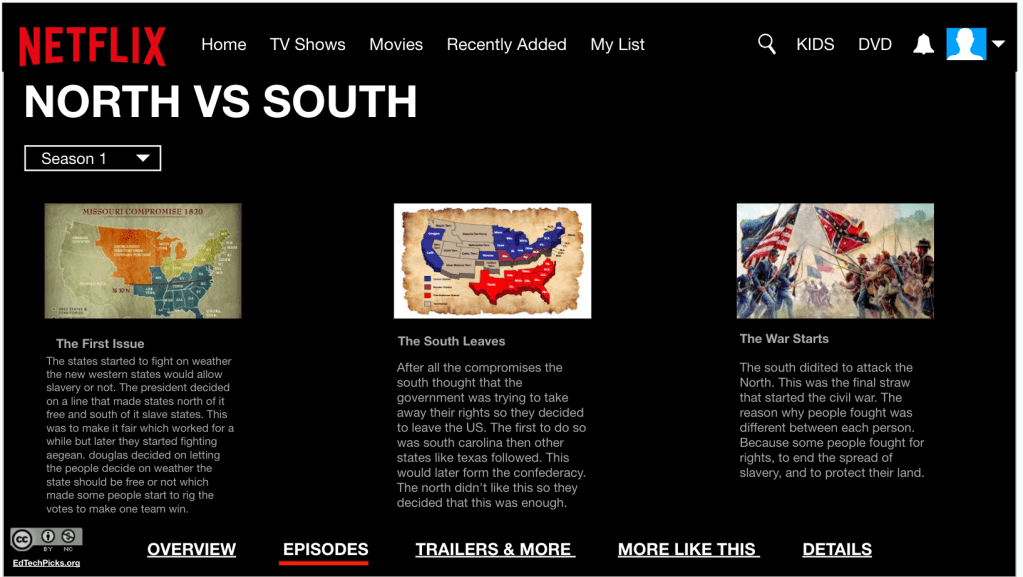
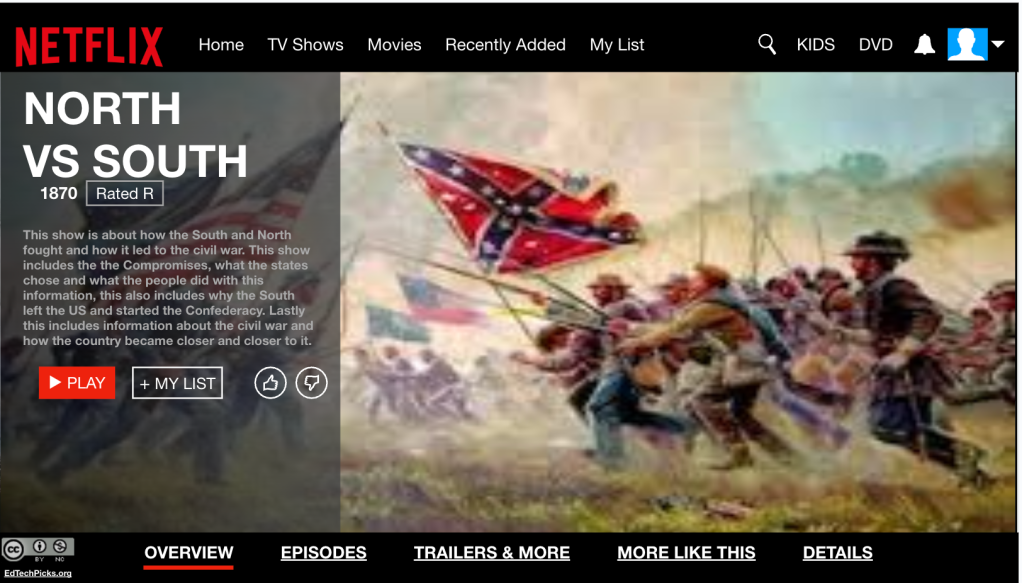
Next up: the Netflix template. I used an old template I’d saved (no idea where it originally came from), but it always works because it looks like an actual Netflix series layout. That visual hook alone helps students lock in.
The success criteria came straight from the yellow arrows in the template:
Slide 1: Series title, image, and a 3–4 sentence summary. They had to explain the division of states, why the South seceded, Fort Sumter, and reasons people were willing to fight.
Slide 2: Three creative episode titles—each tied to a big idea from our unit. Each episode needed a 2–4 sentence summary explaining the problem, the response, and the result.
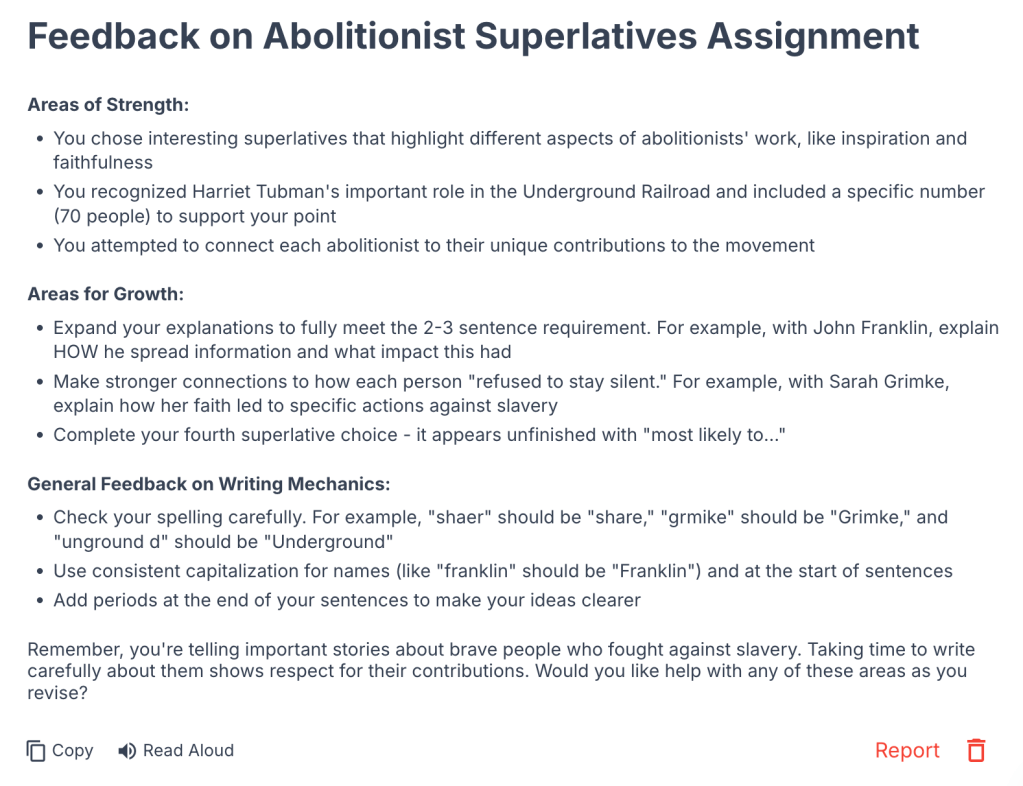
To finish, I created a Magic School classroom for writing feedback. Students uploaded screenshots of their slides and received quick AI feedback. We had great conversations about the suggestions—what to take, what to ignore, and why. It’s not about AI replacing thinking; it’s about helping students reflect and revise.
This was a great way to end the theme. Students retrieved information, created something meaningful, and got instant feedback to grow their thinking. Simple. Structured. Creative. The way learning should be.
The first time a student told me, “This sounds smart, but I don’t think it’s right,” in response to an AI-generated answer—I knew we were onto something.
That moment sparked Fray-I—a thinking routine I’ve been developing to help students analyze AI responses, not just accept them. It’s still a work in progress, but it’s already changing how my students interact with both history and technology.
Here’s the flow:
Students engage with content – a primary source, textbook excerpt, or short video.
They ask a question based on the reading or viewing—either one they create or one I provide (especially if the source leaves something unanswered or unclear).
They run that question through an AI tool like ChatGPT or MagicSchool.
They get a response and analyze/evaluate.
Here’s what Fray-I looks like:
Claim: What is the AI saying? What’s the main idea or argument?
Evidence Used: What support, facts, or examples does it include?
What’s Missing?: What voices, perspectives, or key historical context are left out?
Push It Further: How could this answer be stronger? More accurate? More complete? Would you use this response?
This turns AI into the text—not the shortcut. Students question the bot like they would a biased newspaper article, a government document, or a historical speech.
Why Fray-I works:
It puts students in the driver’s seat. They’re not copying—they’re critiquing.
It reinforces essential social studies skills: sourcing, bias, perspective, and evidence-based reasoning.
It meets students where they are—working with the tools they’re already curious about.
And honestly? The engagement is different. When students start noticing what the AI got wrong, what it ignored, or how it could be improved, they feel ownership.
Fray-I isn’t finished. I’m still tweaking sentence starters and scaffolds to support all learners. But it’s already doing what I hoped: Helping students think like historians in a world where information is instant—but not always insightful.
This week was about layering, connecting, and getting students to own the content—not just memorize it. Every protocol, every sequence was designed to move students from basic retrieval to deeper understanding without overwhelming them.
Nothing fancy. Nothing over the top. Just intentional teaching.
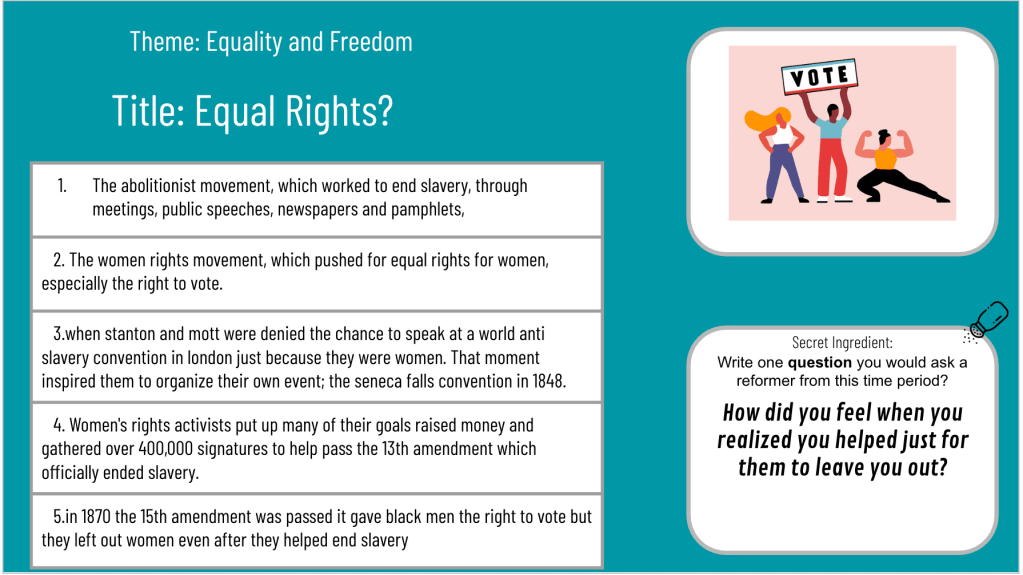
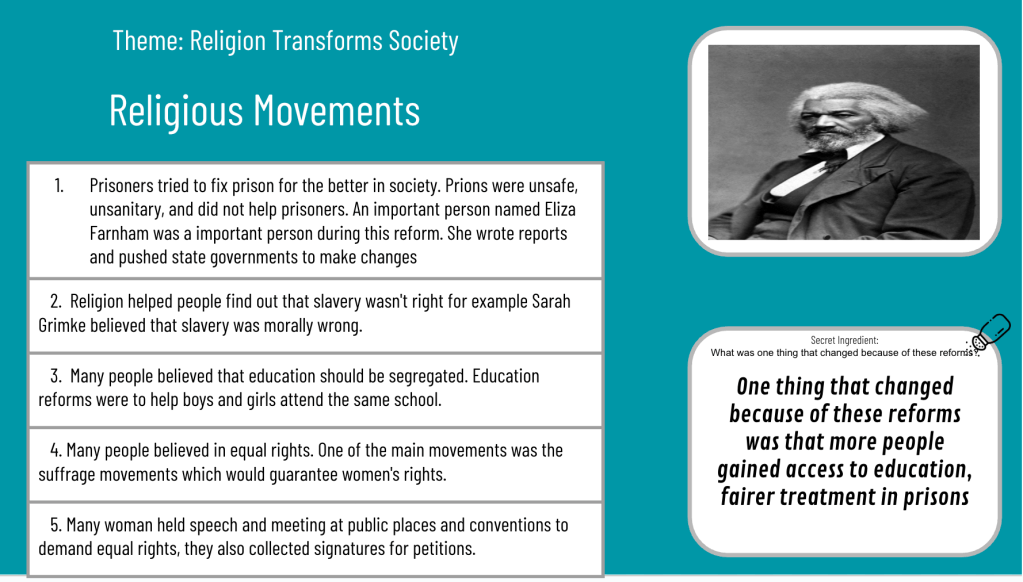
Monday kicked off our Abolitionist Movement work. I always try to bring in local figures like Harriet Beecher Stowe, John Rankin, and James G. Birney alongside Frederick Douglass, Sarah Grimké, and William Lloyd Garrison. Students need to see the local connection—that history didn’t just happen “out there.”
We started with a Thin Slide: “Change begins when someone refuses to stay silent.” One picture. One word or phrase. Fast. Immediate. It set the tone for the day—thinking about voice, action, and courage.
Then we jumped into a short EdPuzzle. It wasn’t to “teach” the content—it was just to jog memories and fill in some quick context before they picked an abolitionist to dive deeper into.
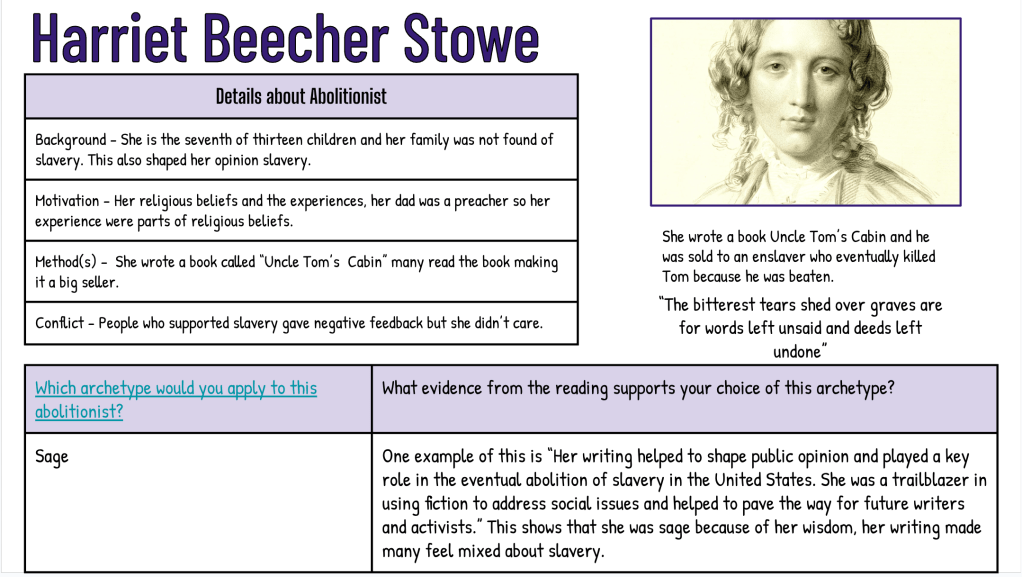
The Thick Slide was the real meat of the day: Each student chose one abolitionist and built a slide that included:
A short background
Their motivations for ending slavery
The methods they used (writings, speeches, helping people escape, etc.)
One powerful quote or moment that showed who they were
This wasn’t just copying facts—it was asking students to curate what mattered.
After they shared, classmates used a Frayer Model to capture the background, methods, and motivations for four abolitionists.
Why I sequenced it this way:
Thin Slide to frame the emotional/critical thinking lens
EdPuzzle for quick retrieval
Thick Slide to produce and contribute
Frayer to actively listen, gather, and process others’ work
Every move had a purpose: students weren’t just learning about abolitionists—they were seeing patterns of activism.
Tuesday: Finishing Abolition With Superlatives
Tuesday was another strange day because of science OST testing.
We opened with a Fast and Curious on Quizizz. Nothing complicated—just another layer of retrieval on the same reform movement content:
Words like suffrage, reform, abolitionism, and goals of different movements
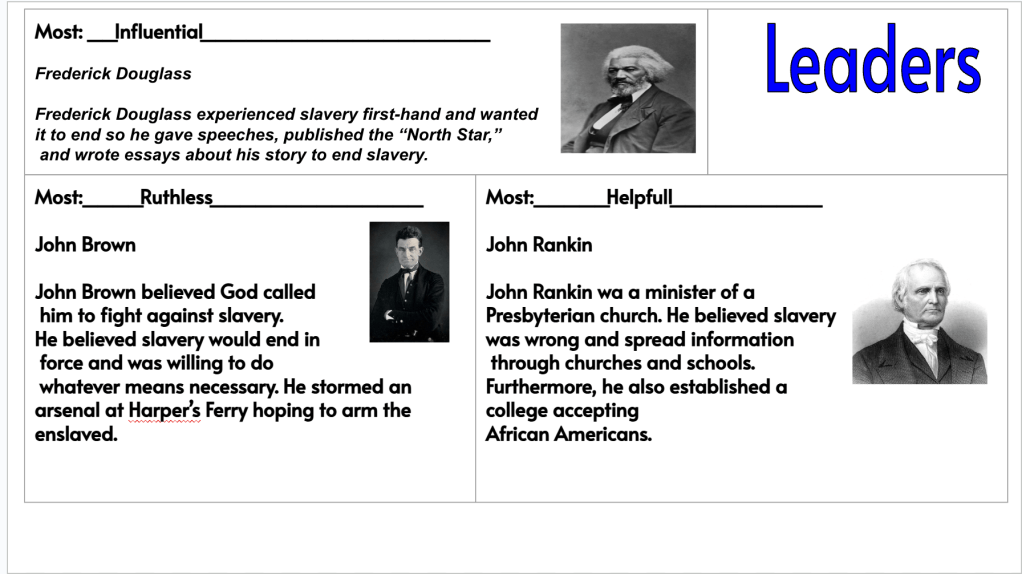
Then we finished Monday’s work with a Superlatives activity (shoutout to Kim Voge). Students had to pick 2–3 abolitionists and apply superlatives like Most Courageous, Most Determined, Most Visionary, etc.
At first, I had them tie it back to the Thin Slide quote from Monday…but after first period, I realized that overwhelmed them. So I pivoted and just let them focus on the superlatives.
After students completed the Superlatives, they used Magic School’s writing feedback tool to add in ideas. They took a screenshot, attached the screenshot to the feedback tool, and generated feedback. It led to discussions of evaluating feedback and choosing to pay attention to the feedback that matters.
Why this worked:
Fast and Curious warmed them up with retrieval
Superlatives required them to compare, judge, and defend choices
It wasn’t just recalling facts—it was applying understanding
The pivot mattered. Sometimes you have to drop something mid-day when you realize it’s not helping kids think better.
Wednesday: Thinking on My Feet With Real-World Skills
Wednesday was a little chaotic—still on the weird science testing schedule. Some classes finished their superlatives and quizzes early, and I knew I needed something meaningful that wasn’t just busy work.
I thought back to a Friday Check-In I ran months ago: “If I could teach you anything besides social studies, what would you want to learn?”
The most common answer? – Jobs. Taxes.How to get a job.
So I threw together a quick, no-internet-needed lesson:
Started with a Google Form:
What’s more important—skills or attitude?
Would you hire yourself right now?
Number Mania on Padlet:
What are two labor laws that surprised you?
I shared a quick story about my first job working clay tennis courts—how doing the little things no one asked for got me better hours and more money.
Why this worked:
It was personal.
It was relevant.
It used EduProtocols (Number Mania + fast reflection) in a real-world context.
The best moments come when you connect content to what actually matters for students’ futures.
Thursday: Connecting Abolition and Women’s Rights (with Purposeful AI)
Thursday was all about tying movements together—and introducing AI not as a shortcut, but as a thinking partner.
Our goal: Understand how the Abolitionist and Women’s Rights movements were connected—and why they eventually split apart.
The flow:
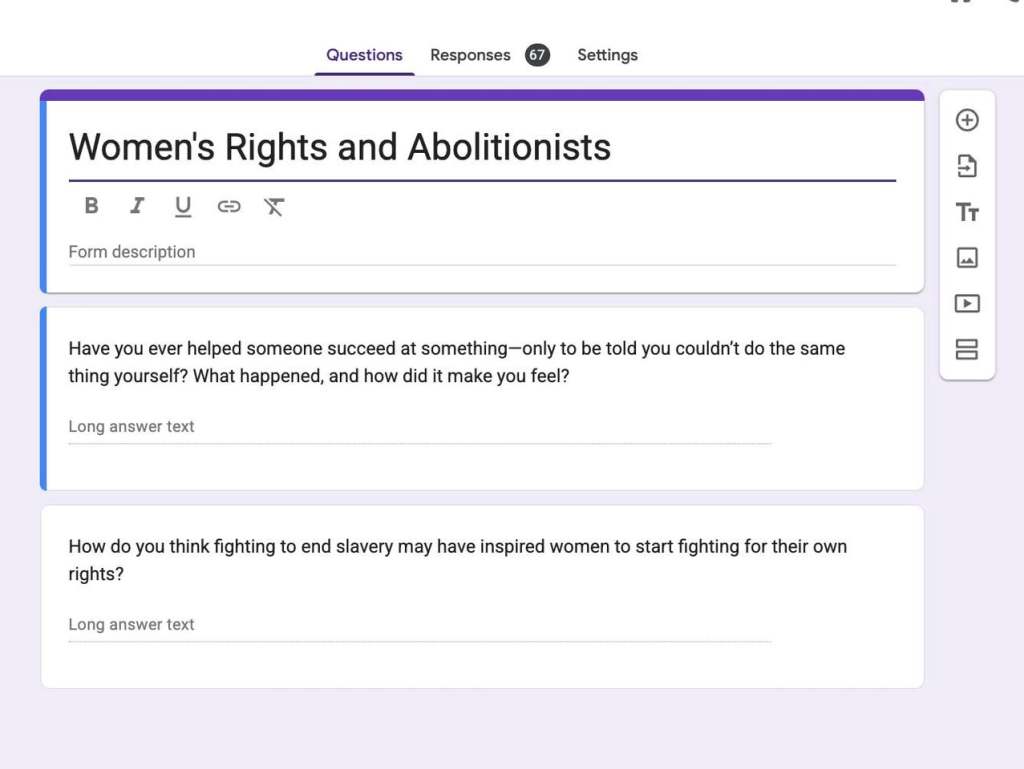
Opened with a Google Form to prime thinking: Where do you see connections? Where could you see division?
Annotate & Tell: Students read a short article and answered four guiding questions that helped them think about motivations, conflicts, and context.
Then came the AI part—and this was intentional:
Students used MagicSchool ChatBot Raina to ask a question about the reading. I did not preload the ChatBot with any extra information.
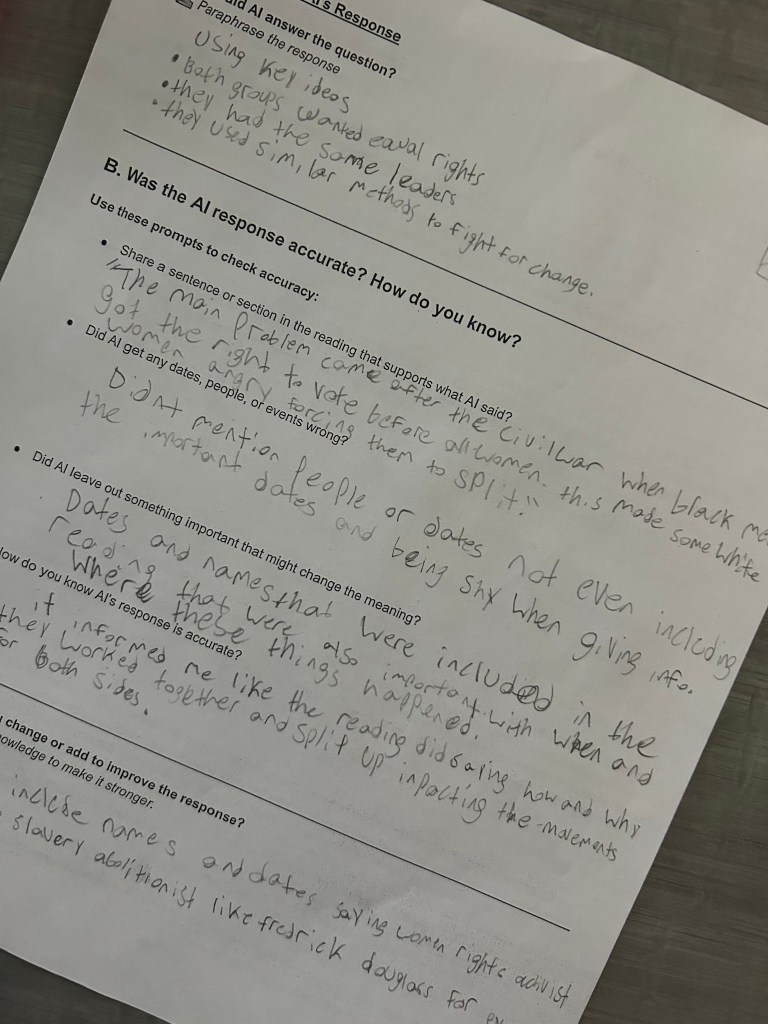
They had to paraphrase the AI response
Then they had to evaluate it:
Was it accurate?
Was anything missing?
How could it have been better?
This wasn’t just “use AI.” This wasn’t generate ideas and copy. It was: engage with AI, challenge it, think critically about it.
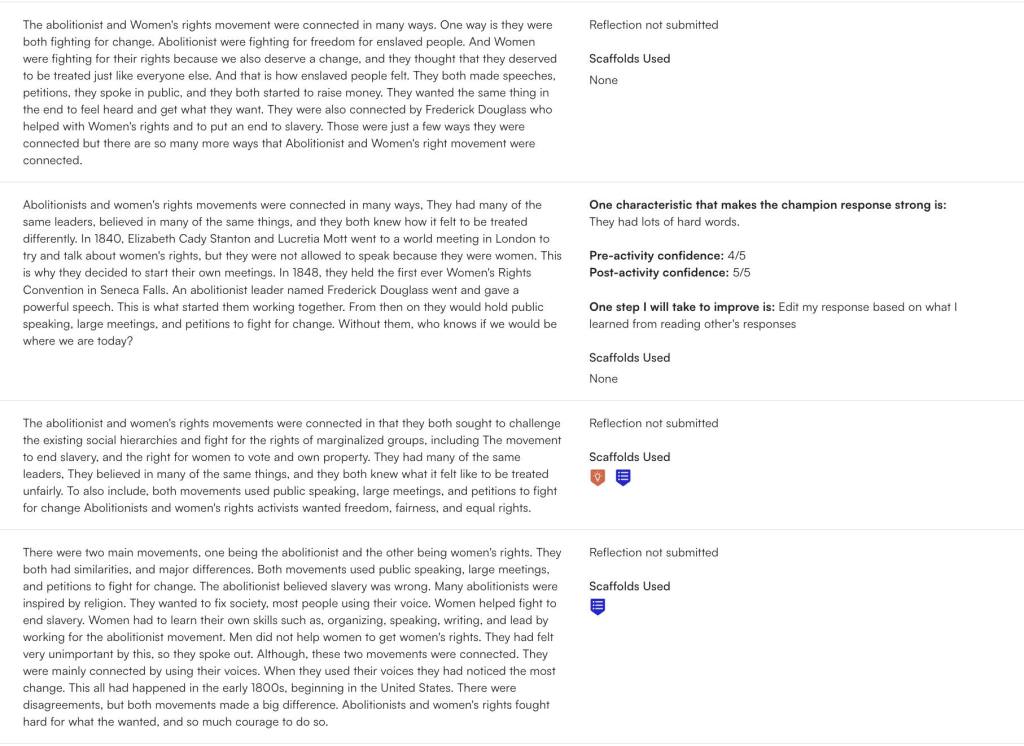
We closed it all with a Short Answer Battle Royale: Explain how the two movements were connected.
Why this worked:
The Google Form opened thinking.
Annotate & Tell slowed down reading.
AI added reflection, metacognition, and sourcing conversations.
Short Answer forced a full-sentence, evidence-based response.
AI wasn’t a crutch. It was a springboard for better thinking.
Friday: Wrapping Reform With Solo Iron Chef
Friday was about pulling everything together.
We started with a Fast and Curious on Quizizz (class averages were solid: 83%–90%) to hit key reform concepts one last time.
Then, students completed two Solo Iron Chef slides:
I set the timer for 15 minutes per slide. Students had to screenshot their work and use MagicSchool to get AI feedback on it. And again—the feedback conversations were the best part. A student said, “The AI said to change my title but I made mine rhyme and I like it.” I said, “Then why listen to it? It’s a tool—not the truth. You know your purpose better than the AI does.”
Things are getting expensive. Teachers don’t wanna pay for stuff. Free versions are usually watered down or full of ads. I’m just here to share some tools that have useful free versions. These are ones I’ve been using and they’ve helped me plan better, save time, and still give students solid feedback and learning experiences.
I’ll keep it simple: what it is, why I like it, and how I use it (with a solid teaching idea thrown in—usually paired with EduProtocols that make sense).
Even with the free version, Class Companion gives your students feedback like a champ. It tracks writing progress over time, breaks feedback down into categories like organization and evidence, and gives consistent scoring. You can assign short-answer questions or extended responses, turn off copy/paste (huge during state testing season), and export their progress.
Why I like it: I don’t have to manually grade everything and I still get useful data. Feedback is fast and targeted. It’s perfect for helping kids write better without burning myself out.
Teaching Idea: Pair with Nacho Paragraph. After doing a Number Mania, reading, or Frayer-based content build, have students write a one-paragraph response that argues a claim. Class Companion gives AI feedback on the claim, evidence, and reasoning. It’s also great after a MiniReport—combine two sources, write a response, and let AI provide revision tips. Great test prep without being test prep.
Brisk is like having an AI sidekick built right into Google Docs and Slides. You can highlight text and ask it to simplify or raise the reading level, turn a website into a quick Google Slide presentation, or even generate questions. You can use it to leave AI-generated feedback on student work, but I mostly use it for materials prep.
Why I like it: It’s fast, doesn’t take me to a new platform, and it helps me tailor materials for students at different levels in seconds.
Teaching Idea: Use Brisk to level a source before a Cyber Sandwich. Take a tough article, simplify it for one group of students, and leave the original for another. Have them annotate, partner-share, and write a summary. You can even ask Brisk to generate questions for a thin slide or fast and curious warm-up.
This is my go-to when I want a fast, interactive lesson that looks good but doesn’t take hours to make. Curipod lets you create engaging, Nearpod-style lessons. You can add open-ended questions, quick polls, drag-and-drop, even AI-generated reflections or historical figure Q&A simulations. The drawing and writing feedback features are a huge bonus.
Why I like it: I can turn a warmup into a 20-minute meaningful discussion with a couple clicks. Students actually enjoy the format and get to respond anonymously or collaboratively.
Teaching Idea: One way you could try using Curipod is by adding a few Sketch and Tell prompts throughout the lesson. Students draw and write a quick response, and the platform gives them feedback right away. After the Curipod, you might follow it up with a Thick Slide—have students share four important facts, two visuals, and a comparison. It’s a simple way to turn the lesson into something more student-centered and reflective.
Final Thoughts
These three AI tools won’t replace your teaching—but they do make it faster, easier, and more manageable. You don’t need 12 tools, and you definitely don’t need to drop $25/month to get value.
Try one this week. Layer it into an EduProtocol you already use. Let the AI handle some of the prep or feedback so you can focus more on the conversations and connections that matter.
This past weekend, I presented at the Gifted Fair conference at the Hamilton County Educational Service Center and had the chance to attend a session on depth and complexity. It really got me thinking. Developed by Dr. Sandra Kaplan, depth and complexity is a framework designed to push students beyond surface-level understanding by helping them think like experts in any subject. Too often, when we talk about rigor in education, we focus only on making questions harder. But depth and complexity isn’t just about the types of questions we ask—it’s about changing the tasks we give students.
EduProtocols already help students move beyond memorization and into deeper thinking, but when we pair them with depth and complexity, we help students analyze, synthesize, and evaluate information in meaningful ways. Instead of just answering harder questions, they engage in perspective-taking, making connections, and evaluating historical impact. Here’s how we can enhance thick slides, sketch & tell, and parafly by embedding depth and complexity into each step of the lesson.
Thick Slides + Depth and Complexity
Thick slides go beyond listing facts—students make claims, compare ideas, and provide evidence. But how can we push even deeper?
Ways to add depth and complexity:
Big idea: Frame the slide around a larger concept. Instead of just listing facts about the Monroe Doctrine, students answer: how did the Monroe Doctrine shape American foreign policy for the next century?
Patterns: Identify recurring themes within a topic. If studying reform movements, students compare abolitionism, women’s rights, and education reform: what patterns exist in the strategies reformers used?
Over time: Analyze historical progression. Example: how did political parties evolve from the Federalists and Democratic-Republicans to modern-day parties?
Multiple perspectives: Assign different viewpoints. One student may create a slide from Mexico’s perspective on Texas independence, while another represents an American settler’s viewpoint.
Example lesson: The Age of Jackson Standard thick slide: Students summarize Jacksonian democracy and list key policies. Depth and complexity layer: Students compare Jacksonian democracy to modern populism, tracking patterns of how political leaders appeal to “the common people.”
Sketch & Tell + Depth and Complexity
Visual representation forces students to process and conceptualize information rather than just memorize it. Adding depth and complexity helps students examine underlying themes and historical connections.
Ways to add depth and complexity:
Language of the discipline: Require students to include key vocabulary in their sketches. Example: if sketching manifest destiny, students must label annexation, expansion, and sovereignty.
Ethics: Have students create two sketches—one that supports an event and one that critiques it. Example: was the Trail of Tears an unavoidable consequence of expansion, or a violation of Native rights?
Rules: Students depict who created the rules and who had to follow them. For instance, sketch how the spoils system benefited Jackson’s supporters but also led to corruption.
Across disciplines: Connect ideas across subjects. A history class sketching the Industrial Revolution might also examine how innovations in machinery affected economic systems and scientific advancements.
Example lesson: The Texas Revolution Standard sketch & tell: Students illustrate one major event in the Texas Revolution. Depth and complexity layer: Students compare two sketches—one from the perspective of Texan settlers and another from Mexico’s leaders.
Parafly + Depth and Complexity
Parafly already challenges students to improve their paraphrasing skills, but adding depth and complexity ensures that students analyze information rather than just rewrite it.
Ways to add depth and complexity:
Rules: Students not only paraphrase a text but also identify what rules are being set or broken. Example: in the Missouri Compromise, students highlight who benefits from the agreement and who is restricted by it.
Details matter: After paraphrasing, students explain what was left out and why it might be important. Example: what details are often omitted in textbook discussions of manifest destiny?
Ethical considerations: In addition to paraphrasing, students evaluate the morality of a historical decision. Example: was the annexation of Texas justified or an act of aggression?
Unanswered questions: Students paraphrase a passage and then write one question that remains unanswered. This helps spark deeper discussion about what the text does not address.
Example lesson: The Oregon Treaty Standard parafly: Students paraphrase textbook excerpts on the U.S.-British treaty dividing Oregon. Depth and complexity layer: Students evaluate the treaty’s fairness—who benefited most, and why didn’t the U.S. fight for 54°40’?
Final Thoughts
After attending the session at the Gifted Fair, it became clear that depth and complexity isn’t just about making things “harder”—it’s about giving students the right tools to think critically. When paired with EduProtocols, these strategies:
Encourage critical thinking instead of rote memorization
Make learning more engaging and relevant
Help students connect history to today
Depth and complexity doesn’t have to be a separate strategy—it can be woven into everything we already do. When paired with EduProtocols, it transforms simple activities into deeper, more meaningful learning experiences.
How are you using depth and complexity in your classroom? Let’s keep the conversation going!
Last week, I kicked off my social studies unit with a pre-assessment using a citizenship test. The goal for my students was to answer six or more questions correctly. Out of the 89 students I teach across four periods, only six met that benchmark.
Faced with a tight timeline, I knew I had to make every lesson count. By the end of the week, after incorporating engaging EduProtocols, 70 out of 89 students achieved a score of six or higher on the same test. The growth was incredible and a testament to how these strategies support both understanding and retention.
Focusing on all seven principles of the Constitution is overwhelming for 8th graders, so I start by introducing separation of powers as the foundation of understanding how the government works. My goal is to connect the concept to the branches of government and their basic functions, creating a clear starting point for students.
Tug of War: Introducing Separation of Powers
When students entered the classroom, they were met with a tug of war rope stretched across the room. The curiosity was instant—”Are we playing tug of war?” they asked. Instead of answering directly, I invited them to imagine the floor surrounding the rope represented tyranny, greed, corruption, and despotism.
I asked, “Should a government be surrounded by these negative forces?” Of course, the answer was “no.”
Round 1: One volunteer attempted to lift the rope out of the “corruption.” The catch? They couldn’t bunch it up or stretch it too far—it had to stay taut. Predictably, it didn’t work.
Round 2: A second volunteer joined, but the rope still couldn’t be lifted properly.
Round 3: With three volunteers, the rope was successfully lifted out of the corruption.
I explained that this is why we have separation of powers—no single branch can do it alone. By dividing power, we prevent tyranny and ensure the government operates effectively.
Quick Notes and Fast and Curious
Next, I introduced the three branches of government—executive, legislative, and judicial—through a brief set of notes. These quick notes provided an overview of the branches and their basic responsibilities.
We followed this up with a Fast and Curious Gimkit round, focusing on vocabulary and key concepts like the branches and their roles. Students played for 3 minutes, and I reviewed the most-missed questions afterward to clarify misunderstandings.
Sketch and Tell-O: Exploring the Branches
Using an article from iCivics, students explored each branch in more depth through a Sketch and Tell-O activity. For each branch, they:
Sketched a visual representation of the branch’s role (e.g., a gavel for judicial).
Wrote a brief description summarizing its main function.
This activity helped students connect abstract ideas to tangible visuals and concise explanations.
Fast and Curious: Reinforcing Understanding
After the Sketch and Tell-O, we returned to Gimkit for two more Fast and Curious rounds, each lasting 3 minutes. The goal was to reinforce what students had just learned about the branches of government. Scores improved noticeably, and the repetition solidified their understanding of the material.
Sneaker Sketch and Tell: Creative Connections
To wrap up the day, we used a Dominic Helmstetter Sketch and Tell Sneaker activity. Students designed a sneaker to represent one branch of government and wrote a brief summary explaining their design.
Tuesday: Checks and Balances
Continuing with the principles of the Constitution, Tuesday’s focus was checks and balances. This lesson aimed to go beyond the basics and help students connect vocabulary, real-world applications, and creative thinking to demonstrate their understanding.
Quick Notes: Setting the Stage
To begin class, I gave a brief lecture introducing checks and balances, focusing on key terms like impeach, override, and veto. I also provided basic examples:
The president can veto a bill passed by Congress.
Congress can override a veto with a two-thirds majority.
The judiciary can rule laws unconstitutional.
These quick notes established foundational knowledge for the activities that followed.
Scenario-Based Analysis
Each student received a detailed checks and balances chart, categorizing the actions of each branch and how they could be checked by another branch. Students worked through three simple scenarios requiring them to infer how checks and balances worked in practice.
For example:
“A potential bill was vetoed.”
Students identified that the executive branch (president) has the power to veto a bill.
Then, they determined that the legislative branch (Congress) could check this action by overriding the veto.
These scenarios required students to apply their understanding of the chart and start thinking critically about the system.
Annotate and Tell: Real-World Examples
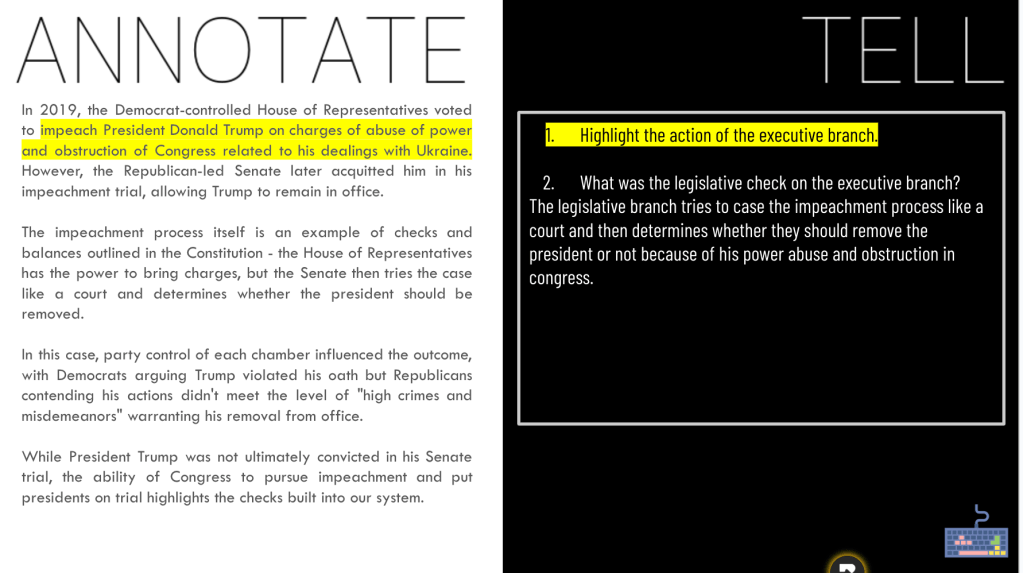
Next, students examined three AI-generated short stories based on recent events tied to checks and balances:
Trump’s impeachment.
Obama’s executive orders on gun control.
Biden’s exploration of student debt cancellation.
For each story, students:
Annotated key actions by the executive branch.
Answered analysis questions, such as:
How did the legislative branch check the president in this example?
What role did the judiciary play (if any)?
This activity added context and relevance, showing students how checks and balances function in modern government.
Sketch and Tell Comic: Bringing Stories to Life
To wrap up, students used the Sketch and Tell comic format paired with the SWBST (Somebody, Wanted, But, So, Then) storyboarding technique. Students had two options:
Create an original scenario that demonstrated checks and balances in action.
Illustrate one of the AI-generated stories from earlier in class.
Each comic needed to show how multiple branches interacted, with annotations explaining the characters’ roles and the checks and balances applied.
As students shared their creations, they articulated detailed descriptions of the interactions between branches. For example, one student illustrated Congress overriding a veto with a vivid depiction of lawmakers “lifting” a veto stamp off a bill, while another highlighted a Supreme Court decision striking down an executive order.
Wednesday: Federalism
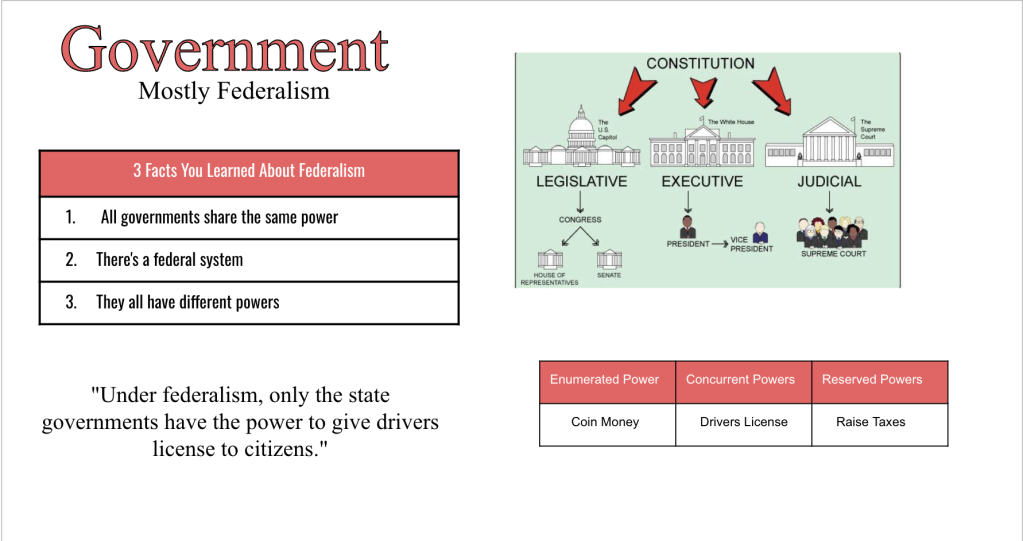
For my federalism lesson this year, I decided to switch things up while keeping the core elements that have worked well in the past. The focus was on making the concept of federalism relatable and interactive, while emphasizing key ideas like enumerated, reserved, and concurrent powers.
Thin Slides: Federalism in Context
The lesson began with Thin Slides, which provided a quick and creative way for students to process information.
For the first slide, students read a brief description of federalism and chose:
One word to represent federalism.
One picture that symbolized the idea.
They then explained their choices, sharing insights like “I chose ‘shared’ because both the state and national government share responsibilities.”
The second Thin Slide focused on real-world examples of federalism. Students looked up the legal driving age in Ohio and compared it to other states. We discussed who sets these laws (state governments) and why they vary.
This activity transitioned into another research task: students looked up the minimum wage in Kentucky, Ohio, and California, noting how state laws differ and how federalism allows for this variation.
Sketch and Tell: Breaking Down Federalism
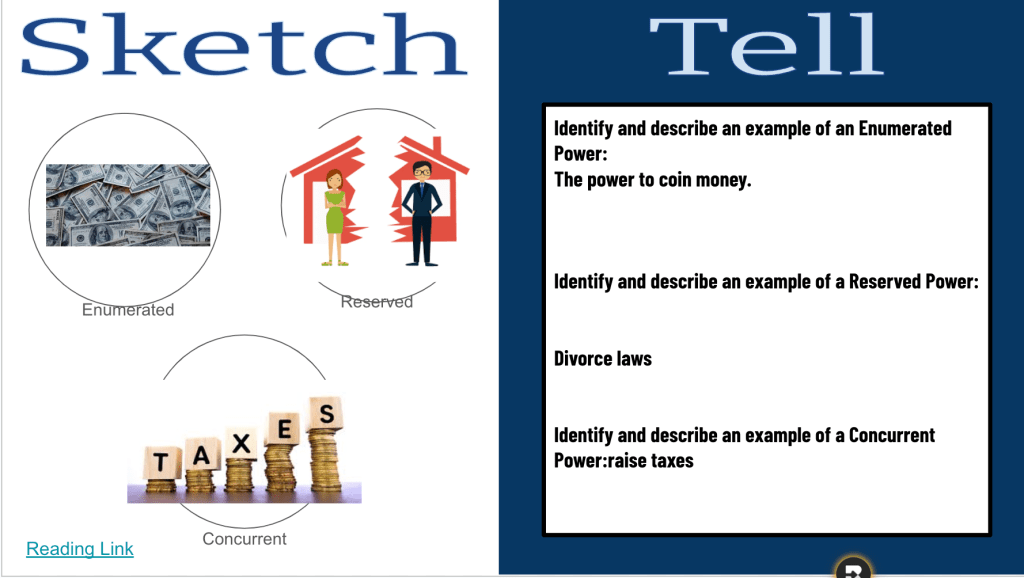
Students used a Sketch and Tell template to dive deeper into the structure of federalism.
Using an infographic or a modified textbook reading, students visualized expressed powers, state powers, and concurrent powers.
They created drawings or used icons to represent examples, like a scale for concurrent powers (taxation) or a dollar sign for state powers (setting minimum wage).
This activity helped students connect abstract terms to concrete examples, reinforcing the distinctions between the different types of powers.
Thick Slide: Synthesizing Learning
To wrap up the lesson, students completed a Thick Slide, which allowed them to reflect and synthesize their learning. On their slides, they included:
Three things they learned about federalism.
Examples of enumerated, reserved, and concurrent powers.
A picture that represented federalism.
A correction task, where they fixed an incorrect statement about federalism to make it true.
Thursday: Upgrading Bill of Rights Knowledge
The Bill of Rights can be tricky for 8th graders to memorize and understand, so Thursday was all about making the amendments memorable, engaging, and accessible. I kicked off class with a 10-question Quizizz to assess students’ baseline knowledge. As expected, most students remembered the 1st and 2nd Amendments but struggled with the rest. Class averages reflected this, coming in at 34%, 33%, 41%, and 34%. It was clear we needed a creative strategy to make these amendments stick.
Sketch and Tell-O: Prepping for Memory Aids
I handed out a Sketch and Tell-O template with 10 empty circles, one for each amendment. Students would use this to jot down sketches or notes based on the memory aids I shared during the lesson.
Memorable Mnemonics: Learning from Dave Burgess
For each amendment, I used a fun, engaging strategy inspired by Dave Burgess to help students connect the concept to something they could easily recall.
3rd Amendment: I told the story of Goldilocks making herself at home in the Three Bears’ house, linking it to the prohibition of soldiers being “quartered” in homes without consent.
6th Amendment: I showed a clip of an NFL player’s quick “pick six” interception to emphasize the idea of a speedy trial.
The students were laughing, engaged, and eagerly sketching the memory aids into their templates. They loved the zany connections and seemed to absorb the material effortlessly.
Assessing Growth with Quizizz
After finishing the activity, I had students tuck away their sketches and notes. Then we launched the same Quizizz again to check for growth. The results were encouraging:
Class averages jumped to 74%, 77%, 68%, and 77%.
While the scores were slightly lower than last year’s averages, the improvement from the first round showed the power of these memory tricks. I’ll tweak a few things next time to fine-tune the approach, but overall, this was a win.
Friday: Applying the Bill of Rights
With the foundational knowledge of the Bill of Rights in place, Friday was all about applying that learning to real-world Supreme Court cases. The goal was to help students see how the amendments are interpreted and used in real-life scenarios—especially those that resonate with their own experiences as 8th graders.
Starting with EdPuzzle
Class began with an EdPuzzle video explaining the Supreme Court and how cases make their way to the highest court in the land. This gave students a framework to understand the cases they’d be analyzing later in the lesson.
Landmark Supreme Court Cases: An Interactive Experience
I curated a selection of Supreme Court cases that focused on issues students could relate to, such as:
The Pledge of Allegiance in schools.
Social media speech.
School punishment policies.
Prayer in schools.
Each case summary was printed onto cards and placed in envelopes around the room. To add an extra layer of engagement, one envelope included a bonus Bill of Rights Quizizz (which the students were now averaging 75–80% on—a huge improvement!).
The Activity
Students were divided into small groups and given 25 minutes to circulate through the envelopes and analyze as many cases as possible. For each case, their tasks were to:
Guess which Constitutional amendment was in question.
Predict how the Supreme Court ruled on the case.
The students did a great job identifying the relevant amendments, but the real excitement came when I shared the actual rulings. Many of the decisions surprised them or conflicted with their personal opinions, sparking lively discussions about how amendments are interpreted and applied.
Citizenship Test: Wrapping Up the Week
To end class, we returned to the same citizenship test we started with earlier in the week. The results were remarkable:
At the beginning of the week, only six out of 89 students scored six or higher.
By Friday, after incorporating engaging lessons and EduProtocols, 70 out of 89 students achieved that benchmark.
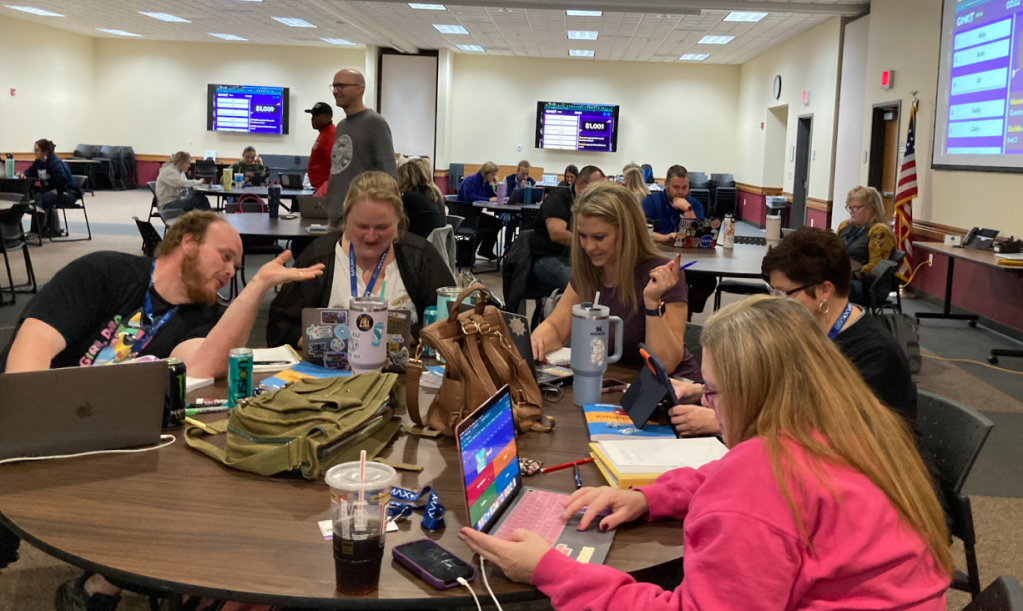
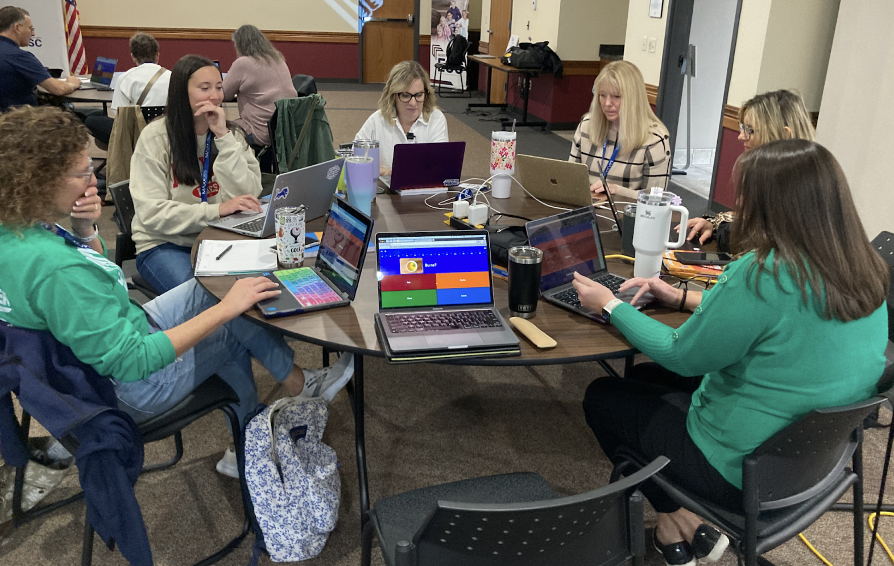
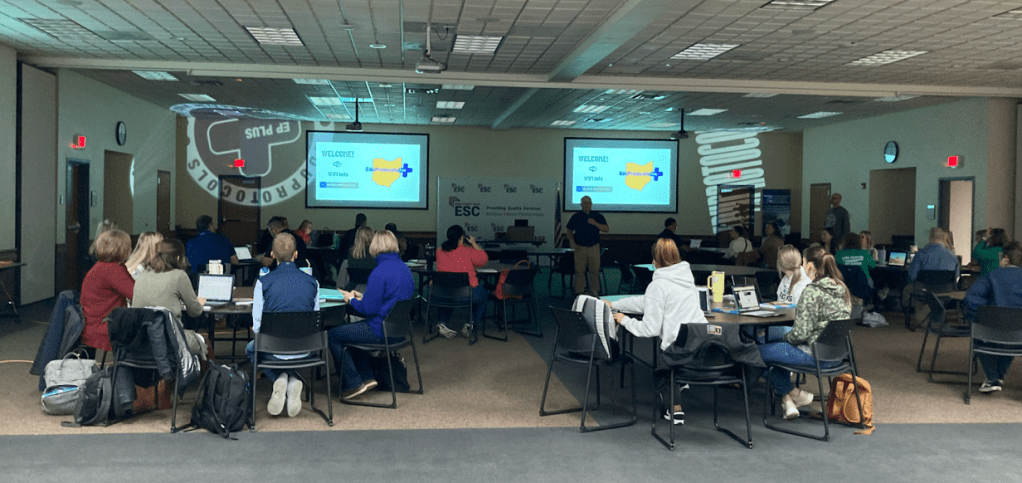
The Ohio EduProtocols Roadshow on October 25, 2024, at the Northern Buckeye Education Council’s headquarters brought together educators from Ohio, Indiana, Michigan, and West Virginia for an unforgettable day of learning, collaboration, and inspiration. This transformative professional development event showcased the power of EduProtocols to revolutionize teaching, engage students, and create lasting impacts in classrooms, schools, and districts.
EduProtocols in Action
The day featured a lineup of authors and hotshots who modeled EduProtocols in real time, helping attendees see how these strategies could transform their classrooms:
Jon Corippo, co-founder of EduProtocols, energized the room with his dynamic presentations on Fast and Curious and Random Emoji Paragraph. Teachers saw how these strategies transform formative assessments into interactive, game-like experiences and writing tasks into creative, student-centered activities.
Adam Moler, co-author of the EduProtocols Field Guide Social Studies Edition, engaged participants with his session on Sketch and Tell-O. He demonstrated how blending visual storytelling with core content gives students meaningful opportunities to express understanding in innovative ways while building their creativity and engagement.
Dominic Helmstetter, a national presenter and EduProtocols hotshot, wowed attendees with his session on Thin Slides. He showed how students could synthesize information and develop presentation skills in under five minutes, sparking both creativity and confidence while making learning dynamic and efficient.
Dr. Randall Sampson, an EduProtocols champion, brought a unique perspective to the event by offering CEUs for participants and sharing compelling student growth data tied to EduProtocols. Randall highlighted how these strategies have led to measurable improvements in academic achievement, engagement, and classroom efficiency. His session inspired educators to think critically about how EduProtocols can foster long-term growth and success for their students.
One of the most valuable aspects of the Roadshow was its emphasis on addressing real-world classroom challenges with practical solutions. At the end of the Roadshow, a Padlet board was set up and used for participants to ask questions and have them answered in real time. Key questions raised during the sessions highlighted the adaptability and effectiveness of EduProtocols in diverse settings:
Grading Simplified Yet Impactful A recurring question from attendees was: “How do I grade these activities?” Presenters emphasized keeping it simple. Most EduProtocols are designed for formative assessment during the week, relying on pass/fail or completion checks. Summative assessments, like final Thin Slides or Sketch and Tell-O presentations, can involve clear, rubric-based grading. For example, participation-based grading (e.g., completing 80% of Gimkit or Sketch tasks) or letter grades for final synthesis projects ensures accountability while reducing teacher workload.
“EduProtocols aren’t about piling on work for teachers or students—they’re about making learning visible and simplifying assessment in meaningful ways.”
Tools That Support Engagement and Collaboration Participants were curious about the best tools to use with EduProtocols. Presenters highlighted versatile platforms like Google Slides for Thin Slides, Padlet for Iron Chef-style collaboration, and Curipod for interactive, AI-driven lessons. These platforms make it easy for students to share, engage, and collaborate, fostering a classroom environment where every voice matters.
“The right tools make EduProtocols seamless and accessible. It’s about finding what works best for your students and classroom needs.”
Creating a Safe, Collaborative Classroom Culture A significant topic was how to foster a safe space where students feel confident sharing their work. Strategies included:
Using anonymous tools like Curipod for responses to avoid popularity bias. Keeping activities fast-paced and light to reduce anxiety. Reinforcing classroom norms and shutting down negativity quickly. “EduProtocols build confidence because they focus on the process, not perfection. Students feel safe to try, share, and grow.”
Balancing Engagement with Accountability Educators asked: “What about students who only work if it’s graded?” The experts reassured them that the engagement built into EduProtocols—like the competition in Fast and Curious or the creativity in Sketch and Tell-O—naturally motivates students. For those who still struggle, incorporating visible progress, like tracking Gimkit scores or showcasing Thin Slides, can provide the accountability they need.
“When students see their progress in real time and know their work matters, engagement follows.”
A Teacher’s Perspective
The collaborative, solution-driven nature of the event resonated with educators. Angie Behnfeldt, a teacher from Stryker Schools, shared:
“I attended alone since EduProtocols are not yet widely known in my district, but now I can’t wait to share what I’ve learned. The testimonies, anecdotes, and data shared throughout the day were incredible. You’ve inspired all of us to roll up our sleeves and start teaching better while working less!”
Transform Your Teaching
The Ohio EduProtocols Roadshow wasn’t just another professional development session—it was a movement. Teachers left with practical tools, actionable strategies, and a renewed sense of purpose. The modeling of EduProtocols in real time showed how these tools can be adapted to any subject or grade level, creating classrooms where students are engaged, teachers are energized, and learning is visible.
“Watching educators light up as they realized how these tools could transform their classrooms reminded me why I love this work.” – Dominic Helmstetter
Don’t miss your chance to experience the EduProtocols Roadshow and join a growing community of educators transforming teaching and learning. Visit the EduProtocols Plus site and mark your calendar for the next event and prepare to unlock the full potential of your classroom!
This week was all about keeping engagement high and adapting to student needs with a strong lineup of EduProtocols. We started by wrapping up our government voice inquiry with a Thick Slidesummary and fast Gimkit reviews, then dived into Sketch and Tell-o on Loyalist perspectives and Enlightenment ideas with Parafly paraphrasing exercises. Thursday’s Halloween twist saw students using Number Mania for the Declaration of Independence, while Friday’s low attendance turned into a lively Gimkit Draw session and creative Retell in Rhyme exercise on Disney movies and daily topics. EduProtocols once again carried the week!
After missing Friday, I came back on Monday to discover that my inquiry lesson on the importance of having a voice in government hadn’t gone as planned. I had used AI to simplify the primary sources into 7th-grade-friendly readings, hoping this would keep students engaged and make the sources more accessible. But when I checked Google Classroom, only a handful of students had completed the work. The inquiry went deeper than expected, and without support, the substitute likely couldn’t guide students through the challenge.
Regrouping with Purpose
Rather than diving into low scores or assigning blame, I chose a reset. I’m not one to pass off low marks without offering students a real chance to understand. So, we tackled the primary sources together, discussing the background and importance of each source and connecting them back to our essential question: Why is it important to have a voice in government? We used this discussion to explore representation, power, and fairness—all critical ideas that lay the groundwork for the events leading to the American Revolution.
Thick Slides to Synthesize Learning
For our wrap-up, I had students create a Thick Slide summary on what they’d learned. Thick Slides have proven incredibly effective in helping students distill complex concepts into concise, visual representations, and the students did a fantastic job as usual. The content breakdown clearly helped, and it was rewarding to see them engage with and articulate these foundational concepts in such a clear way.
Reinforcing with Gimkit
We wrapped up with a Gimkit Fast and Curious to reinforce everything we’ve covered, from British taxes to the French and Indian War and the growing tensions with Britain. Class averages hit between 80% and 90%, showing that sometimes all we need is a little extra time to reset and regroup. It was a solid reminder of the power of building understanding, even when things don’t go as planned.
With classes reduced to around 45 minutes, I knew our lesson had to be both quick and effective. This made the Loyalist primary source lesson from the Digital Inquiry group a perfect choice. I adapted the sources with AI, preserving the primary source feel but bringing the language down to a level that worked for 8th graders. My goal was to shift focus and challenge students to consider an often-overlooked question: Why would some colonists choose to stay loyal to Britain, despite rising revolutionary sentiments?
Setting the Scene with Inquiry and Quick Retrieval
We started with an inquiry warm-up: “We’ve been discussing how the Sons of Liberty protested British rule. What do you think might cause someone to stay loyal to King George instead?” After sharing some predictions, we moved into a Gimkit for a brief but focused review of vocabulary like Loyalist, Patriot, and other terms they’d encounter in the readings. I wanted to ensure they had the basics down before diving deeper.
Document Analysis in Action
Students then moved to Document 1, where they filled out an organizer, closely reading the text, sourcing the information, and contextualizing it in terms of its historical moment. We repeated the process with Document 2, helping students see the range of reasons people might remain loyal. Finally, we had them corroborate the two sources to find connections, patterns, and any differences in Loyalist reasoning. This built their analytical skills and brought out critical thinking as they explored motivations and biases.
Wrapping It Up with Sketch and Tell-o
For our final task, students engaged in a Sketch and Tell-o activity, visualizing three reasons for Loyalist loyalty and summarizing each one. This combination of analysis and creativity is really where their understanding shines—they don’t just read; they actively process and illustrate their learning.
We ended with a quick Gimkit for further retrieval, although the class averages varied, thanks to the adjusted schedule and excitement of a different day. The students really took to this shift in perspective and showed curiosity about how Loyalists made their choices. Even in a shorter time, they walked away with a new layer of insight into the diversity of colonial perspectives.
With a return to our usual schedule, we jumped right into two big topics: The Enlightenment and the Declaration of Independence. These foundational ideas helped shape American ideals, and I wanted to make them accessible and memorable for the students using some targeted EduProtocols.
Starting Strong with Fast and Curious
We started class with a Gimkit Fast and Curious, tackling key Enlightenment terms and early concepts from the Declaration of Independence. I kept this session short—just three minutes—and then gave feedback to help clarify terms. It was a quick but effective primer, setting the stage for the day’s deeper dive.
Frayer Fun: Enlightenment and John Locke
Then, we turned to the Frayer Model for the term “Enlightenment.” Students rewrote a definition in their own words, listed characteristics, and found a symbolic image. This helped break down the big concept, and I could tell from their summaries that they were getting it.
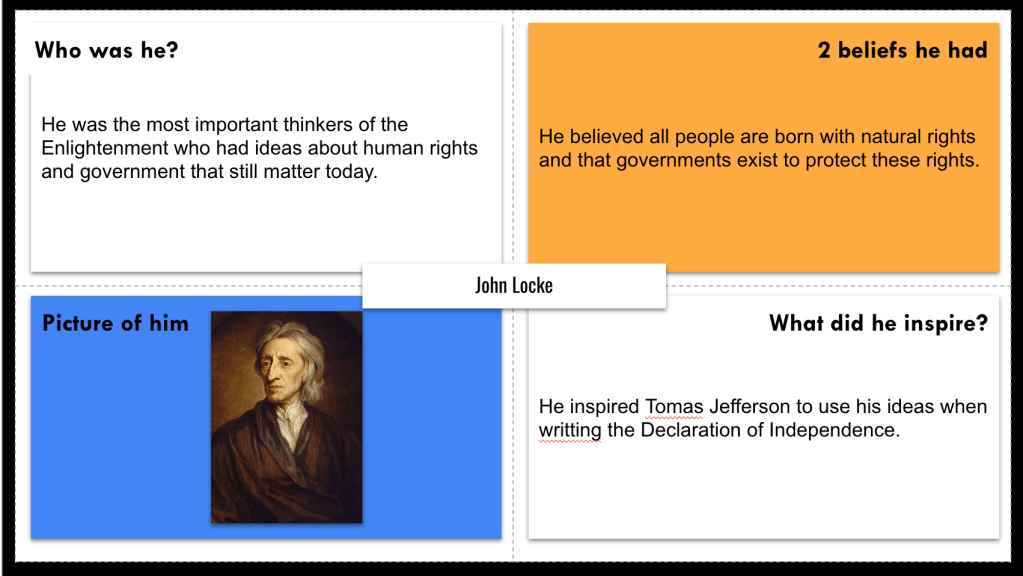
Next, we moved into a Frayer on John Locke. While I usually would bring in the Archetypes protocol to help link Locke’s ideas with Enlightenment ideals, I decided to keep it simple this time. Instead, students listed his beliefs, noted his influence, and added an image to represent him. This exercise anchored Locke as a key influencer on American revolutionary thought.
Parafly Protocol: Making Paraphrasing Fun
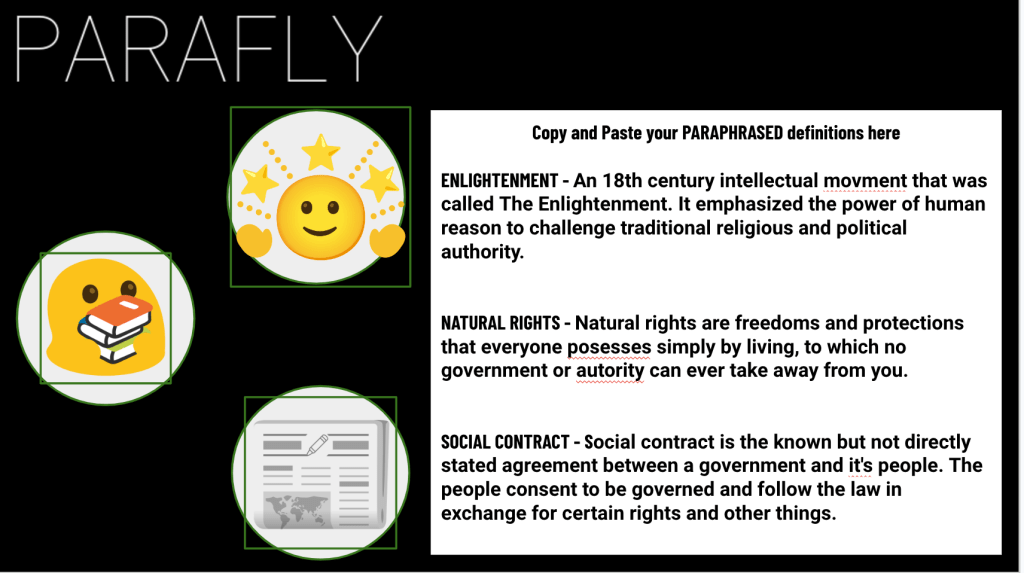
Then came Parafly, an EduProtocol that introduces students to paraphrasing in a super engaging way. I used Socrative to share fun sentences about topics like Halloween, quirky facts, and even SpongeBob, to warm them up to the idea. After reviewing strategies like using synonyms, simplifying, and rearranging sentences, I gave them two minutes to submit their paraphrases. Then, we voted on each round, and I provided feedback. The excitement and engagement levels were high. At one point, a student even said, “This is fun. Can we keep doing this?” They were totally absorbed—in paraphrasing, of all things!
We wrapped up Parafly by shifting focus to key terms like “Enlightenment,” “Natural Rights,” and “Social Contract.” Students paraphrased each term and then brought in some creative flair by using Emoji Kitchen to design custom emojis representing their ideas on a Sketch and Tell slide.
Wrapping with Another Fast and Curious
To end the day, we circled back to the Gimkit Fast and Curious from earlier, this time to see growth after our review of the terms. Seeing their scores rise was the perfect way to close out the lesson, with students clearly connecting to these revolutionary ideas.
This mix of creative, structured, and interactive protocols turned some abstract concepts into tangible understandings, with Parafly paraphrasing emerging as the highlight of the day.
Halloween and an observation on the same day? No problem—EduProtocols to the rescue! Two weeks back, I’d casually agreed to a Thursday observation without realizing it fell on Halloween. Despite potential holiday distractions, I knew the structured and interactive protocols would keep us on track and meet the standards for my evaluation.
Kicking Off with a Fast and Curious on Independence
We began with a Gimkit Fast and Curious on the Declaration of Independence. This activity set the stage, refreshing students on key terms and events as we eased into the historical focus of the day. With classes in good spirits, I projected a Google Maps Street View image of Independence Hall to add some context. Seeing the actual site where the Declaration was signed gave everyone a sense of place, grounding our conversation in the moment of 1776 and shifting attention from Halloween to history.
Halloween Twist: A “Declaration Signer” Meme
Keeping things festive, I introduced an activity that blended Halloween fun with historical context. Students created a Halloween costume meme (EMC2Learning) for a “Declaration signer.” We talked through some “accessories” these costumes might need—powdered wigs, quills, maybe even parchment or lanterns. This meme-building activity was a hit! It allowed students to engage with historical figures through a lighthearted lens and provided a creative outlet that still tied back to the Declaration. The students brought some great ideas, and our meme creations lasted about 15 minutes.
Main Event: Number Mania on the Declaration of Independence
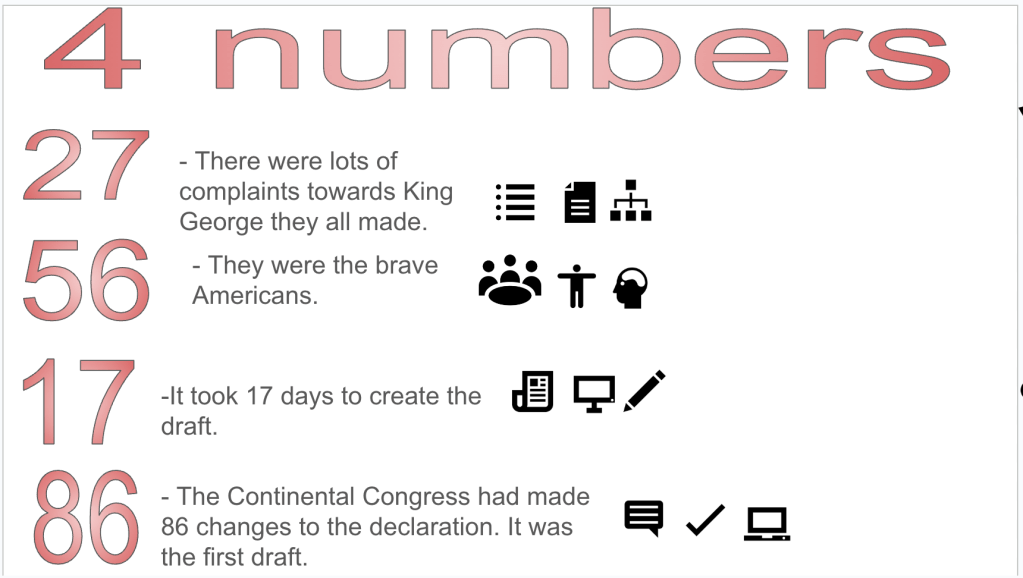
With focus re-centered, we dove into our main EduProtocol for the day: Number Mania. I started by sharing the quote: “The Declaration of Independence showed how the American colonists were willing to risk everything to create a new government that protected people’s rights. They carefully planned a way to explain why they wanted to be free and what they believed about human rights.”
Students read through our text, highlighting four specific numbers or statistics that supported the ideas within the quote. They then designed a visual infographic. Having practiced Number Mania with the Boston Tea Party, students were ready to go and applied themselves well—this time the numbers came together even faster.
Wrapping Up with Fast and Curious
Finally, we circled back to another Gimkit Fast and Curious for a quick review. Students’ Gimkit averages were up across the board—our rounds in the morning paid off with solid comprehension by day’s end. Between Gimkit, our “costume” meme, and Number Mania, EduProtocols helped guide the class from start to finish and make my observation a success. Nothing like a combination of creativity and rigor to wrap up Halloween with history and high engagement!
Friday
With attendance looking rough the day after Halloween, I knew diving deep into the Declaration of Independence wouldn’t hit the mark, so I pivoted to something lighter and more interactive. The goal was to keep students engaged without overwhelming them—sometimes you just have to read the room and adapt.
Gimkit Draw Mode: American Revolution Edition
We kicked things off with a crowd-pleaser—Gimkit Draw mode. This random-student-draws, classmates-guess format brought the energy up immediately. To keep it connected to our content, I had AI generate a list of simple, Revolution-related terms for students to draw, like “stamp,” “tax,” and “musket.” The guessing was quick, and even the less artistic students loved the challenge. This activity was perfect for the post-Halloween lull and reminded everyone that history doesn’t always have to be a quiet read-through.
Rhyming Games with Disney and Rhyme Scheme
Next, we switched gears to a quick exercise on rhyme schemes with a Disney twist. Using rhyming couplets about Disney movie plots (thanks again, AI!), we turned it into a guessing game. This light activity led to a discussion about rhyme schemes and couplets, and everyone had fun trying to guess the movie based on the rhyme.
Retell in Rhyme: The Challenge of Writing in Pairs
Inspired by our Disney activity, I introduced Retell in Rhyme. Students chose a favorite Disney movie and worked in pairs to craft a summary in rhyme with six couplets. Some classes took to it and got really creative; other classes found the rhyming tougher than expected, and I could feel the energy dip. For those groups, I pivoted: instead of summarizing a movie, I had them write couplets about everyday topics like “morning routine,” “making a sandwich,” or “rainy days.” This tweak gave students a familiar foundation and helped them find their flow again.
Sometimes, the demands of teaching and life outside the classroom can be overwhelming. This week, I felt the weight of it all. Trying to balance lesson planning, teaching, and taking care of my own well-being hasn’t been easy, but I’m doing my best to carve out moments for myself to stay sane. Still, Tuesday’s lesson reminded me that, despite all the challenges, we’re making progress—one step at a time.
Our focus for the day was colonial government, diving into how the colonies were left to create their own systems under England’s “salutary neglect.” It was a great opportunity to make connections between historical events and the structures the colonies built, giving students a look at the roots of American government.
We kicked things off with a Gimkit review to get the students’ minds engaged. The scores were rough—class averages came in at 49%, 60%, 65%, and 68%. Not exactly the strong start I was hoping for, but it set the tone for what we needed to work on. It’s all about growth, and sometimes seeing those lower numbers is the push we need to make improvements.
Map and Tell: Visualizing Space and Context
Next, we did a Map and Tell activity. I wanted students to make the observation that England was far away from the colonies. This helped us place the lesson in the context of distance and the impact of England’s hands-off approach, leading to salutary neglect. It’s one thing to tell them the colonies were left to manage themselves; it’s another to show them the physical distance on a map and let them connect the dots themselves.
Pyramid of Power: Visualizing Colonial Structure
To reinforce the concepts, we filled out a pyramid showing the power structure in England versus the colonies. The top half of the pyramid was England, with the king and Parliament. The bottom half showed the 13 colonies with their elected assemblies and town meetings. This was my attempt to help them visualize how the government was structured differently on either side of the Atlantic. We also tied this back to mercantilism, which we covered last week, emphasizing how England’s focus on economic gain allowed the colonies to develop their own political systems.
Thin Slides: Chunking Colonial Government
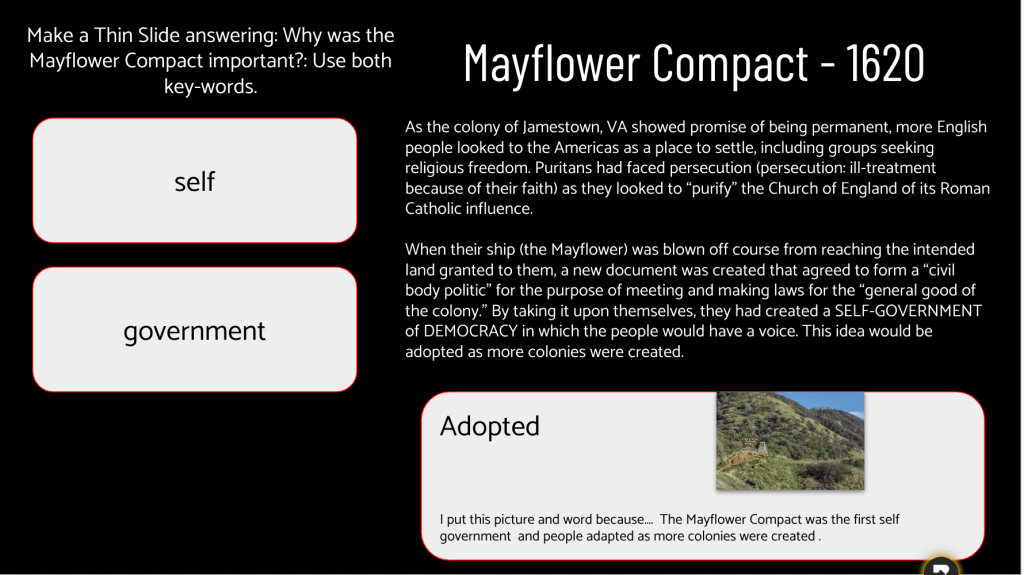
After the pyramid, I had the students use a Justin Unruh Thin Slide to work through chunked readings about the different foundations of colonial government, like the Magna Carta, Mayflower Compact, House of Burgesses, English Bill of Rights, and Fundamental Orders. The goal was to have them engage with keywords and summarize these concepts visually.
But this is where things got tricky. The kids seemed overwhelmed by the task. I chunked the material into five slides, thinking it would make the information manageable, but even this proved daunting for them. I timed each slide at 5-6 minutes, but it felt like I was pushing a boulder uphill—students were struggling to keep up, and engagement was low. I tried to step in, reading the content aloud and shifting to an “I do, we do, you do” model, hoping to guide them through it.
By the time I got to the second half of the day, I realized I needed to adjust. I switched the Thin Slide activity to paper. It was a simple move, but it made a huge difference. With the material in front of them and fewer distractions, the kids seemed more settled, and the pace was smoother. It’s a reminder that sometimes we have to adjust and find what works best for our students, even if it means veering from the plan.
Wrapping Up: Finishing with Gimkit
To close out the lesson, we went back to Gimkit for a final review. This time, the class averages were better—70%, 80%, 74%, and 72%. It wasn’t a dramatic jump, but it showed progress, and that’s what I’ll take away from this day.
Reflections: Learning and Adjusting
It wasn’t the most productive day, and that’s okay. Some lessons flow smoothly, and others remind us that teaching is a constant process of trial, error, and adjustment. Switching from digital to paper was the right call, and it’s something I’ll keep in mind moving forward. If a strategy isn’t working, I have to be flexible enough to try something new in the moment.
It’s all about finding the balance—both for my students and for myself. Whether it’s adjusting lessons on the fly or taking a deep breath to center myself before the next class, I’ll keep moving forward. Sometimes, it’s about embracing the small wins—like those incremental Gimkit score improvements—and using them as building blocks for the next day.
Here’s to figuring it all out, one lesson (and one adjustment) at a time.
We started the lesson with the “Brain” phase—classic retrieval practice. Students closed their Chromebooks and used their memories to answer a series of questions about the English Colonies. I set the timer for 10 minutes and challenged them to pull as much as they could from their own knowledge. The purpose was to emphasize thinking without relying on tech. As they worked, I could see some were really digging deep, and the effort was there. It was a great warm-up and laid the groundwork for the rest of the lesson.
Next, I had students highlight the questions they couldn’t fully answer, and that’s when we moved into the “Book” phase. Chromebooks came back out, but I was strict—no Googling! Instead, they had to rely on their notes and materials from previous lessons. I made sure to walk around, keeping everyone focused on using their resources the right way. This was all about reinforcing the importance of their own notes as tools and encouraging them to build solid study habits. The class was quiet but engaged, as students dove into their resources.
Once they had gathered their answers, it was time for “Buddy.” Students paired up and compared their responses, filling in any gaps or clarifying details they missed. This was the most interactive part of the lesson, and it was great to see them teach and learn from each other. I could tell that some students found confidence in what they knew, while others appreciated the chance to ask questions and catch up.
Finally, we wrapped up with “Boss” mode—that’s where I stepped in. Students brought their remaining questions or uncertainties to me. I loved this part because it gave me insight into areas where they needed more support and gave them the opportunity to check their understanding. I made it a point to answer their questions directly, clearing up any misconceptions they had about the material. It was a great way to wrap up the review while ensuring that everyone walked away with a clearer understanding.
The Results: A Big Improvement
I didn’t reveal the Brain-Book-Buddy-Boss framework upfront—I introduced each step as we went along, keeping the students curious and engaged. By the time we got through all four phases, they were fully on board and energized. We ended the lesson with another Gimkit assessment. This time, the class averages jumped significantly: 92%, 88%, 87%, and 86%. It was a major improvement from the 60%-70% range we had last week.
And the best part? I had them put away their notes and Chromebooks for the Gimkit—just their brains, again. The progress showed me that the strategy worked, reinforcing not only content knowledge but the value of retrieving information from memory.
Final Takeaway: Why I’ll Be Using This Again
The Brain-Book-Buddy-Boss approach hits all the right notes for an effective review session. It builds on retrieval practice, collaboration, and direct feedback—all while keeping students actively engaged. The step-by-step method allows them to build confidence, reflect on what they know, and fill in gaps—all in one lesson.
I’ll definitely be using this strategy again. It’s a win for the students and a win for the teacher, and it’s exactly the kind of structure we need to keep moving forward in our learning journey.
Thursday was a turning point in the classroom as we launched into a new unit: the Causes of the American Revolution. The focus was all about understanding the shifting relationship between the colonists and England, and how things went from cooperation under Salutary Neglect to conflict. I knew I needed a hook that would be engaging, relevant, and just disruptive enough to get their attention—so I turned to PBIS.
Hooking Them with the PBIS Bathroom Trick
Let’s be honest—classic hooks like pretending to tax pencils or papers just don’t cut it anymore. Kids see right through it. So, I pulled out a move that was a little more realistic. I went into our PBIS rewards system and created a store item—a bathroom pass—for a steep price: 150 PBIS points. When I announced this to the class, they were outraged, and that’s exactly what I was going for.
We launched into a discussion about why they were so mad. The students had a lot to say, calling out the fairness of it all and pointing out that I had never cared about bathroom usage before—so why was I making it a big deal now? That’s when I pulled out my “Aha!” moment. I explained that this frustration they felt was exactly what the colonists experienced. England had ignored them for years under Salutary Neglect, and then suddenly, it started enforcing policies and making them pay their “fair share.” The students connected instantly—it wasn’t just a random history lesson; it was a situation they could feel.
This hook worked because it was something they genuinely cared about, and it was believable. It’s way better than the cheesy, outdated “tax” tricks. When you tap into something realistic like PBIS rewards, they buy in because it’s their world.
Retrieval Practice and Review: WordWall and Gimkit
After we had our discussion, I wanted to keep the momentum going with some retrieval practice. I’ve been making a conscious effort to build retrieval practice into the routine so it becomes second nature. We started with a WordWall activity where I posted a 13 Colonies map and had students, from memory, drag and drop to match the colonies. They got one shot to do it. Most students nailed 13 to 14 colonies correctly, which was awesome to see—proof that the practice is starting to pay off.
Next, we switched gears to a Gimkit focused on the French and Indian War. I prompted them with the question: “Think about what changed the relationship between the colonists and England?” This helped frame the conversation about how England’s policies started shifting after the war, leading to the tensions we’d see later.
Thin Slides and Sourcing Parts: Making Connections
To dig a little deeper, we did a quick Thin Slide on Padlet. I asked the students to find the European country that controlled Clermont County, Ohio, in 1754. Their task was simple: one word (the country) and one picture (a map) to support their answer. It took about 5 minutes, which was longer than I usually like for Thin Slides, but they needed that time to explore and find the info. I’m okay with a little extra time if it means they’re engaging with the material.
We moved on to Sourcing Parts using the famous Join or Die cartoon. The goal was to pick apart the cartoon and write a summary of its message. This activity took about 10 minutes, but I was impressed. The students noticed details like the letters and abbreviations representing the colonies, which was exactly why I had started with the WordWall retrieval practice earlier. It set the foundation for them to make the connection to the colonies depicted in the cartoon.
Experiment Time: Guided Notes vs. Sketch and Tell-o
Here’s where the day got interesting. I tried an experiment with my classes: for the first three, I used guided notes while I talked about the French and Indian War. For the last class, I switched it up and used a Sketch and Tell-o, letting them read about the French and Indian War on their own and create their own notes. I wanted to see if one approach would yield better engagement or retention.
We ended with another round of Gimkit. The scores were all over the place:
First class: 45% to 69%
Second class: 39% to 76%
Third class: 31% to 66%
Fourth class: 43% to 74%
So, what did I learn? Well, honestly, it’s hard to draw any clear conclusions. There were so many variables at play—behaviors, levels of engagement, and just plain old classroom dynamics. In the last bell, where I tried the Sketch and Tell-o, I had a couple of my usual top scorers out of the room during the second Gimkit round. They usually rank in the top 5, so there’s no doubt their absence impacted the final percentage. That 74% could’ve easily pushed up closer to 80% if they’d been there.
Final Thoughts
Was it the guided notes or the Sketch and Tell-o that made the difference? I don’t have a definitive answer yet. What I do know is that mixing things up and testing out different methods helps me see where my students are at and what they respond to. Sometimes, it’s not about the perfect strategy; it’s about being willing to pivot and try new things, even if the results aren’t crystal clear. At the end of the day, any progress—whether it’s small jumps in Gimkit scores or students making connections to content—means we’re moving in the right direction.
The PBIS bathroom hook will definitely make a return in future lessons—it’s the kind of realistic hook that gets them thinking and feeling like they’re in the colonists’ shoes. And I’ll keep experimenting with different approaches to see what sticks and what doesn’t. It’s all part of the process, and every day, we’re building something better.
I kicked off the class with a quick overview of why we have taxes in the first place—what they pay for and why they’re necessary. This laid the groundwork for our discussion about taxation without representation, so the students could start seeing things from the colonists’ perspective. I used a map to show the distance between England and the colonies, highlighting how disconnected the colonists felt from the laws being imposed on them.
I didn’t want to overwhelm the kids with too much information at once, so I decided to focus on just three key acts: the Stamp Act, the Sugar Act, and the Quartering Act. Breaking it down into manageable chunks felt like the right move, especially for a Friday when everyone’s attention span is hanging by a thread!
Iron Chef on Padlet: Act by Act
Once I set the stage, I gave each student a half-page of reading about one of the acts. They had 10 minutes to read and then jump into an Iron Chef activity on Padlet. The goal was to share key facts from their reading and use Padlet’s “I Can’t Draw” feature to create an AI-generated image that visually represented the act they were assigned. It was fun watching them explore the AI tool, and it definitely kept the energy up in the room.
Sketch and Tell with Emoji Kitchen
After we built out the Padlet, students reviewed each other’s work. Their task was to choose an act they didn’t study initially and create a Sketch and Tell using the Emoji Kitchen. They had 10 minutes to pair an emoji with a visual representation of the act and explain its significance. This approach was all about helping them synthesize information from their peers and think critically about how to represent historical concepts visually. The Emoji Kitchen adds a playful twist that keeps them engaged—some of the creations were spot-on and hilarious!
Wrapping Up with a Thick Slide
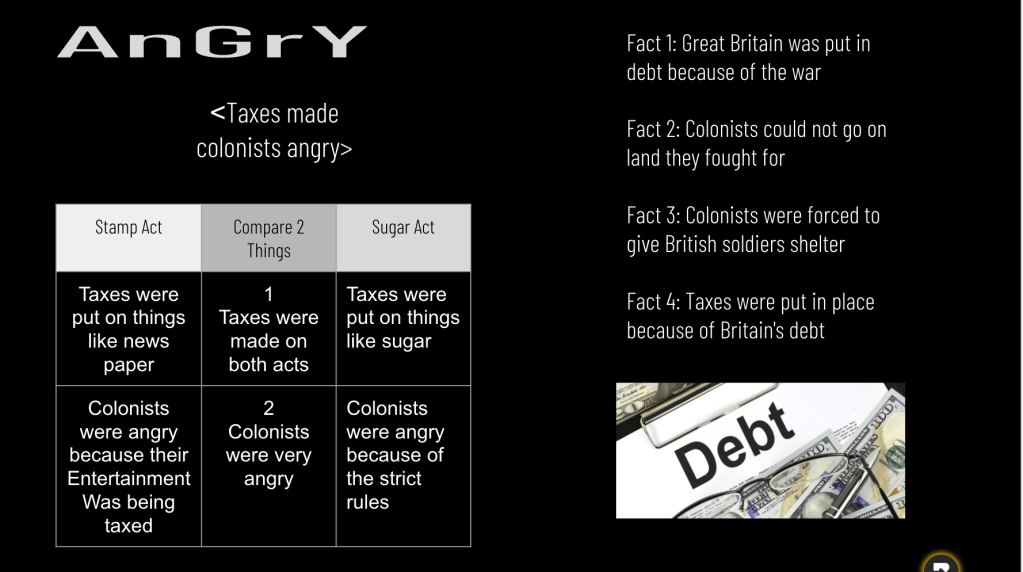
To pull everything together, we moved into a Thick Slide activity. I asked the students to create a slide that included the following:
A title and subtitle for context
Four key facts about the acts they learned
A comparison between the Stamp Act and the Sugar Act
An image that tied their points together
The Thick Slide gave them a chance to consolidate their knowledge and show what they’d absorbed in a structured way. It also allowed me to assess their understanding at a glance. I love how Thick Slides force students to think critically about what they’ve learned and distill it into a concise, visual summary.
Ending Strong with Gimkit
We wrapped up class with a Gimkit session to reinforce what we covered. The students always get competitive with Gimkit, and it’s the perfect way to review and end the week on a high note. I could see that focusing on just three acts kept things clear and manageable for them, and the structured activities made it easier for them to retain and recall information.
Final Thoughts
Friday felt like a win. By focusing on a few key acts and using a variety of EduProtocols like Iron Chef, Sketch and Tell, and Thick Slides, the lesson flowed smoothly. The balance of reading, visual work, and interactive review hit all the right notes. It’s all about finding ways to keep the students engaged while ensuring they walk away with a solid grasp of the content.
I’m looking forward to building on this foundation next week as we dive into more of the acts and continue exploring the buildup to the Revolution. The goal is to keep it fresh and interactive so that the students stay invested in the story of how these events shaped America.

























 Moler's Musings