A kid once turned in an answer to question 3 that just said: “Answers will vary.” It was clearly Googled and lifted from a teacher Weebly page of TCI answer keys.
I looked at it, shook my head, and said, “If you’re going to cheat, at least cheat correctly.” Then I realized the question I asked didn’t require them to think – it just needed Google… or now, from AI.
We’re in a world where students can Google or AI their way through any worksheet. So instead of harder questions, or. ore questions, we need better ones. Questions that actually require students to think, reflect, and decide.
Here’s how I’ve started reworking my questions:
Old Question
Better Version
What caused the American Revolution?
If you were a colonist, which British action would’ve pushed you to rebel—and why?
What did the Great Compromise do?
Which Constitutional compromise matters most today? Defend your choice.
What is Manifest Destiny?
Would you have supported Manifest Destiny in the 1840s? Explain your POV.
What were working conditions like?
Create a pro-factory ad. Then explain what you left out—and why.
What’s federalism?
Draw a symbol of federalism. Explain how it shows two governments sharing power.
These shifts help because AI can explain the facts, but it can’t choose for the student. When students have to justify, reflect, or take a position, it brings their voice into the work. AI might help them brainstorm, but it can’t replace their thinking.
Add Simple Reflection
Asking better questions helps, but building in quick metacognition takes it further. Here are 3 go-to prompts I use:
“What was the hardest part of this task—and how did you deal with it?”
“What part of your answer are you most confident in?”
“What changed your thinking today?”
Nothing over the top, just 1–2 sentences. We do it after Sketch & Tell-o, Thick Slides, Number Mania, or a writing task. It keeps the focus on how they thought, not just what they said.
Focus on the Process
During our Industrialization unit, I gave students a fake, rosy paragraph about factory life. Instead of writing something new, I had them revise it using evidence from our Number Mania activity (factory rules, fines, wages, etc.). The magic happened in the follow up: “What did you change—and why?”
That’s where I got real thinking. Students weren’t just reporting facts. They were spotting spin, making decisions, and defending edits. That’s process.
Final Thought
If a chatbot can do the assignment better than your students, it’s time to change the assignment. Ask questions that need them. Build in time to reflect on the how, not just the what. Focus less on “finishing” and more on thinking out loud.
And when you start making these shifts, it’s eye-opening to see how much students have been relying on Google or AI to get by. The shortcuts get exposed, but so does the opportunity to help them become real thinkers.
This week’s theme was “A Nation Prepares for War,” and I’ll be honest—I ran out of time. I really wanted to get into Reconstruction, but I refuse to gloss over material just to say I “covered” it. If I’m going to teach something, I’m going to do a thorough, intentional job. Otherwise, what’s the point?
It’s been a tough week. So I started Monday with something easy. Low prep. Low stress. But still effective.
We kicked off with a Gimkit that I ran twice—once for warm-up and once after feedback. It was packed with vocab and content-based questions: secession, sectionalism, Lincoln’s election, states’ rights, etc. A quick way to reactivate prior knowledge and see what stuck from last week.
Next, we jumped into a Thin Slide activity on Padlet. The prompt: Why did the South secede? I gave them a short reading to skim and told them to pick one word or phrase and one image that represented the core reason. But what made this one different was how we used AI.
Instead of finding an image, students used Padlet’s AI image generator. They entered a short phrase, made it their caption, and used the body of the post to explain what their image represented. That move—credit to the students—was gold. It made the captions matter. It made the explanations more thoughtful. And it gave them a creative outlet that still demanded analysis.
We wrapped the day with a blank map—labeling Union, Confederate, and Border States. I’ll admit, I don’t usually like blank maps. But sometimes the brain just needs a break. This was the break. A little coloring. A little labeling. Still purposeful, but low cognitive load to help everyone ease back in.
Tuesday – Sides of the Civil War
Tuesday’s lesson focused on understanding the advantages of each side heading into the Civil War. I kept it simple and familiar because I’m a big believer in reusing quality material when it works.
We started by running the same Gimkit again—this time as a Fast and Curious. The repetition wasn’t just for review—it was to reinforce accuracy and let students feel some early success. Their scores went up, and they felt it.
After that, students completed a Number Mania based on a short reading about Union advantages. The prompt was direct: Why did the Union have an advantage over the Confederacy in the Civil War?
Their task:
Include 4 numbers from the reading with paraphrased explanations
Add icons or images that helped visualize the data
Give it a title
Keep it clean, clear, and creative
This was a solid way to push students beyond just copying facts. They had to decide what numbers mattered and explain why.
We wrapped the day with a short EdPuzzle covering the four major battles: Fort Sumter, Gettysburg, Vicksburg, and Appomattox Courthouse. It was a simple close to the day, but effective. The video reinforced the bigger picture—how the war escalated, where it turned, and how it ended.
Wednesday & Thursday – Why Did People Fight?
This was the heart of the week, and it spanned two days. We started both days with a Quizizz for retrieval practice—Fast and Curious format again.
Then came the layered lesson. Students read a series of primary and secondary sources about different groups in the war: Union soldiers, Confederate soldiers, Black soldiers, and women. Afterward, they submitted four reasons for fighting through a Google Form.
Here’s where AI came in: I fed their responses into ChatGPT and asked it to create six categories based on student submissions. These included things like defending homeland, fighting for freedom, or protecting rights. I shared these categories back with the class.
From there, students completed a Divide the Pie activity:
Choose 5 of the 6 motivations
Assign each a percentage based on how influential they believed it was
Justify their thinking with specific details
It was reflective. It was writing-heavy. It worked.
Students weren’t just reciting facts—they were categorizing, weighing, and defending ideas. This is exactly what we need more of.
Friday – Wrapping Up the Theme with Netflix and Retrieval
Friday’s goal was simple: wrap up our “A Nation Prepares for War” theme and give students a creative outlet to show what they’d learned. We started with one last round of our Quizizz fast and curious—same questions from earlier in the week, but now serving as a final review. The ALL-class average was 85%, which was awesome, especially considering the quiz covered three weeks’ worth of content.
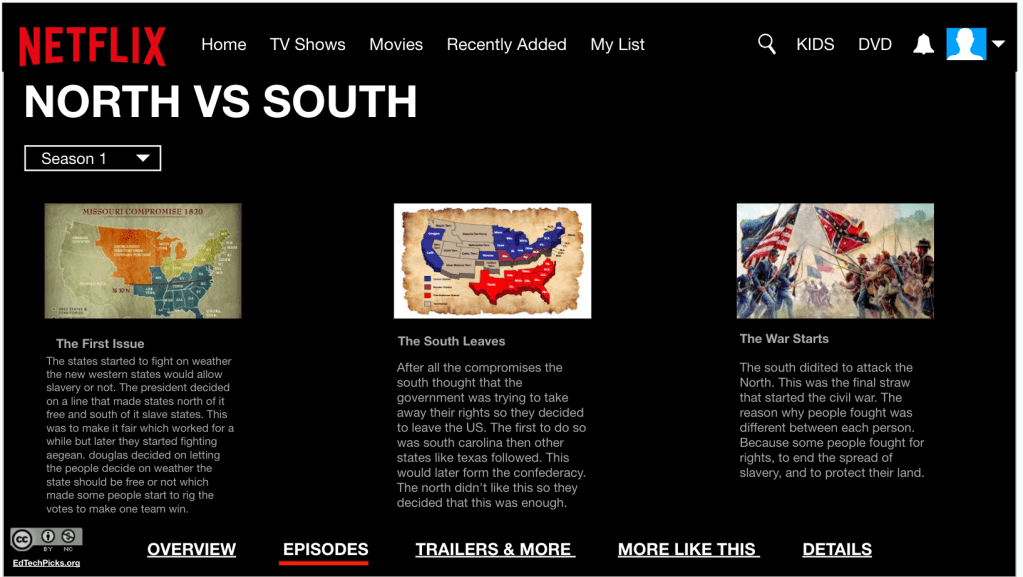
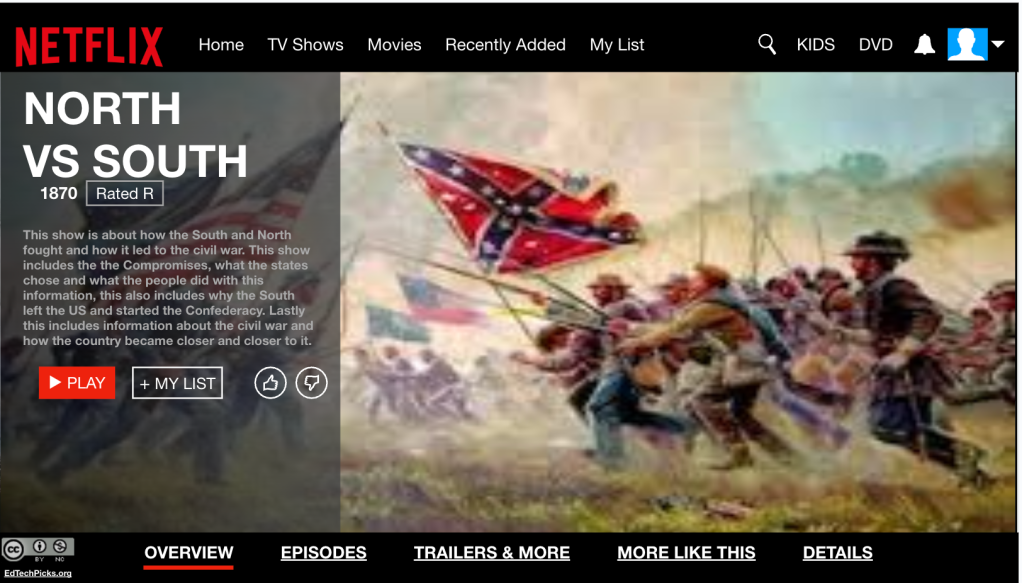
Next up: the Netflix template. I used an old template I’d saved (no idea where it originally came from), but it always works because it looks like an actual Netflix series layout. That visual hook alone helps students lock in.
The success criteria came straight from the yellow arrows in the template:
Slide 1: Series title, image, and a 3–4 sentence summary. They had to explain the division of states, why the South seceded, Fort Sumter, and reasons people were willing to fight.
Slide 2: Three creative episode titles—each tied to a big idea from our unit. Each episode needed a 2–4 sentence summary explaining the problem, the response, and the result.
To finish, I created a Magic School classroom for writing feedback. Students uploaded screenshots of their slides and received quick AI feedback. We had great conversations about the suggestions—what to take, what to ignore, and why. It’s not about AI replacing thinking; it’s about helping students reflect and revise.
This was a great way to end the theme. Students retrieved information, created something meaningful, and got instant feedback to grow their thinking. Simple. Structured. Creative. The way learning should be.
This week in 234, we stacked a lot of learning into five days—Fast & Curious, Frayer Models, Mini Reports, Short Answer Battle Royales, and even a Netflix-themed summative. We used Thin Slides and AI tools like MagicSchool to keep thinking sharp and feedback immediate. Students worked through compromises, created empathy maps, asked hard questions, and wrapped it all up with creative final products. Every day had a clear task, a familiar structure, and a chance to show what they knew in a new way.
I wasn’t at school Monday, but I still wanted the lesson to move thinking forward. This was the day to bridge the gap between our work on reform—especially abolitionism—and the new unit on the causes of the Civil War. I didn’t want it to feel like two separate things. I wanted students to start seeing the threads.
I started them with an EdPuzzle on the causes of the Civil War. This was more of a primer than anything—just to introduce key ideas like sectionalism, states’ rights, and slavery as a cause, not a side detail. From there, they jumped into a vocabulary Quizizz to build some retrieval around terms like secession, abolitionist, compromise, and conflict. The goal was to give them some anchors before diving deeper later in the week.
Next, students read a short piece on the Abolitionist Movement. The reading focused on how individuals and laws pushed against slavery in different ways—through writing, escape networks, and protest. They answered four questions in complete sentences, which gave structure without overloading them. This is always a key decision I think about when I’m not there: clarity over complexity.
Finally, they went to a Padlet where they shared two things they learned and responded to the big question: “What was the cause of the Civil War?” That question, in one form or another, is going to guide us the next couple weeks. And I wanted them thinking about it early—even if their answer was rough.
None of it was flashy, but it had purpose. It helped me set up our three guiding themes for the unit:
Compromises Can’t Solve Slavery
A Nation Divides
Getting Ready for War
The best part is it gave them space to revisit old knowledge and preview new ideas—and when I returned Tuesday, they were ready to build.
Tuesday/Wednesday: The Missouri Compromise
Our theme this week was “Compromises Can’t Solve Slavery,” and this lesson focused on the Missouri Compromise.
We opened with a Quizizz for vocabulary and retrieval—terms like “compromise,” “balance,” and “slave vs. free states.” I originally planned to use a Frayer Model for the word “compromise,” but students already demonstrated understanding on Quizizz, so I cut it. Real-time data helps guide what stays and what goes.
Then we jumped into Upside Down Learning (from EMC2Learning), scaffolded with three categories: Cause, Conflict, and Compromise. Above the line, students charted accurate info from the Missouri Compromise reading. Below the line, they created an alternate reality—what if Missouri hadn’t joined as a slave state? What if no compromise had happened? It’s a quick way to push thinking to higher levels of Bloom’s—synthesis and evaluation.
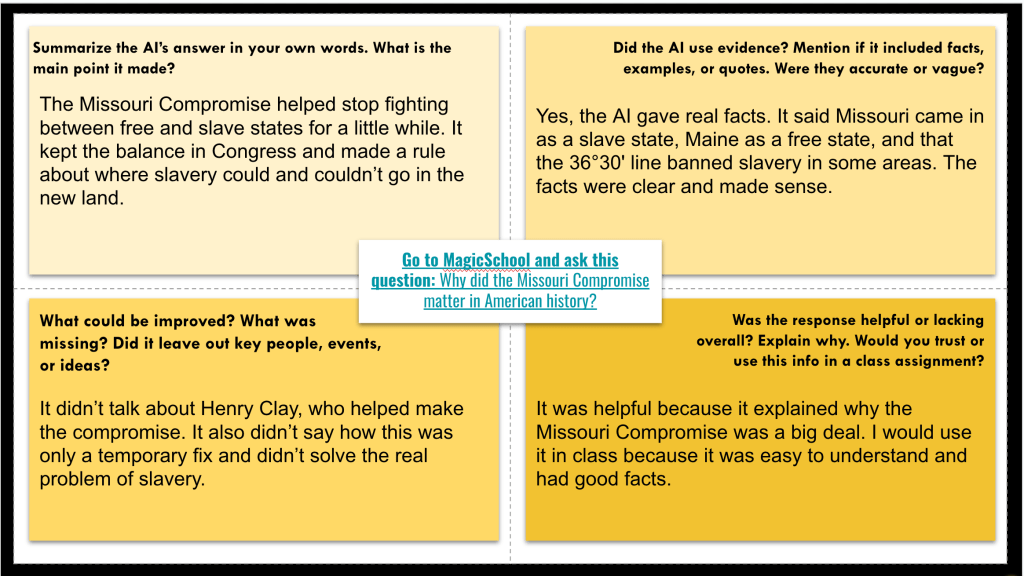
Next came a task I call Fray-I. I wanted students to ask a question that the reading didn’t answer. Then, using MagicSchool’s Raina AI, they typed in their question and completed a Frayer-style evaluation:
What was the main idea of the AI’s response?
Did it use evidence?
Was anything missing?
Would you trust this response?
We ended with an Empathy Map based on two primary sources—one from a Northerner and one from a Southerner debating slavery in the West. After reading, students chose one voice and filled out an empathy map to process their perspective.
Why this worked: It hit different levels—retrieval, evaluation, synthesis. The tasks built on each other and helped students understand compromise not just as a definition, but as a broken fix in a broken system.
And AI wasn’t just an “add-on”—it was a skill. Ask. Analyze. Evaluate.
Thursday – Caption Crunch
Thursday was all about keeping the cognitive load low—but not the learning. I’m running out of days before testing hits, and I knew I had to get both the Compromise of 1850 and the Kansas-Nebraska Act into one lesson. Normally, I’d spread those out. But I’ve learned that reducing the number of tasks while still keeping the thinking high is one way to keep the load manageable. It’s not just about what content you include—it’s also about how you deliver it.
We started with a Fast and Curious on Quizizz. Same core theme questions we’ve been hitting: compromise, slavery, and failure. It got them thinking quickly and primed for the day’s work.
Then we jumped into our Mini-Report. The layout was intentional—students had to compare both compromises side-by-side, using two half-page readings. I’ve found that the Mini-Report structure helps students stay focused, especially when they’ve seen it before. Familiarity builds confidence, and confidence keeps engagement up.
Before we read, I ran an EdPuzzle—some classes did it live, others on their own. I had them write down just one detail from the video to get them warmed up. That’s it. Just one. No overkill, no worksheet—just purposeful priming.
After that, we read and filled in the Mini-Report. No full sentences. Just paraphrased notes to get them processing.
Once they had their facts, we jumped into Short Answer for a Battle Royale. The question: “How did the Compromise of 1850 and the Kansas-Nebraska Act try to solve the issue of slavery, and why didn’t they work?” Students competed for a donut. It sounds silly, but they wrote their asses off. Because there was structure. Because it mattered.
We wrapped up with something new I called Caption Crunch. I set up a Padlet with columns and gave students captions that connected to one of the three compromises we’ve studied. Their task: take the caption, add keywords, and plug it into Padlet’s AI image generator. Then, they posted their AI-generated image and explained in 2–3 sentences which compromise it represented and how the image reflected what happened. The captions were generated by AI, but the decisions and connections were all theirs.
I think Caption Crunch has potential to be an EduProtocol. It pushed students to think symbolically, creatively, and critically about each compromise. And it added another layer of retrieval and review without feeling like “just more reading.” It can be used across all grade levels and content areas.
It was one of those days that felt packed, but purposeful. Everything flowed. Everything clicked. And the kids were into it. That’s what matters.
Friday
Friday was all about wrapping up our first theme—“Compromises Can’t Solve Slavery”—and giving students a chance to pull everything together in a creative way. We kicked off with one final round of the same Quizizz we’d been using all week. And yes, I had to play the game. I told them: If your class average is below 80%, you’re creating more work for yourselves. If it’s above 90%, everyone gets a 100%. It’s ridiculous that I have to do that, but here we are.
One class came in at 70%. Honestly? Unbelievable. We’ve been doing this same Quizizz set every day. So that class had to do a three-way Venn diagram comparing the Missouri Compromise, Compromise of 1850, and Kansas-Nebraska Act. The other classes finished at 87%, 83%, and 80%—so they moved on to the main activity: the Netflix Template.
This is one of my favorite creative assessments. I’ve had this template forever—I can’t even remember where I got it—but it’s sharp. Looks like a real Netflix series and pushes students to synthesize in a unique way. Here was the success criteria:
Slide 1:
Series Title
A 3–4 sentence summary connecting the compromises and showing how they represent failure
Slide 2:
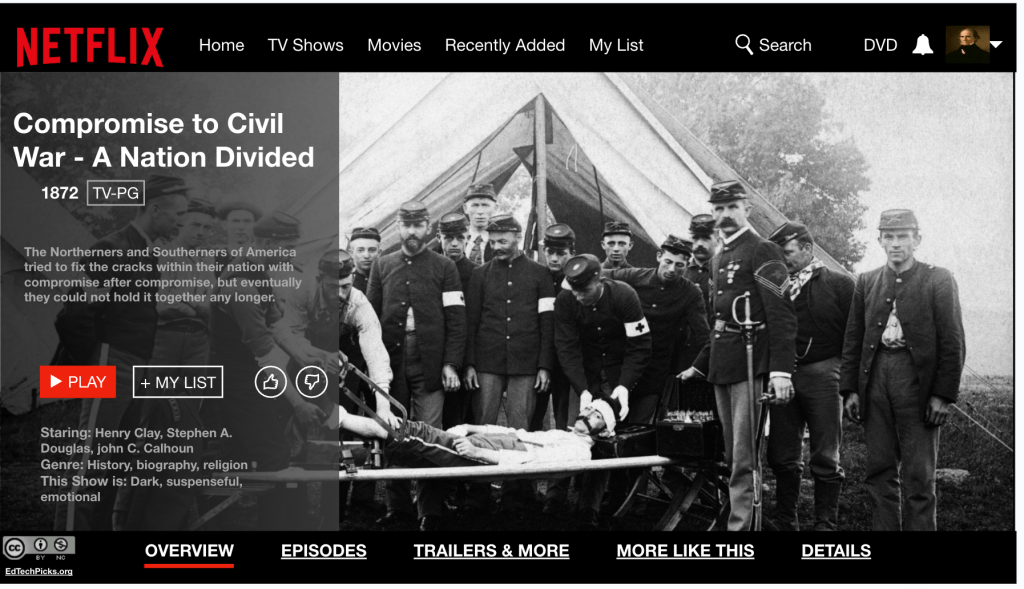
Creative episode titles (one per compromise)
A short summary that explains:
What the compromise tried to fix
What actually happened
Any relevant key terms (Fugitive Slave Act, Bleeding Kansas, etc.)
A thumbnail image, cast list (Henry Clay as “The Great Compromiser”), and a content warning
I also created a MagicSchool classroom where students could attach their Netflix slides and get writing feedback. I like that part because it’s easy to set up and it lets students take some ownership. Some kids were tweaking titles, some were improving explanations, and some were learning how to actually use Google Slides better.
That part is underrated. I had students asking, “How do I layer these images?” or “How do I crop this picture into a shape?” and I got to teach them real tech skills while they were working through content. So yeah, it wasn’t just about summarizing compromises—it was about learning how to design, write, and revise creatively.
The first time a student told me, “This sounds smart, but I don’t think it’s right,” in response to an AI-generated answer—I knew we were onto something.
That moment sparked Fray-I—a thinking routine I’ve been developing to help students analyze AI responses, not just accept them. It’s still a work in progress, but it’s already changing how my students interact with both history and technology.
Here’s the flow:
Students engage with content – a primary source, textbook excerpt, or short video.
They ask a question based on the reading or viewing—either one they create or one I provide (especially if the source leaves something unanswered or unclear).
They run that question through an AI tool like ChatGPT or MagicSchool.
They get a response and analyze/evaluate.
Here’s what Fray-I looks like:
Claim: What is the AI saying? What’s the main idea or argument?
Evidence Used: What support, facts, or examples does it include?
What’s Missing?: What voices, perspectives, or key historical context are left out?
Push It Further: How could this answer be stronger? More accurate? More complete? Would you use this response?
This turns AI into the text—not the shortcut. Students question the bot like they would a biased newspaper article, a government document, or a historical speech.
Why Fray-I works:
It puts students in the driver’s seat. They’re not copying—they’re critiquing.
It reinforces essential social studies skills: sourcing, bias, perspective, and evidence-based reasoning.
It meets students where they are—working with the tools they’re already curious about.
And honestly? The engagement is different. When students start noticing what the AI got wrong, what it ignored, or how it could be improved, they feel ownership.
Fray-I isn’t finished. I’m still tweaking sentence starters and scaffolds to support all learners. But it’s already doing what I hoped: Helping students think like historians in a world where information is instant—but not always insightful.
This week was about layering, connecting, and getting students to own the content—not just memorize it. Every protocol, every sequence was designed to move students from basic retrieval to deeper understanding without overwhelming them.
Nothing fancy. Nothing over the top. Just intentional teaching.
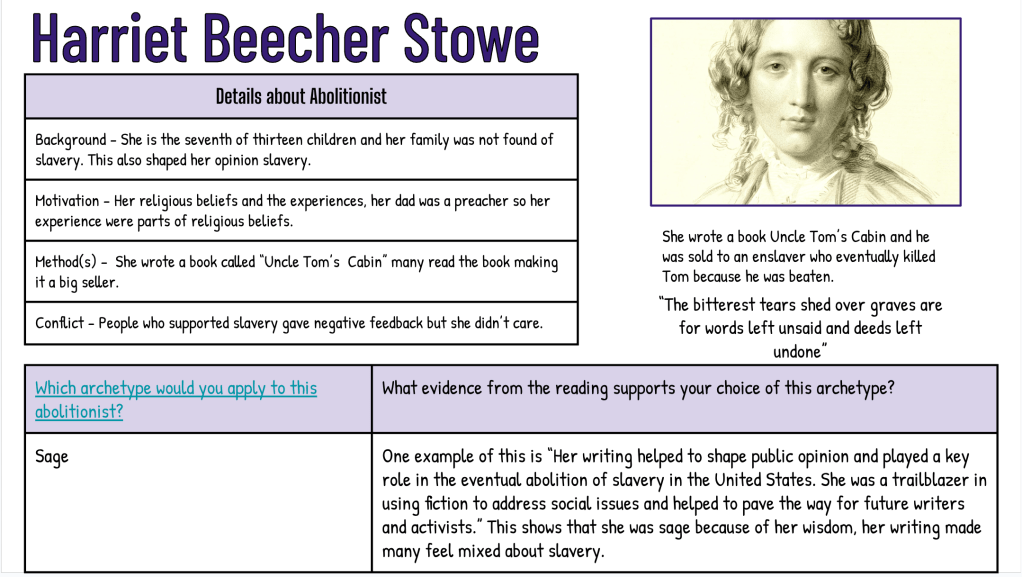
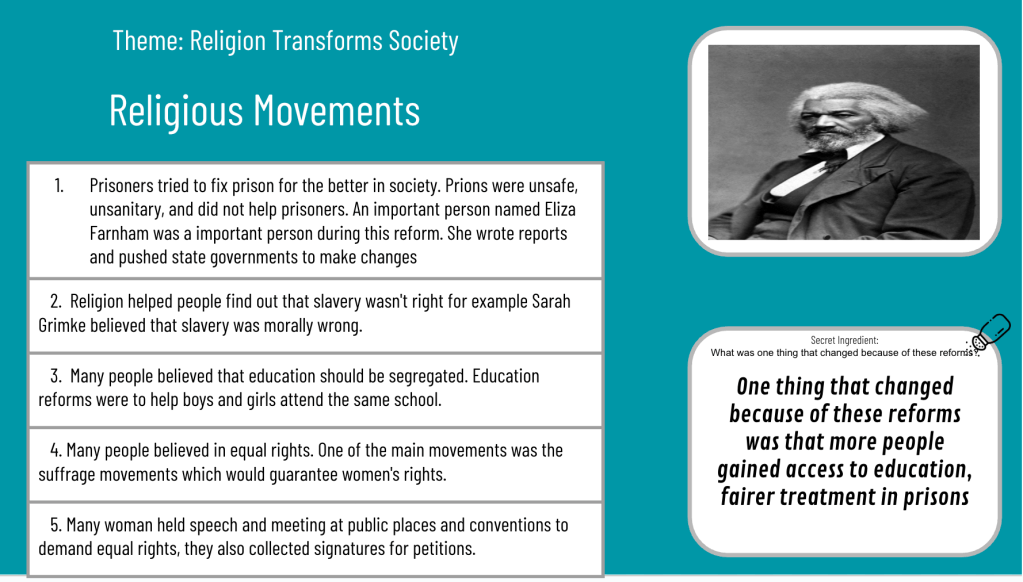
Monday kicked off our Abolitionist Movement work. I always try to bring in local figures like Harriet Beecher Stowe, John Rankin, and James G. Birney alongside Frederick Douglass, Sarah Grimké, and William Lloyd Garrison. Students need to see the local connection—that history didn’t just happen “out there.”
We started with a Thin Slide: “Change begins when someone refuses to stay silent.” One picture. One word or phrase. Fast. Immediate. It set the tone for the day—thinking about voice, action, and courage.
Then we jumped into a short EdPuzzle. It wasn’t to “teach” the content—it was just to jog memories and fill in some quick context before they picked an abolitionist to dive deeper into.
The Thick Slide was the real meat of the day: Each student chose one abolitionist and built a slide that included:
A short background
Their motivations for ending slavery
The methods they used (writings, speeches, helping people escape, etc.)
One powerful quote or moment that showed who they were
This wasn’t just copying facts—it was asking students to curate what mattered.
After they shared, classmates used a Frayer Model to capture the background, methods, and motivations for four abolitionists.
Why I sequenced it this way:
Thin Slide to frame the emotional/critical thinking lens
EdPuzzle for quick retrieval
Thick Slide to produce and contribute
Frayer to actively listen, gather, and process others’ work
Every move had a purpose: students weren’t just learning about abolitionists—they were seeing patterns of activism.
Tuesday: Finishing Abolition With Superlatives
Tuesday was another strange day because of science OST testing.
We opened with a Fast and Curious on Quizizz. Nothing complicated—just another layer of retrieval on the same reform movement content:
Words like suffrage, reform, abolitionism, and goals of different movements
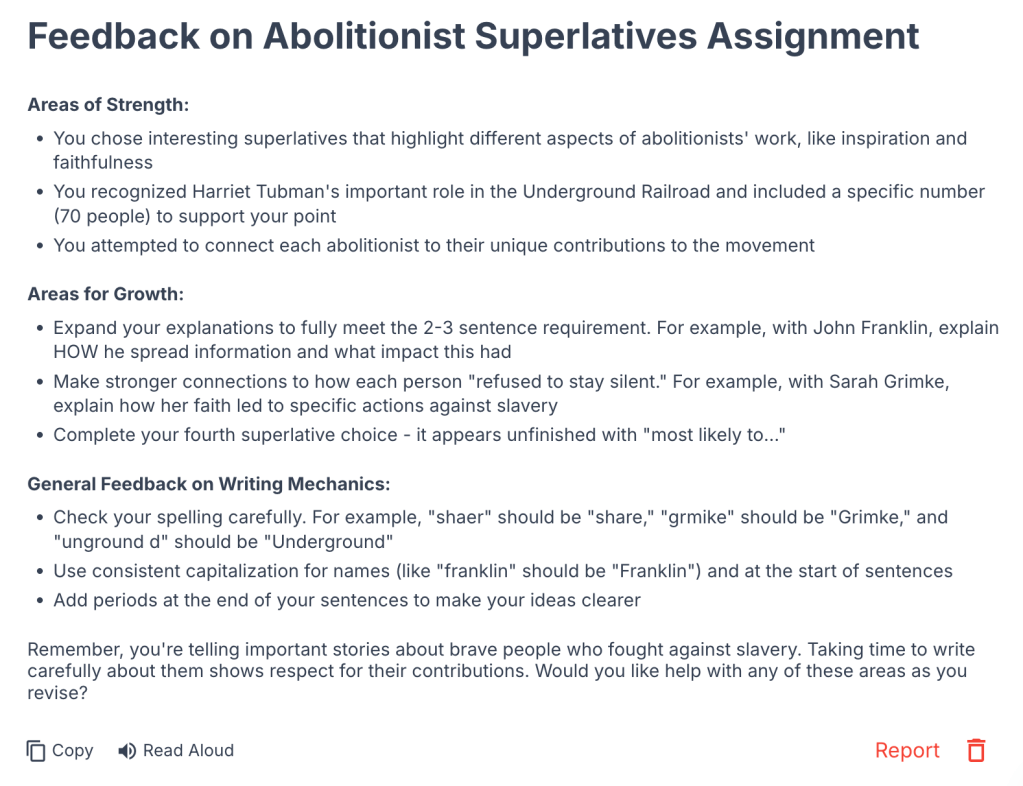
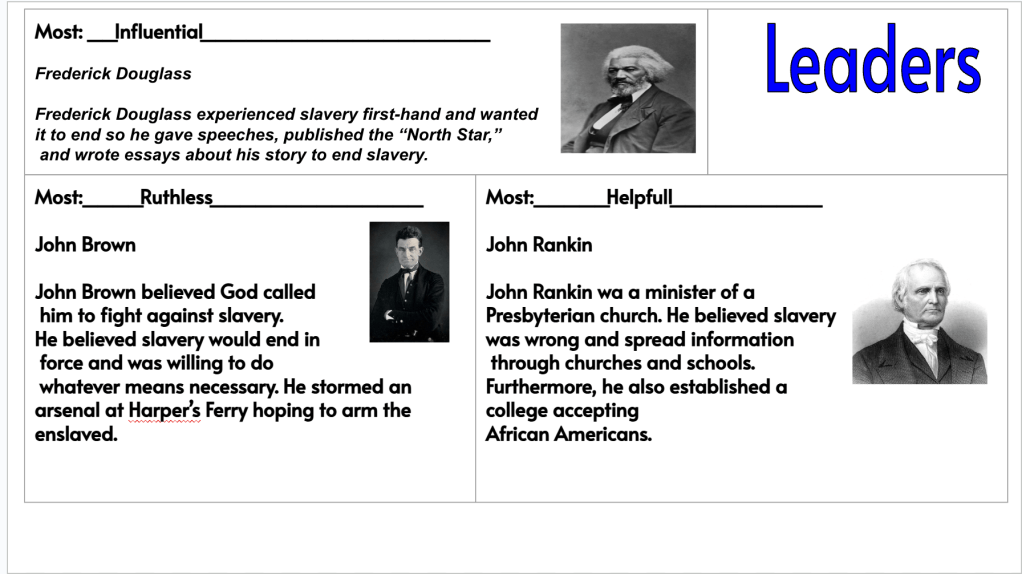
Then we finished Monday’s work with a Superlatives activity (shoutout to Kim Voge). Students had to pick 2–3 abolitionists and apply superlatives like Most Courageous, Most Determined, Most Visionary, etc.
At first, I had them tie it back to the Thin Slide quote from Monday…but after first period, I realized that overwhelmed them. So I pivoted and just let them focus on the superlatives.
After students completed the Superlatives, they used Magic School’s writing feedback tool to add in ideas. They took a screenshot, attached the screenshot to the feedback tool, and generated feedback. It led to discussions of evaluating feedback and choosing to pay attention to the feedback that matters.
Why this worked:
Fast and Curious warmed them up with retrieval
Superlatives required them to compare, judge, and defend choices
It wasn’t just recalling facts—it was applying understanding
The pivot mattered. Sometimes you have to drop something mid-day when you realize it’s not helping kids think better.
Wednesday: Thinking on My Feet With Real-World Skills
Wednesday was a little chaotic—still on the weird science testing schedule. Some classes finished their superlatives and quizzes early, and I knew I needed something meaningful that wasn’t just busy work.
I thought back to a Friday Check-In I ran months ago: “If I could teach you anything besides social studies, what would you want to learn?”
The most common answer? – Jobs. Taxes.How to get a job.
So I threw together a quick, no-internet-needed lesson:
Started with a Google Form:
What’s more important—skills or attitude?
Would you hire yourself right now?
Number Mania on Padlet:
What are two labor laws that surprised you?
I shared a quick story about my first job working clay tennis courts—how doing the little things no one asked for got me better hours and more money.
Why this worked:
It was personal.
It was relevant.
It used EduProtocols (Number Mania + fast reflection) in a real-world context.
The best moments come when you connect content to what actually matters for students’ futures.
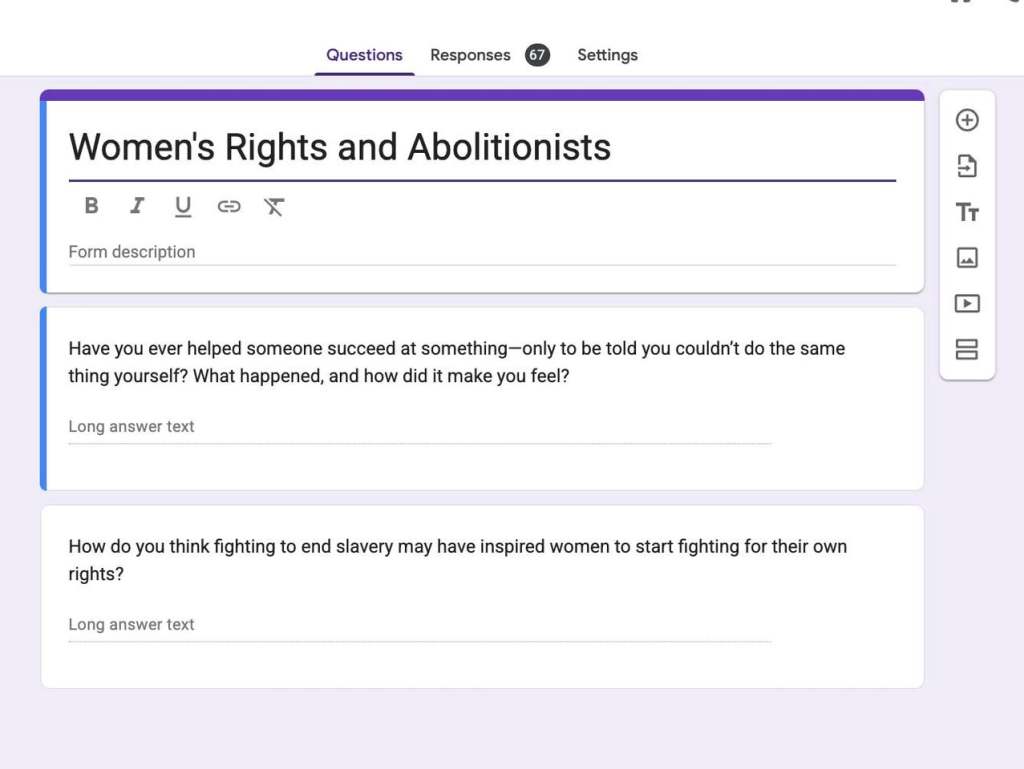
Thursday: Connecting Abolition and Women’s Rights (with Purposeful AI)
Thursday was all about tying movements together—and introducing AI not as a shortcut, but as a thinking partner.
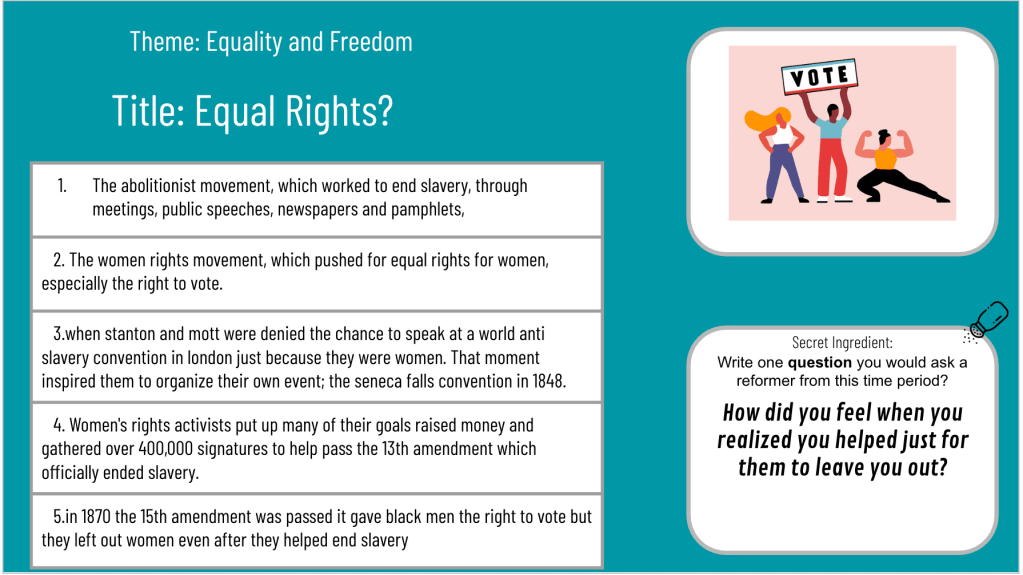
Our goal: Understand how the Abolitionist and Women’s Rights movements were connected—and why they eventually split apart.
The flow:
Opened with a Google Form to prime thinking: Where do you see connections? Where could you see division?
Annotate & Tell: Students read a short article and answered four guiding questions that helped them think about motivations, conflicts, and context.
Then came the AI part—and this was intentional:
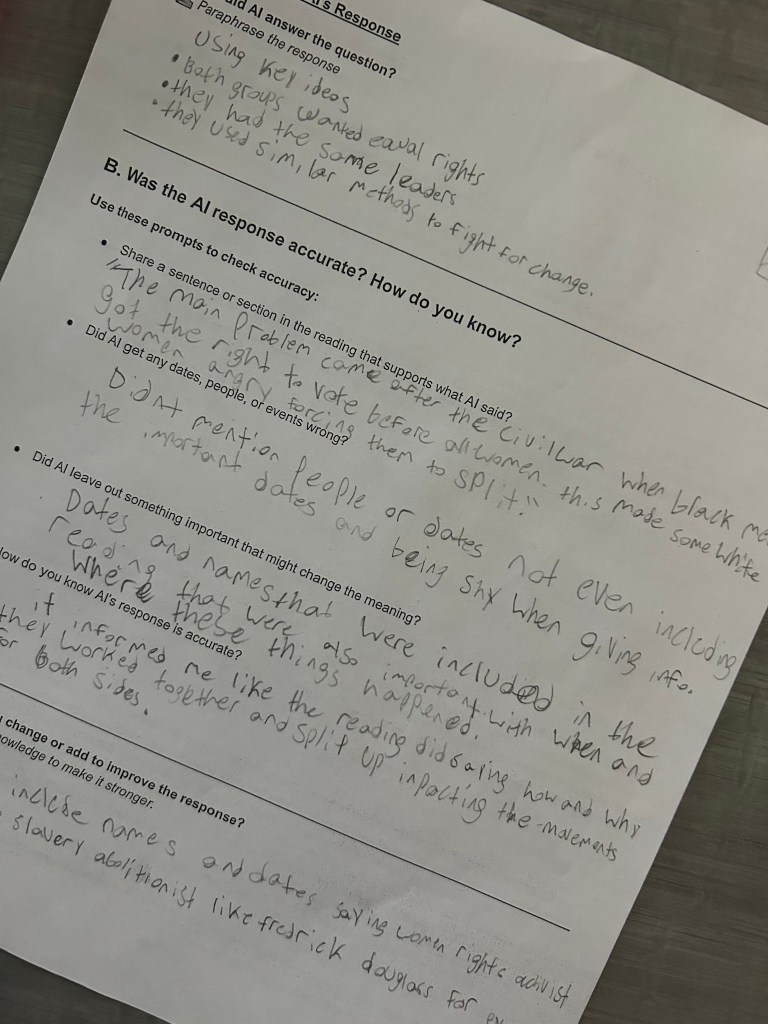
Students used MagicSchool ChatBot Raina to ask a question about the reading. I did not preload the ChatBot with any extra information.
They had to paraphrase the AI response
Then they had to evaluate it:
Was it accurate?
Was anything missing?
How could it have been better?
This wasn’t just “use AI.” This wasn’t generate ideas and copy. It was: engage with AI, challenge it, think critically about it.
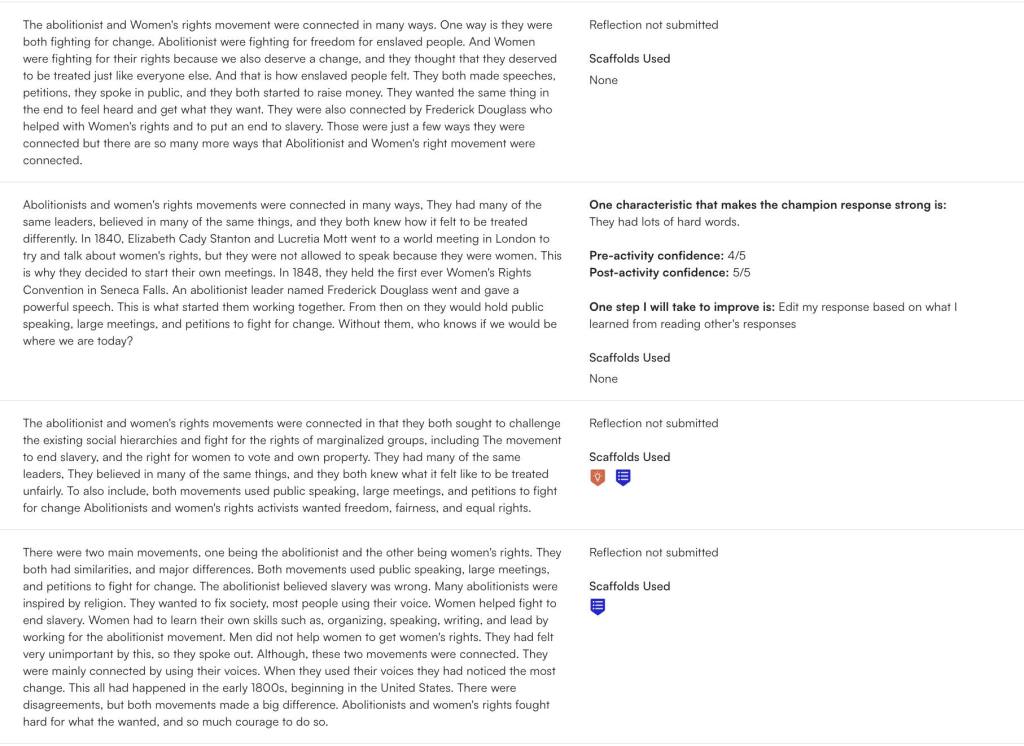
We closed it all with a Short Answer Battle Royale: Explain how the two movements were connected.
Why this worked:
The Google Form opened thinking.
Annotate & Tell slowed down reading.
AI added reflection, metacognition, and sourcing conversations.
Short Answer forced a full-sentence, evidence-based response.
AI wasn’t a crutch. It was a springboard for better thinking.
Friday: Wrapping Reform With Solo Iron Chef
Friday was about pulling everything together.
We started with a Fast and Curious on Quizizz (class averages were solid: 83%–90%) to hit key reform concepts one last time.
Then, students completed two Solo Iron Chef slides:
I set the timer for 15 minutes per slide. Students had to screenshot their work and use MagicSchool to get AI feedback on it. And again—the feedback conversations were the best part. A student said, “The AI said to change my title but I made mine rhyme and I like it.” I said, “Then why listen to it? It’s a tool—not the truth. You know your purpose better than the AI does.”
In 2006, when I first started teaching tennis, I ran a bunch of classes for 3 to 5 year olds. We had all the right equipment—mini nets, low-compression balls, small racquets—the stuff that actually made sense for little kids. But I was still running drills like we were using regular tennis balls on a full court – stuff that was way too big and too much for where they were.
One day, my boss—who also happened to be a great mentor—watched one of the classes and asked, “Why don’t you have these kids rally?”
I kind of shrugged and said, “They’re not ready for that. They’ll struggle. What are they going to get out of it?”
To which he replied, “Maybe this week they get one ball in a row. Maybe next week they hit two. Maybe the week after that, none. But you’re giving them a chance. You’re giving them the opportunity to build the skill.”
That moment stuck with me for years. Recently, it’s been popping into my head again. Not for tennis. Rather, because of AI.
When AI tools first started popping up in education, I wasn’t sure what to think. I didn’t want it to become a shortcut. I didn’t want kids to stop thinking. I didn’t want to lose the craft of teaching and learning.
That conversation about rallying stayed with me. I realized—maybe AI is the ball. Maybe we just need to let kids rally.
Now I’m using tools like Magic School, Class Companion, and Snorkl in class. Not just for the sake of using them, but to give students opportunities.
Let them try. Let them fail. Let them get one good idea this week, maybe two next week.
Class Companion gives them real feedback on their writing—feedback they actually use. Snorkl lets them explore thinking with AI scaffolds. Magic School helps them dig deeper and ask better questions. These tools aren’t doing the work for them—they’re helping them build skills.
But here’s the key: we still have to be the coach.
We’ve got to teach them how to interact with AI, not just copy and paste. We’ve got to help them ask better questions, process feedback, revise, and think. That’s what AI literacy is really about.
So no—AI isn’t perfect. But if we avoid it because we think kids can’t handle it… we’re missing the whole point.
They can’t rally if we never give them the ball.
Let them rally. Stand on the sideline. Feed them another one. That’s how they grow.
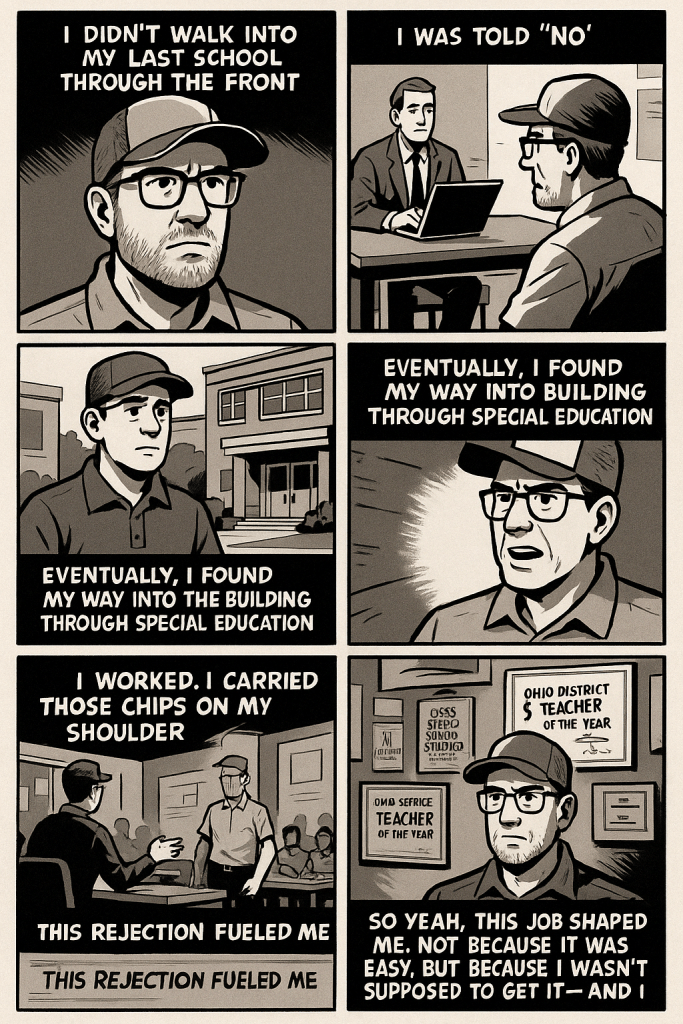
I didn’t walk into my last school through the front door. I didn’t get hired because I was the obvious choice. I wasn’t recruited or celebrated. In fact, I was told “no” multiple times.
I first interviewed there for a high school social studies position. Didn’t get it. Later, I applied for a middle school social studies job. Didn’t get that either. But they did ask me if I wanted to coach tennis. I said, “No.” That didn’t sit well with me – how could I be good enough to coach, but not good enough to teach?
Eventually, I found my way into the building through special education. I didn’t have a degree in special ed, but I promised them I’d go back and get it—and I did. I finished my master’s in special education in a year and a half.
As soon as I finished my master’s in special ed, another social studies position opened up. I applied. And again, they told me no—they wanted to hire a football coach without a teaching degree. The board denied the hire. I was the backup. The “Plan B.” So, I took the job. And in the back of my mind, I told myself: I’m going to show everyone.
I worked. I carried those chips on my shoulder into every lesson, every interaction, every chance I had to connect and grow. I found ways to innovate, brought in new tech, found fresh ways to make learning matter. I built relationships with students, families, colleagues. I was driven by rejection.
This rejection fueled me, and eventually, I became the Ohio District 5 Teacher of the Year. Then the OCSS Middle School Social Studies Teacher of the Year. I became an AI consultant. A presenter. A published author.
The result of me getting told “no.”
So yeah, this job shaped me. Not because it was easy. But because I wasn’t supposed to get it—and I made damn sure they didn’t regret it.
In my blog series, The Week That Was, I try to open up my classroom and my mind—how I plan, how I teach, what I try, what works, what doesn’t. But the more I think about it, the more I realize that maybe I need to open up more about myself. Not just what I do in the classroom, but who I am, and the things that have shaped me into the teacher I am today.
One of the biggest things that shaped me is tennis.
I’ve played my whole life—through elementray, middle school, and high school. I was my high school’s only state qualifier in tennis, and my old racquet is still in the glass case at the school. But here’s the funny thing: I’m not a naturally competitive person. Not in the loud, intense kind of way. But tennis taught me how to compete. And not just with other people—with myself.
Tennis is a game of integrity. You make your own line calls. You call the score out loud. If the ball double bounces on your side, you’re the one who’s supposed to admit it. There’s no ref on the court. You and your opponent are the refs. It’s a game of sportsmanship, honesty, and respect. No matter how tough the match is—whether you win or get your ass kicked—you shake your opponent’s hand and say “nice match.”
I’ve had moments where I’ve wanted to lose it. One time, a guy intentionally pegged me with a ball between points—not during the play, just straight up drilled me. I was heated. Had a few choice words. But I still walked to the net and shook his hand. Because that’s the game.
There’s no game clock in tennis. No buzzer. You play until someone wins the last point. It’s just you and your opponet, figuring each other out. It’s physical, mental, emotional. You have to get creative. You gotta adjust. You have to find a way.
Tennis didn’t just teach me how to play. It taught me how to carry myself, how to bounce back, how to keep my head, how to quietly prove people wrong. It’s shaped how I teach, how I coach, how I reflect, and how I grow.
That’s what this new series, Things That Shaped Me, is about. The moments and experiences behind the lesson plans. The stuff that built me. Because teaching isn’t just about what you do. It’s about who you are. And if I’m going to open up my classroom, I might as well open up a little more of myself too.
Things are getting expensive. Teachers don’t wanna pay for stuff. Free versions are usually watered down or full of ads. I’m just here to share some tools that have useful free versions. These are ones I’ve been using and they’ve helped me plan better, save time, and still give students solid feedback and learning experiences.
I’ll keep it simple: what it is, why I like it, and how I use it (with a solid teaching idea thrown in—usually paired with EduProtocols that make sense).
Even with the free version, Class Companion gives your students feedback like a champ. It tracks writing progress over time, breaks feedback down into categories like organization and evidence, and gives consistent scoring. You can assign short-answer questions or extended responses, turn off copy/paste (huge during state testing season), and export their progress.
Why I like it: I don’t have to manually grade everything and I still get useful data. Feedback is fast and targeted. It’s perfect for helping kids write better without burning myself out.
Teaching Idea: Pair with Nacho Paragraph. After doing a Number Mania, reading, or Frayer-based content build, have students write a one-paragraph response that argues a claim. Class Companion gives AI feedback on the claim, evidence, and reasoning. It’s also great after a MiniReport—combine two sources, write a response, and let AI provide revision tips. Great test prep without being test prep.
Brisk is like having an AI sidekick built right into Google Docs and Slides. You can highlight text and ask it to simplify or raise the reading level, turn a website into a quick Google Slide presentation, or even generate questions. You can use it to leave AI-generated feedback on student work, but I mostly use it for materials prep.
Why I like it: It’s fast, doesn’t take me to a new platform, and it helps me tailor materials for students at different levels in seconds.
Teaching Idea: Use Brisk to level a source before a Cyber Sandwich. Take a tough article, simplify it for one group of students, and leave the original for another. Have them annotate, partner-share, and write a summary. You can even ask Brisk to generate questions for a thin slide or fast and curious warm-up.
This is my go-to when I want a fast, interactive lesson that looks good but doesn’t take hours to make. Curipod lets you create engaging, Nearpod-style lessons. You can add open-ended questions, quick polls, drag-and-drop, even AI-generated reflections or historical figure Q&A simulations. The drawing and writing feedback features are a huge bonus.
Why I like it: I can turn a warmup into a 20-minute meaningful discussion with a couple clicks. Students actually enjoy the format and get to respond anonymously or collaboratively.
Teaching Idea: One way you could try using Curipod is by adding a few Sketch and Tell prompts throughout the lesson. Students draw and write a quick response, and the platform gives them feedback right away. After the Curipod, you might follow it up with a Thick Slide—have students share four important facts, two visuals, and a comparison. It’s a simple way to turn the lesson into something more student-centered and reflective.
Final Thoughts
These three AI tools won’t replace your teaching—but they do make it faster, easier, and more manageable. You don’t need 12 tools, and you definitely don’t need to drop $25/month to get value.
Try one this week. Layer it into an EduProtocol you already use. Let the AI handle some of the prep or feedback so you can focus more on the conversations and connections that matter.
This week was all about variety, structure, and student voice—anchored by a solid lineup of EduProtocols. I leaned on Fast & Curious for foundational vocab, layered in Annotate & Tell to break down complex readings, used Number Mania to push students toward using evidence, and wrapped lessons with Short Answer and Nacho Paragraphs to bring writing and thinking together. We even threw in some creative fun with Thin Slides, Craft-a-Cola, and a few MagicSchool tools to help students prompt and produce in more engaging ways. It wasn’t just about covering content—it was about designing experiences that stuck.
We kicked off the week with a lesson on industrialization and how it changed the northern states—and I tried a Rack and Stack combo I was really happy with. It wasn’t flashy, but it had purpose at every step. Each EduProtocol built on the last, and everything came back to our guiding question: How did industrialization change the northern states?
Fast and Curious: Vocab First
We opened with a Gimkit Fast and Curious using vocabulary that kids were likely to struggle with—rivers, factories, mass production, loom, spinning, sewing machine. A lot of times I assume kids know basic words, but they don’t. After the first round, I gave feedback and cleared up confusion around things like loom and mass production. Then we ran it again. By the second round, scores had gone way up—evidence that repetition and feedback work.
Thin Slide: Why the North?
Next, I used a Thin Slide variation I learned from Justin Unruh. Students were asked to answer the question: Why did industrialization occur more in the North? using the keywords rivers and factories. They found or created an image and gave a one-sentence explanation. They had 8 minutes total—then they shared live, 8 seconds per student. This was a great way to preview the bigger concepts without overwhelming them.
Annotate and Tell: 3 Phases of Industrialization
We moved on to an Annotate and Tell with a short reading on the three phases of industrialization. Students highlighted the three phases in yellow and highlighted any inventions or machines in blue. The reading wasn’t long, but it was packed with information. I asked them two big questions to process:
What are the three phases of industrialization, and how did each one change the way goods were made?
How did machines like looms and sewing machines change the way people worked in factories?
Kids worked in partners to discuss and respond, and I was impressed with how well they broke it down.
Sketch & Tell Comic Edition: Visualizing the Phases
After the reading, I had students create a 3-frame comic using the Sketch and Tell Comic Edition to show how the three phases changed life and work. I got this idea from Justin Unruh again, and it’s become one of my favorite go-to protocols for visual processing. Instead of just retelling, students visualized each stage and added one sentence of explanation. This helped students slow down and make sense of how the shift happened over time—from breaking down tasks, to building factories, to powering machines.
Padlet Thin Slide: Bringing It Back to the Big Question
To wrap it up, we returned to our original question—How did industrialization change the northern states?—with a final Thin Slide posted on Padlet. I gave them 5 minutes to respond using what they had just learned, and they had to include at least one piece of evidence from the comic or Annotate and Tell. This helped me see who really got it and who might need more support.
It was a solid Rack and Stack, and I loved how each piece of the lesson connected. The goal wasn’t to cover everything—it was to build background, layer the concepts, and give students multiple ways to process. That’s what makes EduProtocols work.
Tuesday
I’ll be honest—Monday didn’t go how I hoped. The engagement across all my classes hovered around 25%, and that’s not something I’m used to. It frustrated me, and it forced me to take a step back. I told the students on Tuesday that I intentionally design lessons to build on familiar ideas. I don’t want them to feel overwhelmed—but I also don’t want them to zone out.
So I had to flip the script.
Fast and Curious: Quizizz Rebound
We opened class with a Fast and Curious on Quizizz using questions tied directly to industrialization in the North. This wasn’t just vocab—it was context-based. Words like steamboat, reaper, plow, and telegraph were sprinkled in. I noticed how often students missed even basic terms. Sometimes we assume students know what words like “petition” or “shift” mean, but they don’t. The data from Quizizz told me exactly where to go next.
Frayer Models With a Twist
We jumped into a Frayer activity using the textbook reading on four major inventions of the 1800s: the steamboat, the mechanical reaper, the steel plow, and the telegraph. But this wasn’t just a regular Frayer. I added some chaos—two dice rolls per invention. The first determined how many bullet points they had to write, the second decided how many words each bullet needed. This created structure, accountability, and a layer of challenge.
Chatbot Collaboration: Magic School AI
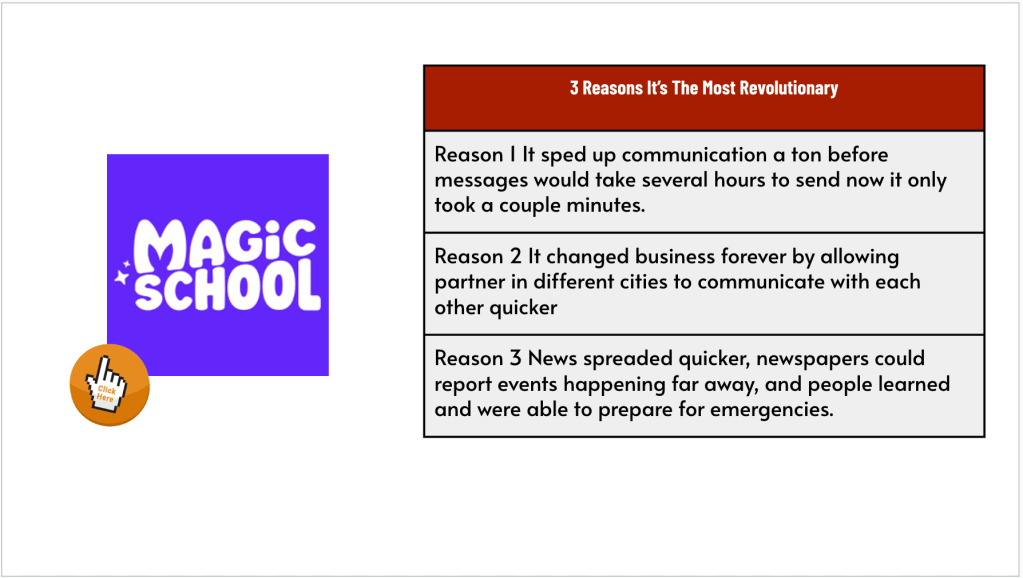
Next, I had students select the invention they thought was the most revolutionary. Using Magic School’s chatbot, they prompted the AI to speak as if it were that invention. They asked follow-up questions and gathered more support. This was one of my favorite moments—watching students debate themselves through the screen, pushing AI for deeper evidence.
Short Answer: Writing With a Purpose
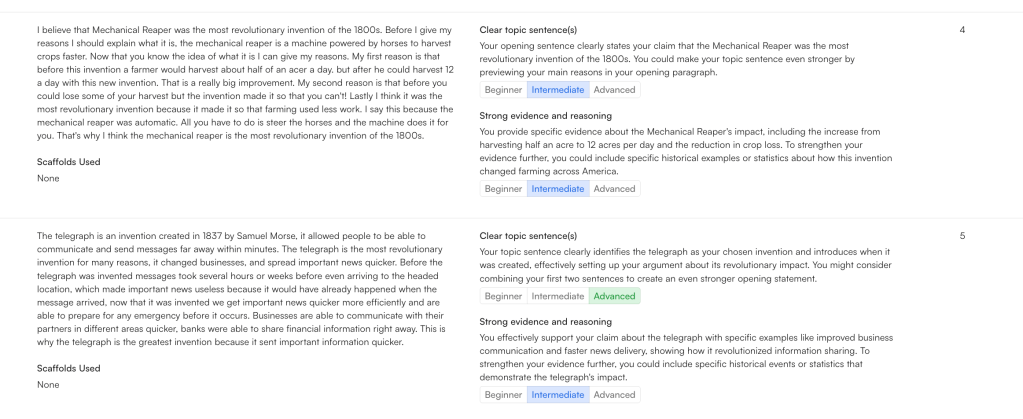
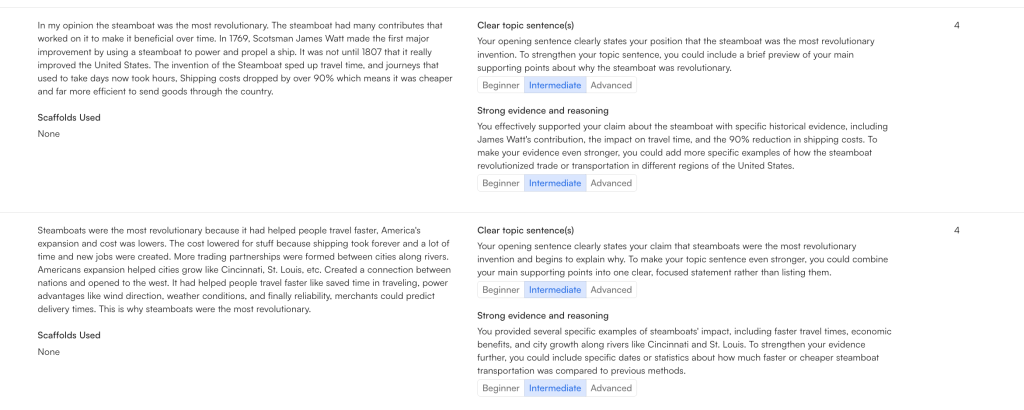
We wrapped up with a Quick Write on ShortAnswer. This tool has been a game-changer. I selected two rubric elements: clear use of evidence and strong conventions. The AI gave instant feedback and categorized responses as beginner, intermediate, or advanced. Then it added up class scores to see if we hit our class goal. Three of my four classes crushed it.
But the best part? I disabled copy and paste. The words they wrote were their own.
I told them if they hit the class goal, I’d wipe away their Monday mess. They locked in and crushed it. Students were writing. For real. Because the task had structure, purpose, and a chance to improve.
Wednesday
Today’s lesson was all about one sentence: “The Lowell Mill Girls had an extraordinary opportunity.” That was it. That was the line that carried us through the whole class. My goal? Get students to keep circling back to that claim—support it, refute it, challenge it, reframe it. Think about it, talk about it, write about it.
I used a Rack and Stack of familiar EduProtocols, but I tried to tweak the flow a little to hit a rhythm. And honestly, it worked.
Fast and Curious: Start with What They Don’t Know
We kicked things off with a Fast and Curious using Gimkit. Vocabulary was pulled straight from the lesson: boardinghouse, wage, petition, strike, shift. You’d be surprised how many students don’t know what a “shift” is. Or “petition.” Or “boardinghouse.” After one 3-minute round and some direct feedback, we ran it again—and it made a big difference. The repetition and immediate correction helped lock it in. And it gave us a foundation to move forward.
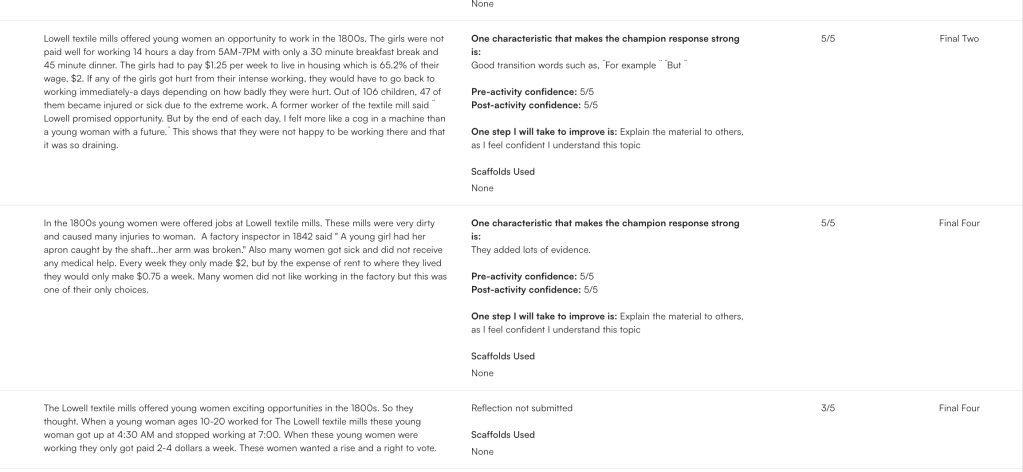
EdPuzzle + Thin Slide = Instant Reflection
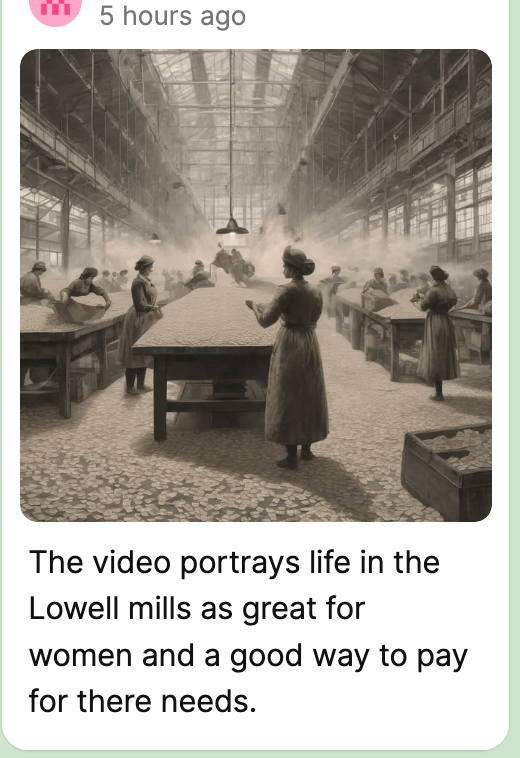
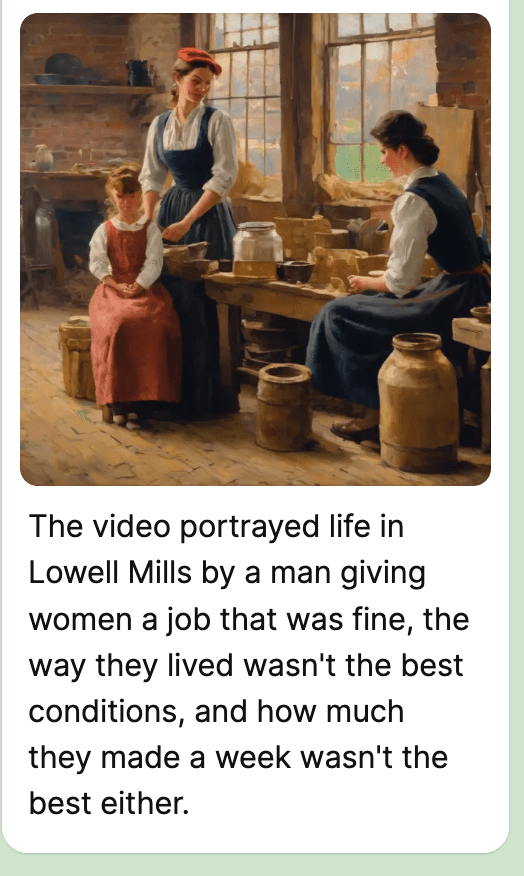
Next, we watched a 4-minute EdPuzzle about the Lowell Mill Girls. I embedded a Thin Slide right in the middle and brought the original claim back: “Did this video support that statement or not?” Some said yes—they got paid, they had housing. Others said no—the pay was awful, the work was grueling, and the living conditions weren’t great either. It was cool to see students start forming opinions and backing them up with specific parts of the video. The Thin Slide forced them to pick a side and start thinking critically before we even got to the meat of the lesson.
Number Mania: Let the Numbers Talk
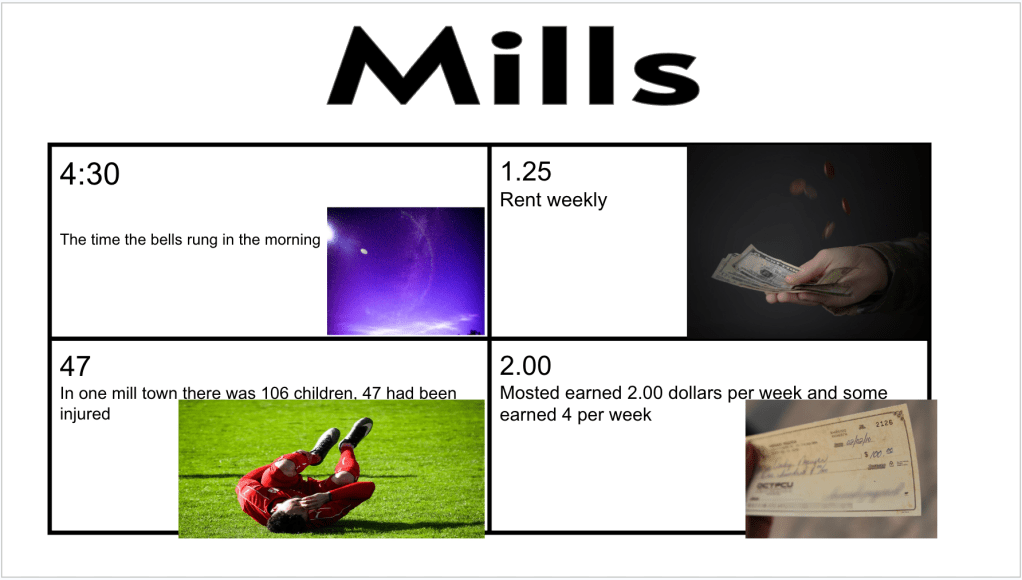
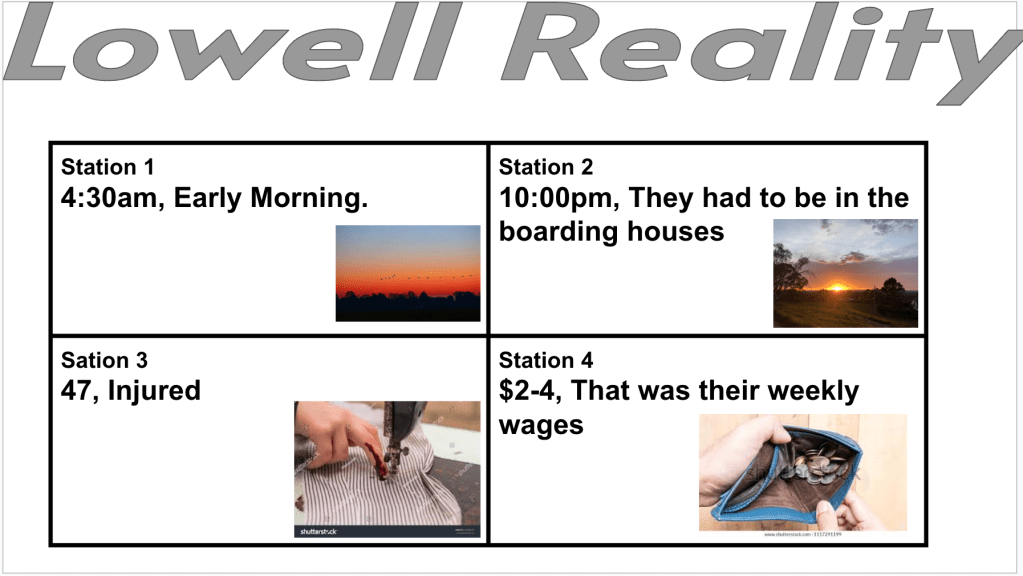
Then we moved into Number Mania. Originally, I had six stations planned, each with a short reading—some primary, some secondary. But after thinking about cognitive load (and remembering that part in Blake Harvard’s book), I cut it down to four. Best decision I made all week.
At each station, students had to pick a number from the reading that could be used to refute the original statement. Of course, we had to stop and break down what “refute” actually meant—another word straight off the state test that most students didn’t know.
To make it even more fun (and to fight copy-paste laziness), I rolled dice. The first die told them how many words they had to use. That forced them to be intentional and selective with their evidence. Every station, every round, they got better at it.
Short Answer x Nacho Paragraph: Final Hit
To bring it all together, we used the Nacho Paragraph protocol inside Short Answer. I told students to copy and paste the original statement and revise it. Fix it. Refute it. Use the numbers and facts they just found in the Number Mania.
We ran it Battle Royale style. They saw each other’s answers. They compared. They got feedback. And most importantly, they thought.
They were engaged. They weren’t writing because I told them to. They were writing because they had something to say.
Thursday
After a deep dive into the Lowell Mill Girls earlier in the week, I wanted to extend the conversation—this time with a focus on labor unions and how the legacy of early industrial labor still echoes today.
We kicked things off with a short, one-page reading about the Lowell Mill Girls and labor unions. The reading did a solid job tying the historical context to modern labor movements. Students answered five questions to check comprehension and pull key ideas.
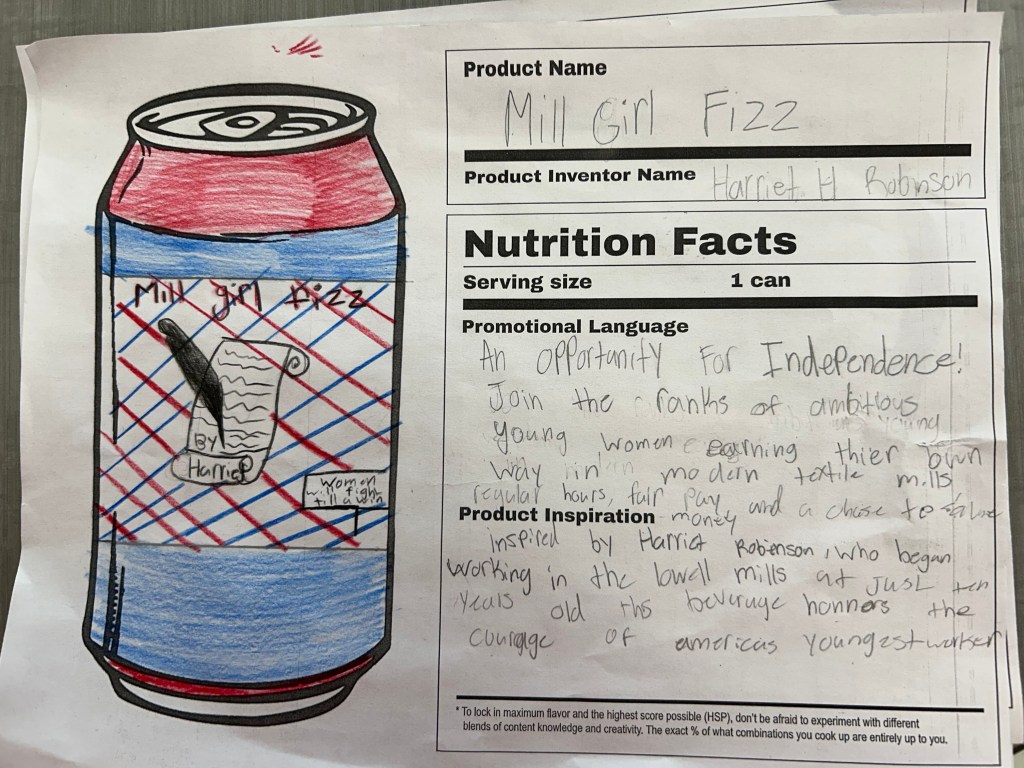
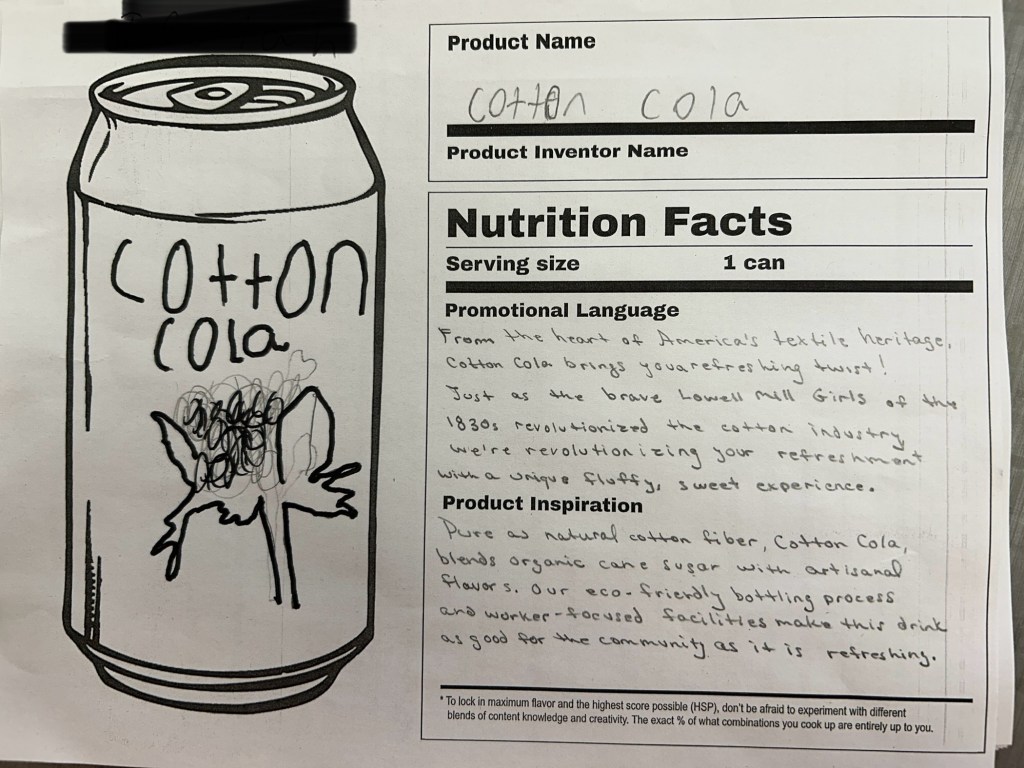
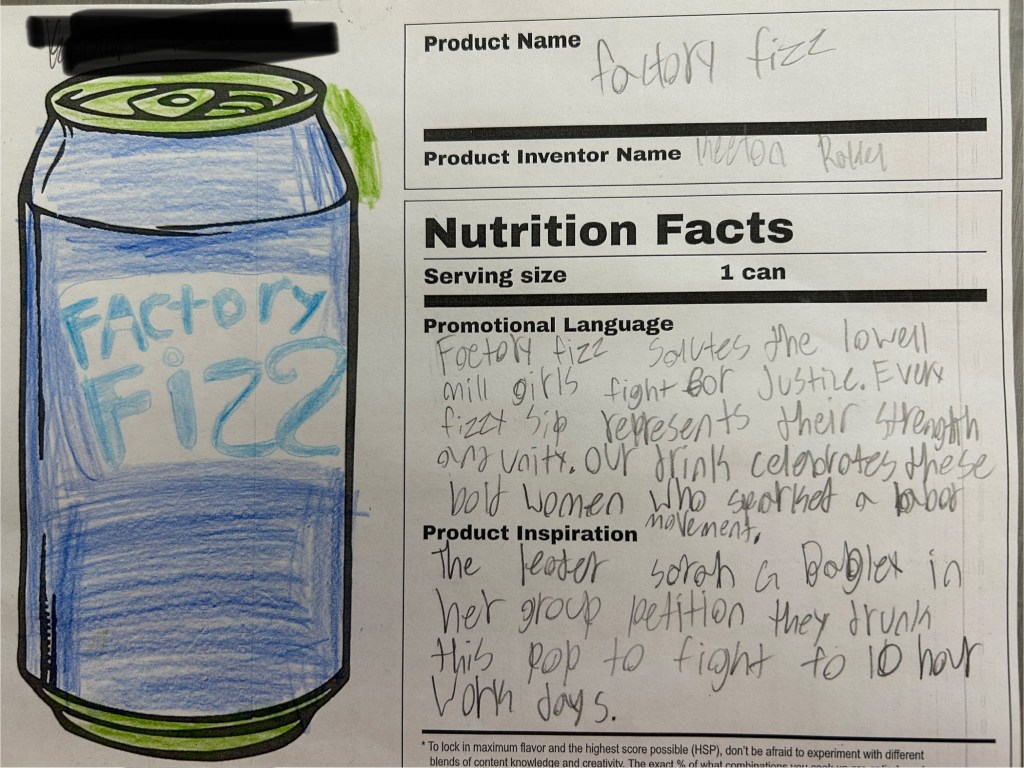
Then we pivoted into something a little more creative: a template from EMC² Learning called Craft-a-Cola.
Here’s the setup: Students had to design a pop can inspired by the Lowell Mill Girls and the rise of labor unions. Their can needed:
A creative soda name
A slogan or promotional phrase
A short write-up explaining the historical inspiration behind their product
This was a fun twist, but I knew right away some students would struggle with generating ideas. So I built a Magic School classroom with a custom idea generator chatbot. Students used it to brainstorm potential pop names and promotional language.
Here’s what I learned: 8th graders don’t always know how to prompt clearly. At first, a lot of the results were pretty off—or the bot responded with something like “I can’t do that, but here’s a suggestion…” It turned into an unexpected mini-lesson on how to write better prompts.
We took a few minutes to break down what makes a good prompt, rewrote some together, and suddenly the ideas started flowing.
What I liked most about today’s lesson:
It gave students a new way to process content they’ve been learning about all week
It tied creative thinking to historical understanding
It sneakily taught them better AI prompting skills without me planning for that to happen
Some of their designs were pretty awesome. A few were flat-out hilarious. But all of them reflected some understanding of how labor unions began and why they mattered—proof that even a pop can can tell a powerful story.
























 Moler's Musings