Let Them Rally: What Teaching 5-Year-Olds Tennis Taught Me About AI

In 2006, when I first started teaching tennis, I ran a bunch of classes for 3 to 5 year olds. We had all the right equipment—mini nets, low-compression balls, small racquets—the stuff that actually made sense for little kids. But I was still running drills like we were using regular tennis balls on a full court – stuff that was way too big and too much for where they were.

One day, my boss—who also happened to be a great mentor—watched one of the classes and asked, “Why don’t you have these kids rally?”

I kind of shrugged and said, “They’re not ready for that. They’ll struggle. What are they going to get out of it?”

To which he replied, “Maybe this week they get one ball in a row. Maybe next week they hit two. Maybe the week after that, none. But you’re giving them a chance. You’re giving them the opportunity to build the skill.”

That moment stuck with me for years. Recently, it’s been popping into my head again. Not for tennis. Rather, because of AI.

When AI tools first started popping up in education, I wasn’t sure what to think. I didn’t want it to become a shortcut. I didn’t want kids to stop thinking. I didn’t want to lose the craft of teaching and learning.

That conversation about rallying stayed with me. I realized—maybe AI is the ball. Maybe we just need to let kids rally.

Now I’m using tools like Magic School, Class Companion, and Snorkl in class. Not just for the sake of using them, but to give students opportunities.

Let them try. Let them fail. Let them get one good idea this week, maybe two next week.

Class Companion gives them real feedback on their writing—feedback they actually use. Snorkl lets them explore thinking with AI scaffolds. Magic School helps them dig deeper and ask better questions. These tools aren’t doing the work for them—they’re helping them build skills.

But here’s the key: we still have to be the coach.

We’ve got to teach them how to interact with AI, not just copy and paste. We’ve got to help them ask better questions, process feedback, revise, and think. That’s what AI literacy is really about.

So no—AI isn’t perfect. But if we avoid it because we think kids can’t handle it… we’re missing the whole point.

They can’t rally if we never give them the ball.

Let them rally. Stand on the sideline. Feed them another one. That’s how they grow.

Things Are Getting Expensive…Here’s Some Useful Free Versions Of AI Tools

Things are getting expensive. Teachers don’t wanna pay for stuff. Free versions are usually watered down or full of ads. I’m just here to share some tools that have useful free versions. These are ones I’ve been using and they’ve helped me plan better, save time, and still give students solid feedback and learning experiences.

I’ll keep it simple: what it is, why I like it, and how I use it (with a solid teaching idea thrown in—usually paired with EduProtocols that make sense).

Class Companion

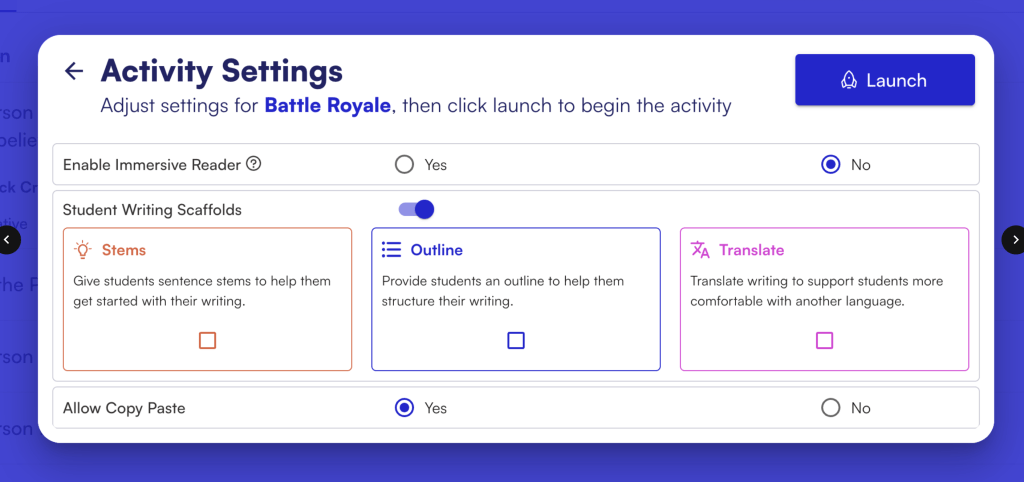
Even with the free version, Class Companion gives your students feedback like a champ. It tracks writing progress over time, breaks feedback down into categories like organization and evidence, and gives consistent scoring. You can assign short-answer questions or extended responses, turn off copy/paste (huge during state testing season), and export their progress.

Why I like it: I don’t have to manually grade everything and I still get useful data. Feedback is fast and targeted. It’s perfect for helping kids write better without burning myself out.

Teaching Idea: Pair with Nacho Paragraph. After doing a Number Mania, reading, or Frayer-based content build, have students write a one-paragraph response that argues a claim. Class Companion gives AI feedback on the claim, evidence, and reasoning. It’s also great after a MiniReport—combine two sources, write a response, and let AI provide revision tips. Great test prep without being test prep.

Brisk

Brisk is like having an AI sidekick built right into Google Docs and Slides. You can highlight text and ask it to simplify or raise the reading level, turn a website into a quick Google Slide presentation, or even generate questions. You can use it to leave AI-generated feedback on student work, but I mostly use it for materials prep.

Why I like it: It’s fast, doesn’t take me to a new platform, and it helps me tailor materials for students at different levels in seconds.

Teaching Idea: Use Brisk to level a source before a Cyber Sandwich. Take a tough article, simplify it for one group of students, and leave the original for another. Have them annotate, partner-share, and write a summary. You can even ask Brisk to generate questions for a thin slide or fast and curious warm-up.

Curipod

This is my go-to when I want a fast, interactive lesson that looks good but doesn’t take hours to make. Curipod lets you create engaging, Nearpod-style lessons. You can add open-ended questions, quick polls, drag-and-drop, even AI-generated reflections or historical figure Q&A simulations. The drawing and writing feedback features are a huge bonus.

Why I like it: I can turn a warmup into a 20-minute meaningful discussion with a couple clicks. Students actually enjoy the format and get to respond anonymously or collaboratively.

Teaching Idea: One way you could try using Curipod is by adding a few Sketch and Tell prompts throughout the lesson. Students draw and write a quick response, and the platform gives them feedback right away. After the Curipod, you might follow it up with a Thick Slide—have students share four important facts, two visuals, and a comparison. It’s a simple way to turn the lesson into something more student-centered and reflective.

Final Thoughts

These three AI tools won’t replace your teaching—but they do make it faster, easier, and more manageable. You don’t need 12 tools, and you definitely don’t need to drop $25/month to get value.

Try one this week. Layer it into an EduProtocol you already use. Let the AI handle some of the prep or feedback so you can focus more on the conversations and connections that matter.

Refuting the Statement: A New Rack and Stack

Today, I ran a new Rack and Stack using some familiar EduProtocols but with a fresh flow. The whole lesson was built around this opening statement: “The Lowell Mill Girls had an extraordinary opportunity.” That one sentence carried us through the entire class. I wanted students to come back to it over and over again, thinking critically about whether or not it was actually true.

Here is the flow:

  1. Fast and Curious
  2. EdPuzzle with Thin Slide
  3. Number Mania
  4. Nacho Paragraph with Short Answer

Starting with Vocabulary: Fast and Curious

We began with a Gimkit Fast and Curious. I pulled vocab straight from the lesson—boardinghouse, wage, petition, strike, shift. It’s honestly surprising how many words kids just don’t know anymore. I can’t assume anything. The most missed were boardinghouse, petition, and shift. After two rounds with some feedback in between, their accuracy shot up. We had a solid foundation for the rest of class.

EdPuzzle with a Thin Slide Twist

Next up was a 4-minute EdPuzzle about the Lowell Mill Girls. I embedded a Thin Slide with the same opening statement—did this video support it or not? Some kids thought it did, to a point. The video showed that the girls got paid and had housing, but others quickly pointed out the poor conditions and low wages. The Thin Slide was great for capturing those first reactions and making them back it up.

Number Mania with a Purpose

Then we hit the main chunk of the lesson—Number Mania. I had originally planned 6 stations, each with primary and secondary sources about different aspects of mill life. But after a dry run and thinking about cognitive load (shoutout to Blake Harvard’s book), I trimmed it to 4 stations. That made a huge difference.

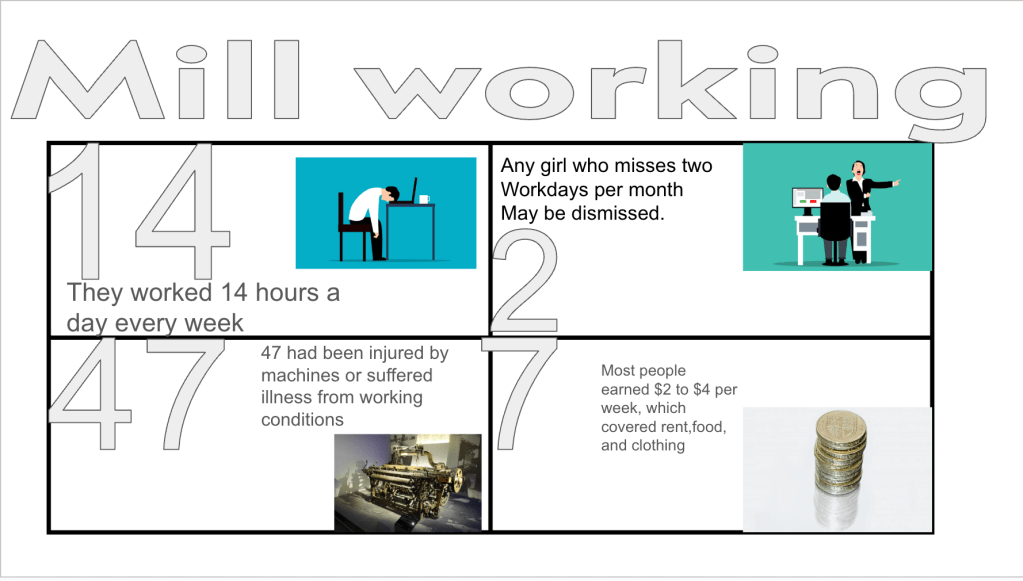
The task was to find numerical evidence to refute the original statement. Of course, we had to go over the word “refute” first. That word shows up on the Ohio state test, and about 90% of my students didn’t know what it meant. Each station had a brief source. After reading, students picked a number that could be used to argue against the idea that the Lowell Mill Girls had some amazing opportunity. I rolled dice to determine how many words their explanation had to be. That added a fun twist and helped prevent kids from copying straight from the text. They had to think.

Short Answer + Nacho Paragraph

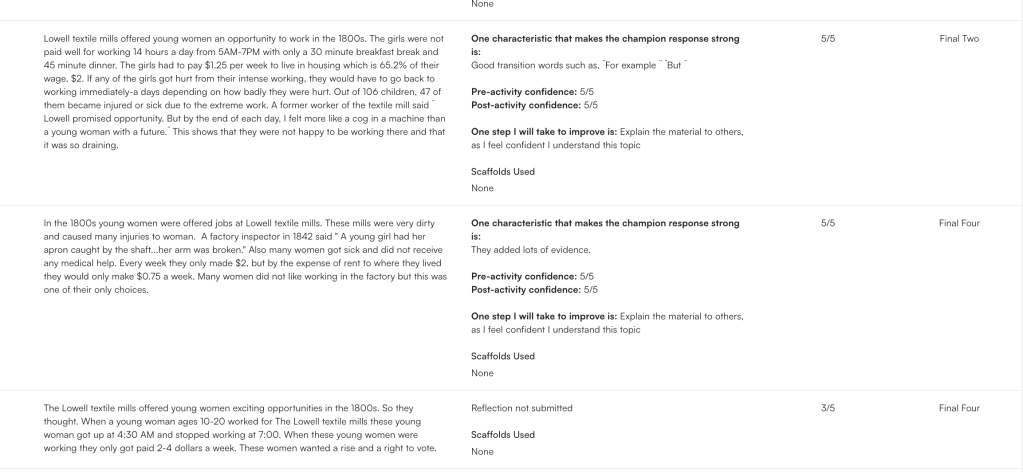
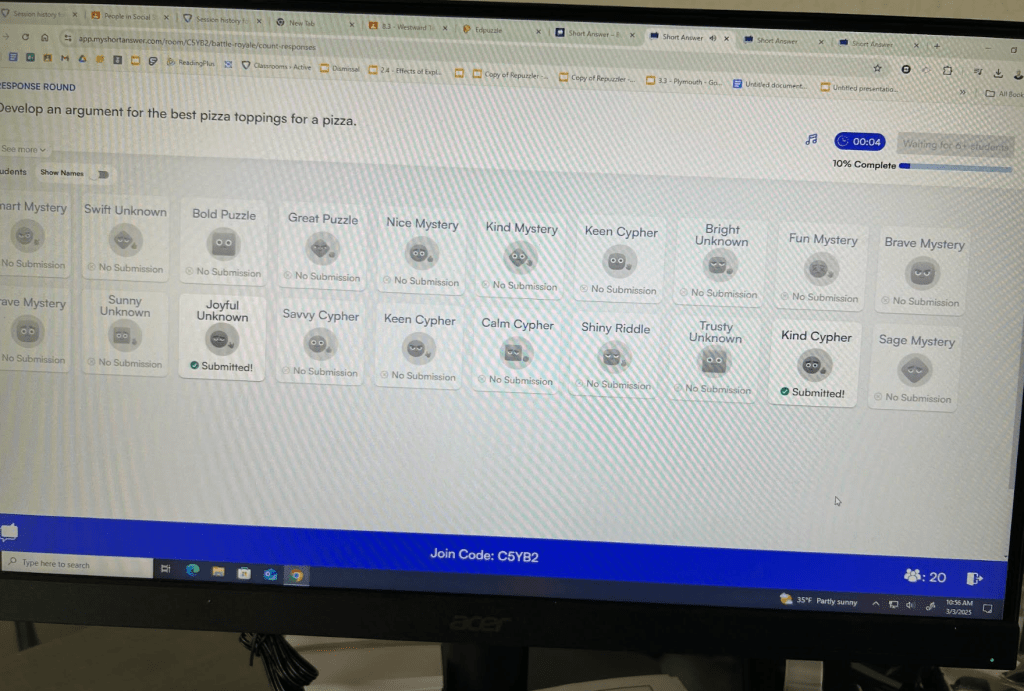
The finale was awesome. I pulled up Short Answer and ran it Battle Royale style using the Nacho Paragraph protocol. Each student copied and pasted the original statement and rewrote it, fixing it using the numerical evidence from the Number Mania. Their job was to refute the original sentence with facts. It brought everything together perfectly.

Short Answer gave them a sense of audience, let them see others’ responses, and motivated them to write better. They knew their classmates would see it, and that made all the difference.

Why This Worked

This lesson flowed. It began and ended with the same prompt, but by the time we got to the end, students had real evidence and a better understanding of both the content and how to structure their thinking. It wasn’t just about mill life—it was about challenging assumptions, reading multiple types of sources, interpreting data, using key vocab, and writing for a real purpose.

I also liked that I was able to scale the cognitive load. The vocab and EdPuzzle built some schema. The stations weren’t too long, and the dice kept the kids engaged. The writing had structure. Every part had purpose.

It’s not always about doing something big and flashy. Sometimes it’s about connecting pieces in a way that feels meaningful and builds momentum. Today, it worked.

Elevating EduProtocols with Depth and Complexity

This past weekend, I presented at the Gifted Fair conference at the Hamilton County Educational Service Center and had the chance to attend a session on depth and complexity. It really got me thinking. Developed by Dr. Sandra Kaplan, depth and complexity is a framework designed to push students beyond surface-level understanding by helping them think like experts in any subject. Too often, when we talk about rigor in education, we focus only on making questions harder. But depth and complexity isn’t just about the types of questions we ask—it’s about changing the tasks we give students.

EduProtocols already help students move beyond memorization and into deeper thinking, but when we pair them with depth and complexity, we help students analyze, synthesize, and evaluate information in meaningful ways. Instead of just answering harder questions, they engage in perspective-taking, making connections, and evaluating historical impact. Here’s how we can enhance thick slides, sketch & tell, and parafly by embedding depth and complexity into each step of the lesson.

Thick Slides + Depth and Complexity

Thick slides go beyond listing facts—students make claims, compare ideas, and provide evidence. But how can we push even deeper?

Ways to add depth and complexity:

  • Big idea: Frame the slide around a larger concept. Instead of just listing facts about the Monroe Doctrine, students answer: how did the Monroe Doctrine shape American foreign policy for the next century?
  • Patterns: Identify recurring themes within a topic. If studying reform movements, students compare abolitionism, women’s rights, and education reform: what patterns exist in the strategies reformers used?
  • Over time: Analyze historical progression. Example: how did political parties evolve from the Federalists and Democratic-Republicans to modern-day parties?
  • Multiple perspectives: Assign different viewpoints. One student may create a slide from Mexico’s perspective on Texas independence, while another represents an American settler’s viewpoint.

Example lesson: The Age of Jackson
Standard thick slide: Students summarize Jacksonian democracy and list key policies.
Depth and complexity layer: Students compare Jacksonian democracy to modern populism, tracking patterns of how political leaders appeal to “the common people.”

Sketch & Tell + Depth and Complexity

Visual representation forces students to process and conceptualize information rather than just memorize it. Adding depth and complexity helps students examine underlying themes and historical connections.

Ways to add depth and complexity:

  • Language of the discipline: Require students to include key vocabulary in their sketches. Example: if sketching manifest destiny, students must label annexation, expansion, and sovereignty.
  • Ethics: Have students create two sketches—one that supports an event and one that critiques it. Example: was the Trail of Tears an unavoidable consequence of expansion, or a violation of Native rights?
  • Rules: Students depict who created the rules and who had to follow them. For instance, sketch how the spoils system benefited Jackson’s supporters but also led to corruption.
  • Across disciplines: Connect ideas across subjects. A history class sketching the Industrial Revolution might also examine how innovations in machinery affected economic systems and scientific advancements.

Example lesson: The Texas Revolution
Standard sketch & tell: Students illustrate one major event in the Texas Revolution.
Depth and complexity layer: Students compare two sketches—one from the perspective of Texan settlers and another from Mexico’s leaders.

Parafly + Depth and Complexity

Parafly already challenges students to improve their paraphrasing skills, but adding depth and complexity ensures that students analyze information rather than just rewrite it.

Ways to add depth and complexity:

  • Rules: Students not only paraphrase a text but also identify what rules are being set or broken. Example: in the Missouri Compromise, students highlight who benefits from the agreement and who is restricted by it.
  • Details matter: After paraphrasing, students explain what was left out and why it might be important. Example: what details are often omitted in textbook discussions of manifest destiny?
  • Ethical considerations: In addition to paraphrasing, students evaluate the morality of a historical decision. Example: was the annexation of Texas justified or an act of aggression?
  • Unanswered questions: Students paraphrase a passage and then write one question that remains unanswered. This helps spark deeper discussion about what the text does not address.

Example lesson: The Oregon Treaty
Standard parafly: Students paraphrase textbook excerpts on the U.S.-British treaty dividing Oregon.
Depth and complexity layer: Students evaluate the treaty’s fairness—who benefited most, and why didn’t the U.S. fight for 54°40’?

Final Thoughts

After attending the session at the Gifted Fair, it became clear that depth and complexity isn’t just about making things “harder”—it’s about giving students the right tools to think critically. When paired with EduProtocols, these strategies:

  • Encourage critical thinking instead of rote memorization
  • Make learning more engaging and relevant
  • Help students connect history to today

Depth and complexity doesn’t have to be a separate strategy—it can be woven into everything we already do. When paired with EduProtocols, it transforms simple activities into deeper, more meaningful learning experiences.

How are you using depth and complexity in your classroom? Let’s keep the conversation going!

Using Snorkl to Deepen Historical Thinking in the Classroom

One of the biggest challenges in history education is engaging students in meaningful analysis while encouraging collaboration and critical thinking. Enter Snorkl, an AI-powered whiteboard tool that allows students to interact with historical content by annotating images, adding text, drawings, or even recording their voices. By integrating Snorkl with historical inquiry, EduProtocols, and depth and complexity strategies, we can create a dynamic space where students engage deeply with the past.

1. Image & Source Analysis (8 Parts)

A picture is worth a thousand words—but only if students know how to analyze it! Post a primary source image (painting, political cartoon, propaganda poster) on Snorkl and have students:

  • Identify nouns, adjectives, and verbs within the image.
  • Annotate details with text boxes explaining who, what, when, where, and why.
  • Add speech bubbles or thought bubbles from different perspectives within the image.
  • Record a voice memo explaining their interpretation and the historical significance.

This works perfectly with the 8 Parts EduProtocol, where students systematically break down the visual to gain a deeper understanding.

Depth & Complexity:

  • Multiple Perspectives: Consider how different groups would interpret the image.
  • Patterns Over Time: Compare similar images from different eras (e.g., Revolutionary War vs. Civil War propaganda).
2. Think Slide Expansion (Thin Slides to Thick Slides)

Think Slides are a great way to introduce a topic, but what if we took them a step further? Post a Thin Slide prompt (one image, one word) on Snorkl, then challenge students to expand it into a Thick Slide by:

  • Adding three key facts about the topic.
  • Sourcing where their information comes from.
  • Comparing their topic to a related historical event or figure.
  • Leaving voice comments on peers’ slides to encourage discussion.

EduProtocol Tie-In: This follows the Thin Slides method but adds a deeper research component with the Thick Slide approach.

Depth & Complexity:

  • Ethics: Was the event just or unjust?
  • Big Idea: What lasting impact did this have on history?
3. Timeline Construction

History is all about connections. Instead of giving students a pre-made timeline, post randomized images and descriptions of historical events and have students:

  • Drag and arrange them in chronological order.
  • Draw arrows showing cause-and-effect relationships.
  • Add text boxes explaining why some events were turning points.
  • Compare two different events and their outcomes.

Depth & Complexity:

  • Cause & Effect: What led to this event? What were its consequences?
  • Big Idea: How does this event connect to larger themes in history?
4. Historical Debate Board

Engage students in historical argumentation by posting a controversial historical question (e.g., “Was Andrew Jackson a hero or a villain?”). Have students:

  • Add arguments on both sides of the debate.
  • Use Snorkl’s drawing tools to connect related ideas.
  • Record an audio response defending their position.
  • Engage in peer review by responding to others’ claims.

Depth & Complexity:

  • Different Perspectives: How might different groups view this event?
  • Unanswered Questions: What evidence is missing from this debate?
5. Document-Based Investigation

Primary sources can be intimidating, but Snorkl makes them interactive. Upload a primary source document excerpt and ask students to:

  • Highlight key phrases and annotate their meanings.
  • Add images or drawings to represent key ideas.
  • Answer sourcing questions (Who wrote this? When? Why?).
  • Summarize the document in one sentence.

Depth & Complexity:

  • Point of View: What bias does the author have?
  • Trends: How does this document compare to other sources from the same period?
6. Westward Expansion Map Activity (Sketch & Tell)

When studying Westward Expansion, post a blank map of the U.S. on Snorkl and have students:

  • Label newly acquired territories.
  • Use arrows to indicate migration patterns.
  • Draw icons or add images to represent key events (e.g., the Gold Rush, Trail of Tears).
  • Compare the perspective of settlers vs. Native Americans by adding speech bubbles or text boxes.

Using Sketch & Tell, students can create quick illustrations with short written explanations to reinforce their understanding.

Depth & Complexity:

  • Different Perspectives: What were the benefits and consequences of expansion?
  • Across Disciplines: How did technology and economics impact migration?
7. Empathy Map for Historical Figures (Frayer Model Adaptation)

History is filled with complex figures. Post an image of a historical person and have students create an empathy map with four sections:

  • What they see (their environment)
  • What they think (their beliefs)
  • What they feel (emotions, struggles)
  • What they say (quotes or imagined dialogue)

Adapt this using a Frayer Model, where students also add vocabulary and contextual information.

Depth & Complexity:

  • Ethics: Were their actions justified?
  • Big Idea: How does this figure’s story connect to historical trends?

Final Thoughts

By using Snorkl’s interactive whiteboard tools, combined with EduProtocols, we can transform the history classroom into a space where students actively analyze, compare, and collaborate on historical content. These activities not only help students develop historical thinking skills but also allow them to engage with the past in a way that fosters depth, complexity, and critical inquiry.

What are some ways you’ve used interactive tools like Snorkl in your history classroom? Let’s share and collaborate!

Engaging, Gamified Writing with Short Answer

Writing is one of the most essential skills students need to develop, but getting them to actually enjoy it? That’s another challenge entirely. Short Answer is changing that by turning writing into an engaging, social, and gamified experience. Whether you teach ELA, history, math, or science, this platform is designed to improve student writing without adding hours of grading to your workload.

Short Answer is quickly becoming a go-to tool for teachers looking to make writing instruction more interactive, meaningful, and effective.

How Does Short Answer Work?

At its core, Short Answer helps students develop stronger writing skills through peer comparison, real-time feedback, and social learning. Students complete short writing responses, compare their work to peers, and select which response is stronger based on clear criteria—helping them see what good writing actually looks like in a low-stakes, engaging way.

Teachers can create writing prompts for any subject and integrate them seamlessly into their existing curriculum. The best part? Students want to participate because it feels more like a game than an assignment.

Why Short Answer Works
  1. Authentic Audience → Writing improves when students know their peers will see and evaluate it.
  2. Instant Peer Feedback → Students learn from each other by comparing and discussing writing in real time.
  3. Cross-Curricular Applications → It’s not just for ELA! Teachers across all subjects are using Short Answer to get students thinking, analyzing, and explaining their ideas more clearly. They have Math, Science, and Social Studies prompts ready to go.
  4. AI-Powered Supports → AI-generated sentence stems, outlines, and prompts give students structured support without giving them the full answer.
  5. UDL & Accommodations → Voice typing features allow all students to participate, including those who struggle with typing or have accommodations. It also contains an immersive reader.
  6. Embedded Readings & Images → Teachers can upload pictures and reading files to any question to provide context and scaffolding.
  7. Writing Portfolios → Short Answer automatically compiles student writing into PDFs, making it easy to track growth over time.
  8. Timers for Writing Sprints → Teachers can set a timer for 1, 3, or 5 minutes, helping students focus on short bursts of writing.
How I Use Short Answer in My Classroom

I’ve been incorporating Short Answer into my lessons, and it’s been a game-changer. Here’s how I’ve been using it:

3xPOV – Analyzing American Progress

Students examined the famous American Progress painting and wrote from three different perspectives:

  1. A settler moving west
  2. A Native American witnessing expansion
  3. Columbia – The personification of Manifest Destiny

After writing, students compared responses in Short Answer’s Battle Royale feature, where they voted on the most compelling perspectives. The engagement was off the charts—students were excited to read, critique, and improve their writing.

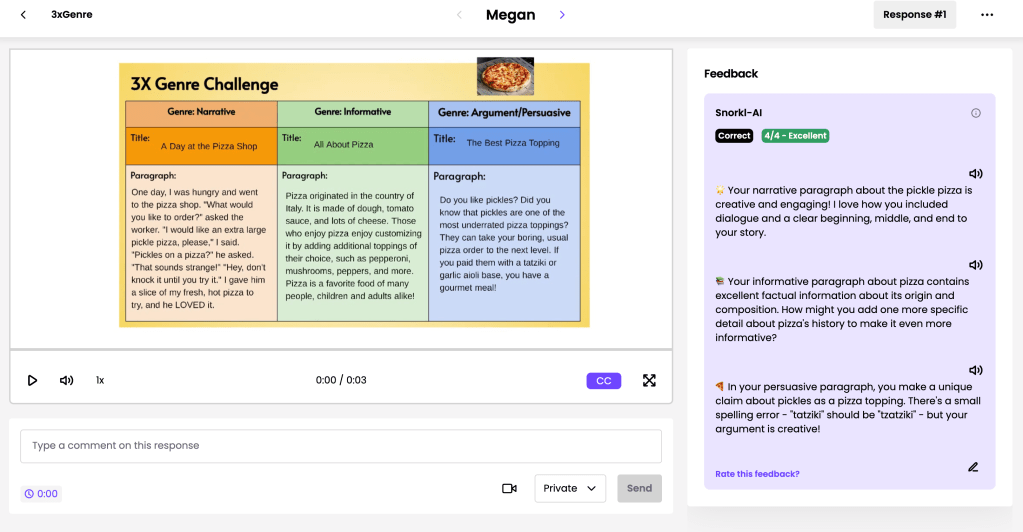
3xGenre – The Great Pizza Debate

To make writing fun and versatile, I ran 3xGenre using pizza as the topic.

  1. Narrative Writing – Students wrote a short, creative story about pizza in 3 minutes.
  2. Informational Writing – They wrote an explanatory piece on how pizza is made or its history.
  3. Argument Writing – The final challenge: Which pizza topping is the best?

The students were so into it that they wanted one more round—so we debated which pizza chain is superior. Using Short Answer for feedback and comparisons kept them engaged, competitive, and improving.

EduProtocols That Work with Short Answer

Short Answer naturally fits with EduProtocols, giving students structured, high-rep writing practice that’s engaging and effective. Here are a few that work perfectly:

  1. 3xGenre → Students write narrative, informative, and argumentative responses on the same topic, seeing how writing purpose changes.
  2. 3xPOV → Students write from three different perspectives, then compare and refine.
  3. 3xCER → Students write a claim three times, each time strengthening their argument.
  4. CyberSandwich Summaries → Students read, summarize, compare, and improve their responses based on peer examples.
  5. Random Emoji Power Paragraph (REPP) → Short Answer’s timer feature makes it easy to run quick writing sprints where students incorporate random emojis into their responses.
  6. Parafly → A fast-paced paraphrasing writing protocol that improves writing fluency and speed.
Why This Matters in an AI World

AI tools like ChatGPT aren’t replacing writing—they’re changing how we need to teach it. Short Answer makes writing interactive, social, and structured, ensuring students still develop their own thinking while learning to refine and critique writing.

Instead of fighting AI, we should use tools like Short Answer to:
✅ Keep writing authentic and engaging
✅ Help students compare their work to exemplars
✅ Provide scaffolds without giving answers
✅ Build stronger, more independent thinkers

If you’re looking for a game-changing way to get students writing, revising, and improving without dreading the process, Short Answer is worth checking out.

📌 Sign up for free trial and start using it in your classroom today: Short Answer

Writing doesn’t have to feel like a chore—for teachers or students. With Short Answer, it becomes a collaborative, competitive, and engaging experience that builds stronger writers in any subject.

Teaching in an AI-Driven World: Adapting, Not Resisting

When CDs, cassettes, and digital streaming entered the music scene, they didn’t kill live concerts—they transformed them. Artists had to rethink their performances, adding more visual spectacle, audience interaction, and unique live experiences that couldn’t be replicated by simply listening to an album at home. Similarly, photography didn’t make painting obsolete—it forced artists to innovate. Impressionism, modernism, and abstract art emerged because photography handled realism better.

The lesson? When technology changes, we don’t abandon what we do—we adapt.

Now, AI is reshaping education. Students can ask ChatGPT for answers, generate essays, and get instant explanations for concepts. If we continue teaching the same way we did before AI, we risk making our classrooms irrelevant. Instead of resisting, we need to rethink lesson design, focus on critical thinking, and embrace strategies that make learning more interactive, meaningful, and student-driven.


Rethinking Lesson Design in the Age of AI

Just like concerts became more immersive and art evolved beyond realism, our lessons need to shift from simple content delivery to engagement, creation, and analysis. Here’s how:

1️⃣ Prioritize Higher-Order Thinking

  • If students can Google or AI-generate an answer in seconds, we need to ask better questions. Instead of “What were the causes of the War of 1812?” ask, “If you were an advisor to Madison, how would you justify going to war?”
  • Shift from fact recall to argument-building, analysis, and problem-solving.

2️⃣ Make Learning Active

  • Move beyond passive note-taking. Use strategies where students do, create, and explain rather than just memorize.
  • Example: Instead of a worksheet on Jacksonian Democracy, students can use a 2xPOV activity—writing from both the perspective of a Jackson supporter and a critic.

3️⃣ Teach with AI, Not Against It

  • AI isn’t going away, so we should show students how to use it effectively—as a research tool, for feedback, and to refine their thinking rather than just generate quick answers.
  • Example: Have students draft a paragraph, run it through Class Companion for feedback, and revise based on AI suggestions.

EduProtocols That Fit the Future

Teaching in an AI-driven world doesn’t mean we need students to use AI all the time—it means we need to design lessons that push beyond what AI can do. Here are a few EduProtocols that naturally work in a world where instant answers are at their fingertips:

  • Fast & Curious (Gimkit/Quizizz) → AI can provide definitions and summaries, but students still need retrieval practice. This strategy ensures repetition, reinforcement, and real understanding—not just quick lookups.
  • Thin Slides (Padlet) → Students must create quick, one-word, one-image explanations and then present their ideas in 8 seconds or less. This forces concise, critical thinking—something AI-generated responses can’t do for them.
  • MiniReport → Instead of copying an AI-generated summary, students compare two different sources to analyze perspectives, evaluate bias, and construct an argument.
  • Sketch & Tell → Forces students to translate complex information into visuals, proving they truly understand a concept rather than just regurgitating words.
  • Parafly (Socrative/Padlet) → AI can provide summaries, but students still need to develop their own voice. This activity builds paraphrasing skills by having students rewrite key information in their own words—a critical skill in an AI-driven world.

These strategies go beyond recall and require students to think, create, and engage, ensuring that AI remains a tool—not a replacement—for deep learning.


The Bottom Line: Change is Inevitable, So Let’s Adapt

Technology has never eliminated the need for human creativity, thinking, or teaching—it has forced us to evolve. AI is doing the same to education. The key isn’t banning AI but designing learning experiences that AI can’t replicate.

Concerts didn’t die because of CDs; they became bigger and better experiences. Art didn’t disappear because of photography; it became more expressive and boundary-pushing.

Education won’t disappear because of AI, either. But it’s on us as teachers to rethink how we engage students, challenge them, and prepare them for a future where knowing information is less important than knowing what to do with it.

Upcoming Events: EduProtocols, AI, and More!

The next few weeks are packed with game-changing professional development opportunities! Whether you’re looking to level up your EduProtocols game, integrate AI into your lessons, or explore the future of education, these sessions will provide hands-on, practical strategies you can take back to your classroom immediately.


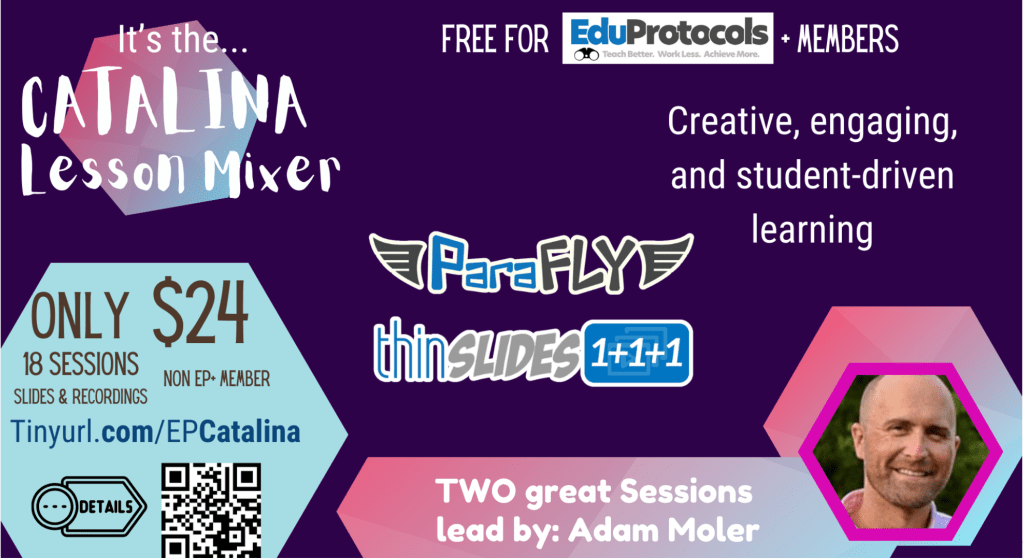
March 1 – Catalina Lesson Mixer (EduProtocols Plus) 🎤

💡 “Just like Derek and Brennan had to combine their skills to become Prestige Worldwide, I’m bringing TWO epic sessions to the Catalina Lesson Mixer!”
No wine mixing here—just pure EduProtocols magic!

🔥 What I’m presenting:
Parafly with Socrative – Helping students develop paraphrasing skills through a fast-paced, scaffolded activity with instant feedback.
Archetypes with EdPuzzle – Blending storytelling and history to engage students while strengthening their ability to analyze and categorize characters and leaders.
Thin Slides with Padlet – A powerful, student-led strategy that encourages quick synthesis, creativity, and class-wide discussion with real-time feedback.

👀 18 sessions = More room for activities!
💰 $24 for non-EP members, FREE for EduProtocols members!
📅 Register now: tinyurl.com/EPCatalina

🔹 Why you should join: If you’re looking for high-impact strategies that reduce teacher workload while boosting student engagement, this is a must-attend event. You’ll leave with lesson ideas you can run the next day in class.


March 8 – Gifted Fair at Hamilton County ESC

This event is designed to support families, educators, and gifted students with valuable insights and engaging, hands-on learning experiences.

🔹 What I’m presenting:
EduProtocols 8Parts – A structured approach to breaking down complex texts and historical documents into easy-to-understand sections.
3xGenre – A game-changer for writing instruction, helping students explore topics through multiple genres, boosting depth, creativity, and writing skills.

💡 Perfect for: Teachers looking for practical ways to support gifted and high-achieving students while making instruction more interactive and personalized.

🛍️ Explore vendors from local organizations offering after-school and summer enrichment programs.
🎓 Educators can earn up to 3 Gifted HQPD hours by attending special classroom teacher sessions.
👋 We can’t wait to see you!

📅 Saturday, March 8, 2025
🕘 9:00 AM – 12:10 PM
📝 Registration: 8:30 – 8:50 AM (Register Here – Link)


March 15 – EduProtocols Plus Live Show: Rewired with AI 🔥

AI isn’t replacing great teaching—it’s enhancing it.

Join me and Andrew Earl as we rethink what’s possible in the classroom with AI-powered EduProtocols. This session is all about maximizing efficiency, improving engagement, and reducing teacher stress while keeping students at the center of learning.

💡 What we’ll cover:
✅ How to combine EduProtocols with AI tools to streamline lesson planning and grading
✅ Using AI for scaffolding and differentiation
✅ AI as a tool for feedback and revision

📅 March 15, 12 PM ET / 9 AM PST
📍 EduProtocols Plus Live Show (Online)

🔹 Why you should join: If you’ve ever felt overwhelmed by AI or unsure of how to integrate it effectively into your teaching, this session will provide you with clear, actionable strategies that work in any classroom.


April 3-4 – Sequoia Con 2025 (Virtual) 🌲

I’m honored to be speaking at Sequoia Con 2025, exploring “Preparing for an AI-Everywhere World.”

This virtual conference, hosted by EverGreen AI Education, is all about AI, innovation, and the future of learning.

💡 What I’ll be covering:
✅ How AI is changing education, assessment, and student learning
✅ How teachers can prepare for an AI-integrated classroom
✅ Ethical considerations and best practices for AI use in schools

📅 April 3-4, 2025
📍 Virtual via Zoom
💰 Save $25 with code: TREES!

🔹 Why you should join: Whether you’re a teacher, administrator, or curriculum specialist, this event will provide insights into how AI is shaping education and what we can do to stay ahead of the curve.


🚀 Join me at these events!

Whether you’re looking for ready-to-use EduProtocols, AI-powered lesson design, or insights into the future of education, these sessions are packed with practical strategies and hands-on learning.

Hope to see you there!

Ohio EduProtocols Roadshow: A Game-Changer for Teachers

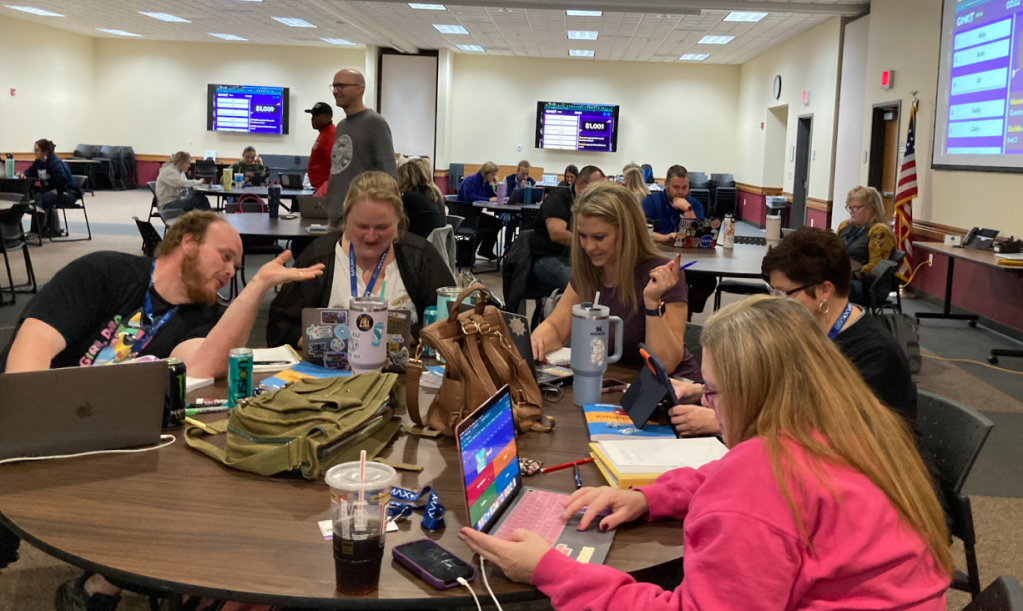
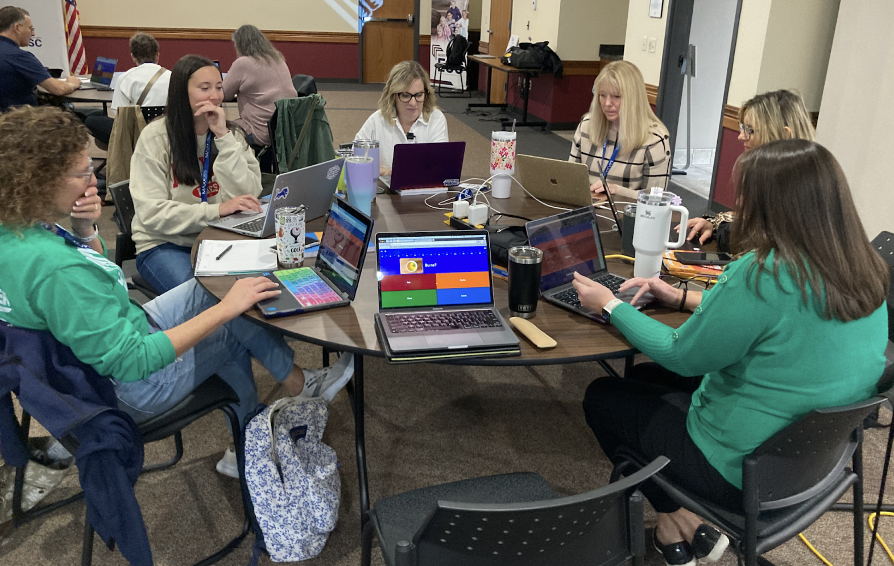
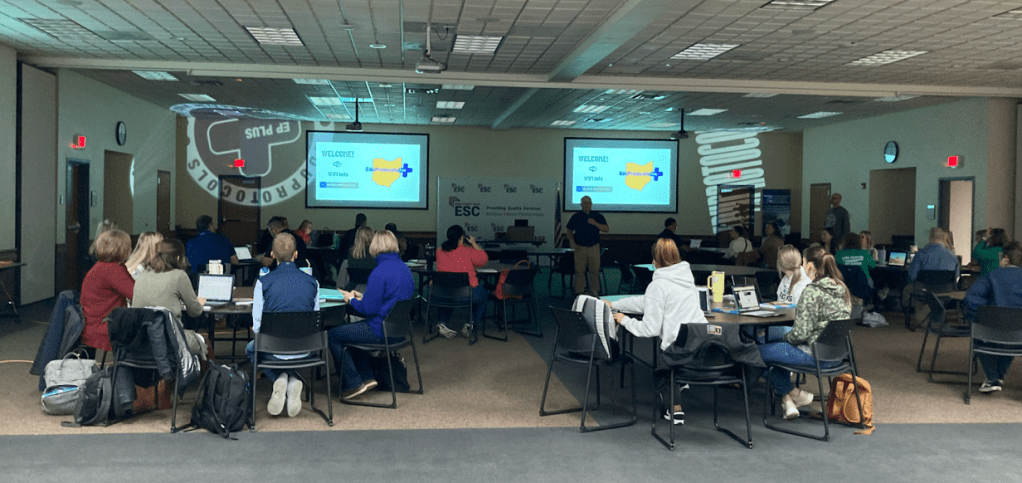
The Ohio EduProtocols Roadshow on October 25, 2024, at the Northern Buckeye Education Council’s headquarters brought together educators from Ohio, Indiana, Michigan, and West Virginia for an unforgettable day of learning, collaboration, and inspiration. This transformative professional development event showcased the power of EduProtocols to revolutionize teaching, engage students, and create lasting impacts in classrooms, schools, and districts.

EduProtocols in Action

The day featured a lineup of authors and hotshots who modeled EduProtocols in real time, helping attendees see how these strategies could transform their classrooms:

Jon Corippo, co-founder of EduProtocols, energized the room with his dynamic presentations on Fast and Curious and Random Emoji Paragraph. Teachers saw how these strategies transform formative assessments into interactive, game-like experiences and writing tasks into creative, student-centered activities.

Adam Moler, co-author of the EduProtocols Field Guide Social Studies Edition, engaged participants with his session on Sketch and Tell-O. He demonstrated how blending visual storytelling with core content gives students meaningful opportunities to express understanding in innovative ways while building their creativity and engagement.

Dominic Helmstetter, a national presenter and EduProtocols hotshot, wowed attendees with his session on Thin Slides. He showed how students could synthesize information and develop presentation skills in under five minutes, sparking both creativity and confidence while making learning dynamic and efficient.

Dr. Randall Sampson, an EduProtocols champion, brought a unique perspective to the event by offering CEUs for participants and sharing compelling student growth data tied to EduProtocols. Randall highlighted how these strategies have led to measurable improvements in academic achievement, engagement, and classroom efficiency. His session inspired educators to think critically about how EduProtocols can foster long-term growth and success for their students.

Real-Time Insights: Addressing Educator Challenges

One of the most valuable aspects of the Roadshow was its emphasis on addressing real-world classroom challenges with practical solutions. At the end of the Roadshow, a Padlet board was set up and used for participants to ask questions and have them answered in real time. Key questions raised during the sessions highlighted the adaptability and effectiveness of EduProtocols in diverse settings:

  1. Grading Simplified Yet Impactful
    A recurring question from attendees was: “How do I grade these activities?” Presenters emphasized keeping it simple. Most EduProtocols are designed for formative assessment during the week, relying on pass/fail or completion checks. Summative assessments, like final Thin Slides or Sketch and Tell-O presentations, can involve clear, rubric-based grading. For example, participation-based grading (e.g., completing 80% of Gimkit or Sketch tasks) or letter grades for final synthesis projects ensures accountability while reducing teacher workload.

“EduProtocols aren’t about piling on work for teachers or students—they’re about making learning visible and simplifying assessment in meaningful ways.”

  1. Tools That Support Engagement and Collaboration
    Participants were curious about the best tools to use with EduProtocols. Presenters highlighted versatile platforms like Google Slides for Thin Slides, Padlet for Iron Chef-style collaboration, and Curipod for interactive, AI-driven lessons. These platforms make it easy for students to share, engage, and collaborate, fostering a classroom environment where every voice matters.

“The right tools make EduProtocols seamless and accessible. It’s about finding what works best for your students and classroom needs.”

  1. Creating a Safe, Collaborative Classroom Culture
    A significant topic was how to foster a safe space where students feel confident sharing their work. Strategies included:

Using anonymous tools like Curipod for responses to avoid popularity bias.
Keeping activities fast-paced and light to reduce anxiety.
Reinforcing classroom norms and shutting down negativity quickly.
“EduProtocols build confidence because they focus on the process, not perfection. Students feel safe to try, share, and grow.”

  1. Balancing Engagement with Accountability
    Educators asked: “What about students who only work if it’s graded?” The experts reassured them that the engagement built into EduProtocols—like the competition in Fast and Curious or the creativity in Sketch and Tell-O—naturally motivates students. For those who still struggle, incorporating visible progress, like tracking Gimkit scores or showcasing Thin Slides, can provide the accountability they need.

“When students see their progress in real time and know their work matters, engagement follows.”

A Teacher’s Perspective

The collaborative, solution-driven nature of the event resonated with educators. Angie Behnfeldt, a teacher from Stryker Schools, shared:

“I attended alone since EduProtocols are not yet widely known in my district, but now I can’t wait to share what I’ve learned. The testimonies, anecdotes, and data shared throughout the day were incredible. You’ve inspired all of us to roll up our sleeves and start teaching better while working less!”

Transform Your Teaching

The Ohio EduProtocols Roadshow wasn’t just another professional development session—it was a movement. Teachers left with practical tools, actionable strategies, and a renewed sense of purpose. The modeling of EduProtocols in real time showed how these tools can be adapted to any subject or grade level, creating classrooms where students are engaged, teachers are energized, and learning is visible.

“Watching educators light up as they realized how these tools could transform their classrooms reminded me why I love this work.”Dominic Helmstetter

Don’t miss your chance to experience the EduProtocols Roadshow and join a growing community of educators transforming teaching and learning. Visit the EduProtocols Plus site and mark your calendar for the next event and prepare to unlock the full potential of your classroom!

Brain-Book-Buddy-Boss: A Winning Review Strategy

Brain-Book-Buddy-Boss-Link

If you’re anything like me, you’re always on the lookout for strategies that actually work in the classroom—ones that not only engage students but also lead to real results. On my way to school last week, I tuned into Gene Tavernetti’s podcast, Better Teaching: Only Stuff That Works, where he had Blake Harvard as a guest. Harvard shared an approach that I knew I had to try: Brain-Book-Buddy. I ended up adding a little twist—Boss. It turned out to be the perfect way to review our English Colonies unit.

Here’s how it worked, and why it was such a game-changer for my classroom.

Step 1: Brain—Retrieval Practice That Sets the Tone

I started the review by focusing on retrieval practice. Retrieval is one of the most powerful strategies for learning—it forces students to pull information from memory, strengthening their ability to recall it later. For the “Brain” part, I had students close their Chromebooks and use their brains to answer a set of questions on the English Colonies. I gave them 10 minutes to jot down everything they could remember, emphasizing that this was just about their own recall—no notes, no devices, just their memory.

This approach was a big shift for some students, but it worked wonders. Having them rely on their brains alone set the tone for the rest of the lesson and put the emphasis on thinking instead of searching. They quickly realized that they knew more than they thought—and it was great to see that confidence building.

Step 2: Book—Reviewing and Filling the Gaps

Once the 10 minutes were up, I had the students highlight any questions they couldn’t answer or were unsure about. That’s when we moved to “Book” mode. This time, the Chromebooks came back out, but I made it clear—no Googling! We’re all about using our own resources, so students had to find the information using their class notes and any EduProtocols we had already practiced, like Cyber Sandwich or Thin Slides, to review the material.

I walked around the room to make sure everyone was sticking to the task and using the notes they had created throughout the unit. This was a chance for them to practice good habits—turning to their own resources instead of the internet—and it worked! By using their own notes, they were reinforcing those study skills that will serve them far beyond this unit.

Step 3: Buddy—Collaborating to Deepen Understanding

Next, it was time for the “Buddy” step. Students paired up and discussed the questions they’d highlighted and the answers they’d found. This collaborative element allowed them to fill in any gaps they still had and bounce ideas off one another. It’s amazing how much students learn from each other when given the space to collaborate. They were actively teaching each other and, in turn, solidifying their own understanding.

Step 4: Boss—Clearing Up Misconceptions

The final step was “Boss”—and that’s where I came in. After they had a chance to work through the material with their buddies, it was time for them to bring any remaining questions or misconceptions to me. I stood at the front of the room, and they fired off their questions one by one. I loved this part because it gave me a window into what they were still unsure about. It also gave the students the chance to clarify anything they hadn’t quite nailed down yet.

I didn’t tell them upfront that we were going through a “Brain-Book-Buddy-Boss” structure—I taught it as we went along. This kept them engaged and curious, wondering what step was coming next. By the end of the lesson, they were fully onboard and loving the process.

The Results: A Massive Improvement

The proof was in the pudding—or in this case, in the scores. We wrapped up the review with a Gimkit assessment, and I was thrilled with the results: class averages came in at 92%, 88%, 87%, and 86%. This was a huge improvement from the 60%-70% range we saw last week. And the best part? I had the students put their papers away for the Gimkit, so they had to rely solely on their brains again. This kind of consistency in retrieval practice really paid off.

Why It Works: Blending Engagement and Retrieval Practice

What I love about the Brain-Book-Buddy-Boss strategy is that it hits multiple key elements of effective teaching. It combines retrieval practice, collaboration, and direct instruction all in one lesson. The structured approach makes it easy for students to stay engaged, and the different phases ensure they’re using their knowledge in multiple ways—solo, in pairs, and with teacher support.

Retrieval practice isn’t new, but finding ways to make it engaging can be challenging. This method adds layers that not only make it fun but also deepen understanding. I’ll definitely be using this strategy again, and I’m excited to see how it can be adapted for other units or subjects.

Final Thoughts

Whether it’s for a review or an introduction, Brain-Book-Buddy-Boss is a winner. It’s simple, effective, and most importantly, it helps students learn how to rely on their own knowledge and resources. After seeing the results with my English Colonies unit, I know this will become a staple in my classroom.

If you haven’t tried it yet, give it a go—your students will love the structure, and you’ll love the results.